

 Reply With Quote
just rewrite your MBR. Whichever OS you plan to install on the laptop in knoppix's stead should already have a tool for doing such a thing (hell, Even winXP bootCD has that option)


I have a laptop which I formally had knoppix installed on, after I got a stable server up and running on a main box i found how useless it was to have knoppix on that laptop.. I went to delete it and for some stupid reason used partitiion magic to just delete the nix partition.. which I believe is where I made the mistake. When i rebooted it still boots to lilo but won't let me boot into linux obviously. I've tried resizing and redistributing the newly avaiable hard drive space with partition magic again, and when I try it gives me this error
-------------------------------------
Error 501 while executing Batch.
Error 501: Cross-linked files were found
Will now reboot
Press Any Key to COntinue.
---------------------------------------
I've considered reinstalling and doing a clean uninstall of nix, but its cd-rom is also physically dead in the water. I do how ever have a floppy drive, but not quite sure what to do, I'm sure there will be a few flames saying bla bla boot disk fix lilo.conf but I'm a bit in the dark as of the exact operation of that. Half my life working on computers, and all I got was this stupid error =\. I don't think I've left any information out, but I could be wrong.. multitasking is fun.. How ever I will be greatly appriciate of any help or advise any one has to offer, and of course my sincerest gratiitude to all who even wasted their time reading =)
just rewrite your MBR. Whichever OS you plan to install on the laptop in knoppix's stead should already have a tool for doing such a thing (hell, Even winXP bootCD has that option)
That would be all well and good, if i could put in a cd.. but I can't thus the problem
What else is on the laptop - some flavor of Windows with PM installed? Can you boot to that?
It sounds like if you ran scandisk in Windows you'd find a bunch of hosed files there. Is there anything on that drive that you need to save?
-- Ed
I can back it up easily, i have a 120 main server but thats not the problen.. i can't get the hard drive space that used to be taken up by nix, to be allocated anywhere else.. cant use a cd to reinstall anything.. due to the no cd thing.. but yes theres a windows xp home version on it.. with PM, but im not sure quite what to do to get things back into order..
Back up what you want, or can. Data are more important than programs, which can be re-installed. If you need to back up programs, copy the registry too. Some of the data may be corrupted, but you can sort that out later.
Run scandisk - just check for data integrity, not the physical media. This should "fix" the crosslinked-files errors (by eliminating them as recognizable files). Then try Partition Magic again.
Let us know if that works, okay?
-- Ed
 Posting Permissions


16GB KIT (2x8GB) DDR3 Gamer Desktop RAM PC3 MIXED BRANDS VIPER VENGEANCE FURY
$10.00

Netac DDR4 32GB 16GB DDR4 3200MHz UDIMM C16 Desktop Internal Memory RAM Kit
$99.99

Micron 16GB (2x8GB) 2Rx8 DDR3 1600MHz PC3-12800U Desktop RAM
$19.99

Samsung 32GB DDR4-2666V-2Rx4-RB2-12 RAM M393A4K40CB2-CTD6Q
$169.00

Crucial 32GB(4 x 8GB) CT8G4DFS824A.C8FDD1 DDR4-2400 UDIMM Desktop RAM - CR352A
$89.95
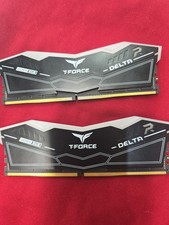
TeamGroup T-Force DELTA RGB 64GB 2x32GB DDR5 RAM 6000(2Rx8) CL38-38-38-78 1.35V
$600.00

RAMAXEL Lenovo 32GB LPDDR5X CAMM2 7500MHz Laptop RAM | UNTESTED
$445.00

DDR4 Laptop RAM 4GB 8GB 16GB 32GB 2400 2666 3200 Samsung Hynix
$66.00

Samsung 32GB DDR4-2666 PC4-21300 288-Pin DIMM RAM M393A4K40CB1CRC0Q
$185.00

Corsair Vengeance DDR3 8GB 16GB 32GB 1866MHz PC3-14900 Desktop RAM Memory DIMM
$85.00