-
realy big problem , i cant boot knoppix :(
decited ti install knoppix , and thats my bigest problem .. i was dawnloading from this page knoppix.iso file , i extrat the file then i burn to the disc via nero -> make bootble cd. Im going to my bios and enable first boot atapi cd-rom , i disable maxtor hardisk. I restart pc , and it dosent boot , simplay as that. i use winxp , and i dont have dos installed.((( I was instaling 1 day before 1 booable program called caledra dr.dos 7.03 , and burn it to cdrom , i USE IT ONCE .. ))))
And today i was traying once again , when i place peanut cd into cd-rom , and starting pc it AUTOMATICLY start booting caldera dr.dos 7.03 and i DONT HAVE CD IN IT ! pc writes BOOTING FROM ATAPI CD-ROM : 1,44 mb diskett ( WTF ) caldera blablabla .. so i guess this program emulate a: (flopydrive) to my e: ( cdrom drive ) thats why I THINK cannot installed knoppix. Haw can i uninstall this fuc##$ program, in winxp i dont have any uninstall option.
ok, when caldera is running i type e:/dir .. and there is some strange files from caldera , but i cannot delte them , i try to make dir and copy all files from knoppix.iso into c:/linuxx/ but i dont know how to start ! 
So can anyone help me with this badly situation , i realy wanna try knoppix.
thnx for anykind of replay !!!
respect !
-
Administrator
Site Admin-
Re: realy big problem , i cant boot knoppix :(

Originally Posted by
gpevc1
, i extrat the file then i burn to the disc via nero -> make bootble cd....
I actually stopped reading at this point, no reason to go any further. this is wrong in multiple ways. You don't extract anything from the ISO. You do not use the Nero Make Bootable option. Use the documentation link at the top of this page, then read the Downloading faq.
Additional hints: Check the md5 sum before you burn. This is really important. So what if you don't know what that means? Learn, then do it. Use a 700 meg CDRW if you have one for your first burns until you get it right. When burning a CDR do it at a low speed like 4x, not as fast as the burner claims it will go. No good reason why a burner that claims it can burn at 48x or faster doesn't burn well at those speeds, but we've seem plenty of cases where the burn speed was the final problem. You need to burn the ISO file as an "image", do not drag the iso into the file area and do not use "make bootable" options.
Similar Threads
-
By destro in forum MS Windows & New to Linux
Replies: 4
Last Post: 04-01-2007, 11:08 PM
-
By thrifty1948 in forum Hardware & Booting
Replies: 2
Last Post: 11-24-2005, 06:23 PM
-
By mudwater in forum Hdd Install / Debian / Apt
Replies: 32
Last Post: 01-20-2005, 06:13 PM
-
By MrBug in forum Hdd Install / Debian / Apt
Replies: 3
Last Post: 10-28-2004, 01:13 PM
-
By protector in forum Customising & Remastering
Replies: 2
Last Post: 10-28-2004, 05:49 AM
 Posting Permissions
- You may not post new threads
- You may not post replies
- You may not post attachments
- You may not edit your posts
-
Forum Rules


SAMSUNG SSD 512GB 500GB 480GB 256GB 250GB 240GB SSD 2.5 Solide State Drive 6Gbps
$40.99

ON SALE TURBOLINK EVO 4TB V-HAND SSD 2.5 SATA III Internal Solid State Drive
$199.99

Samsung 860 EVO 250GB SSD MZ-76E250 2.5" SATA III Solid State Drive -
$36.99

Western Digital Blue 3D NAND 250GB 2.5" SATA III Internal SSD - WDS250G2B0A
$29.99

256GB mSATA SSD DRIVE MIXED BRAND TESTED WORKING
$23.50
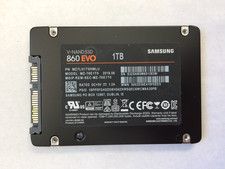
SAMSUNG SSD 860 EVO 1TB 960GB 512GB 500GB 480GB 250GB 2.5 6Gbps
$69.99

Crucial 2TB P3 Plus NVMe PCIe 4.0 M.2 Laptop Desktop Internal SSD CT2000P3PSSD8
$199.00

2 PACK 128 GB SSD M.2 2280 SATA Solid State Drive Major Brands, Samsung, LiteON
$28.00

Toshiba THNSN81Q92CSE 1920GB SATA 2.5 Solid State Drive
$199.00

SK Hynix HFS512G32TNF-N2A0A 512 GB 2.5 in SATA III Solid State Drive
$49.89



 Reply With Quote