-
Transfer of files
I have a new HD in my computer and the old unfunctioning one is set as slave. I boot to Knoppix and I can see both drives and the files I need to salvage from my old drive, but when I try to copy them to the new drive it says it cannot make the directory. It will not allow me to create a new folder either. Any ideas on what I need to do. Your help is greatly appreciated.
-
Senior Member
registered user
Re: Transfer of files
It's probably just permissions.
Could you post the output of a couple of commands to check on that. If your getting the message that you can't create a directory .... your probably trying to work from your user account on a mount point owned by root, and or, the executable permissions on your directory is restricted.
>>
I boot to Knoppix and I can see both drives and the files I need to salvage from my old drive.
>>
Have you got Knoppix installed to your new drive as a dedicated install ? ... sounds like it.
post the output of
]# mount
]# ls -al /mnt/[list=1]
or where ever the old drive is mounted.
You may just need to su to root.
]$ su
Password: <enter root pass_word>
]#
/etc/fstab would be worth looking at too, try adding "users" or "user" to the option list for the mount point. You may need to change the group association for your mount points too, jut to make them more flexible.
If you post the above, that shoild reveal what the state is at present.
Then ....
cd to wereever on your new drive and,
]# tar -C <path to old drive> -c <some file> | tar -C . -x
eg:
]# cd /dialups/logs/
]# tar -C /dialups/logs/2005 -c retrieved_urls | tar -C . -x
That will copy the "retrieved_urls" sub_directory of /dialups/logs/2005 and extract it to the current "/dialups/logs/" directory.
A bit of over kill for the above, but handy for across drives.
If you have a split_screen file manager, it would probably be better to just copy between the two file manager windows.
There is a program called "rsync" that would also be good, but i haven't used it to any degree to say much there.
>>
I have a new HD in my computer and the old unfunctioning one is set as slave.
>>
unfunctioning one !
jm
~~~~~~~~~~~~~~~~~~~~~~~~~~~~~~~~~~~~~~~~~~~~~~~~~~ ~~~~~
Similar Threads
-
By DonS in forum MS Windows & New to Linux
Replies: 8
Last Post: 02-13-2008, 10:24 AM
-
By lilsirecho in forum Klik
Replies: 0
Last Post: 01-17-2005, 08:23 PM
-
By method in forum Networking
Replies: 3
Last Post: 10-18-2004, 05:32 PM
-
By furryfren in forum General Support
Replies: 3
Last Post: 07-23-2004, 12:22 PM
-
By perrond in forum General Support
Replies: 1
Last Post: 06-18-2004, 12:45 AM
 Posting Permissions
- You may not post new threads
- You may not post replies
- You may not post attachments
- You may not edit your posts
-
Forum Rules

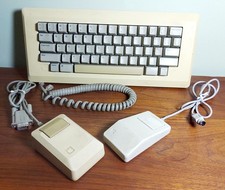
Vintage APPLE Computer Keyboard M0110 and Mouse LOT M0100 & Desktop Bus
$129.00

Apple Mac OS9 Cloth Banner Think Different 64 x 24 inches NEW ORIGINAL Vintage
$99.99

Vintage Apple Macintosh IIsi Computer, Monitor, Keyboard & Mouse Complete Setup
$199.99

vintage 1979 Apple II Personal Computer Reference Manual 030-0004-01 guide book.
$29.95
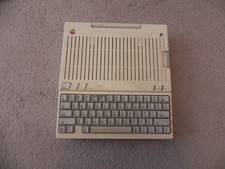
Apple IIc Home Computer Vintage Model A2S4100 Retro Computer Untested
$149.00

Apple II ProDOS User's Manual & IIe Supplement Factory Sealed Vintage
$79.99
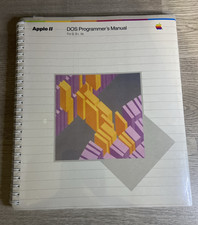
Apple II DOS Programmer's Manual 030-0536-A 1982 Factory Sealed Vintage
$64.99
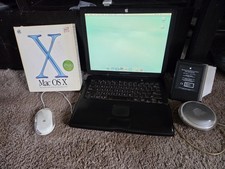
VINTAGE Apple PowerBook G3 Lombard M5343 400MHz 192MB Working Mac OS X Bundle
$299.00
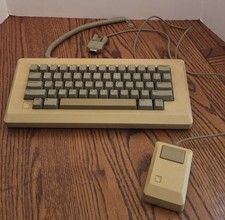
Vintage Apple Macintosh M0110 Keyboard with Coiled Cable & M0100 Mouse Bundle
$180.00

Apple cloth fabric banner iBook tangerine orange New Old Stock Vintage
$99.00



 Reply With Quote