

 Reply With Quote
if anyone has a similar problem, here's what i did
ru (to get to the root)
then
mount -o remount,rw /mnt/sdc1
then it worked
=]


hello,
i'm completely new to knoppix but am using it to try to recover some files from a corrupt hard disk unto a usb memory stick.
the usb device appears on the desktop as "Hard Disk Partition [sdc1]" and it will not allow me to copy anything onto it. i get the error message "could not write to /mnt/sdc1/blah.doc"
any ideas on what might be going wrong here??
thanks in advance, alex
btw. i'm using the latest version of knoppix
if anyone has a similar problem, here's what i did
ru (to get to the root)
then
mount -o remount,rw /mnt/sdc1
then it worked
=]
Hi, I'm doing the same thing and trying to recover some files and put them on a memory stick or trying to burn it. I'm running a Dell laptop and it doesn't even have "Hard Disk Partition [cd1]" on the desktop for my USB drive. I have connected a cd burner, but when i wouldn't even let me access it. do you know how I can fix this?
what kind of interface to the burner? scsi, usb, firewire, paralell (printerport on a PC)?
the usb stick might be called ubX or sdX (where X is a number from 1-9 iirc) .
and you might mount it with comand below.
first we assume your drive is ubX
Code:mkdir /mnt/ubXnow we asume it is sdXCode:sudo mount -t vfat /dev/ubX /mnt/ubX -o rw
Code:mkdir /mnt/sdXthis should work in 90% of cases.Code:sudo mount -t vfat /dev/sdX /mnt/sdX -o rw
to find what your stick is called perhaps
might help orCode:dmesg|grep usbthese tewo comands will list a bunch of outputl look for lines like this (from my computer after i incert a usbstick)Code:fdisk -l
anddmesg|grep usb
...
usb 1-4.3: new full speed USB device using ehci_hcd and address 4
usb-storage: device found at 4
usb-storage: waiting for device to settle before scanning
usb-storage: device scan complete
these two qoutes are somewhat shortened, you most likely get some more lines.fdisk -l
...
Disk /dev/sda: 65 MB, 65536000 bytes
50 heads, 32 sectors/track, 80 cylinders
Units = cylinders of 1600 * 512 = 819200 bytes
Device Boot Start End Blocks Id System
/dev/sda1 * 1 80 63984 6 FAT16
hope this helped you
 Posting Permissions


(New) AMD Ryzen 7 5700X 8 Core 16 Thread AM4 Unlocked 3.4 GHz CPU OEM Tray
$169.99
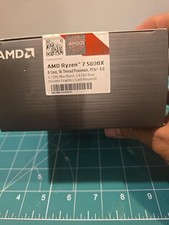
AMD Ryzen 7 5800X 8-Core 16-Thread 3.8GHZ/4.7GHZ
$225.00

Intel Core i9-9900K SRG19 3.60GHz 16MB 8-Core LGA1151 B Grade CPU Processor
$175.00

AMD Ryzen 7 7700X 8-Core, 16-Thread Unlocked Desktop Processor
$250.00

AMD Ryzen 5 PRO 4650GE 100-000000153 6-Core 3.30GHz 8MB AM4 CPU Processor
$59.99

Intel Xeon E5 - 2667V2 / SR19W 3.30GHz 25MB 8-Core CPU Socket LGA2011
$30.00

AMD Ryzen Threadripper PRO 3945WX 12-Core 4.0GHz sWRX8 CPU NEW Tray Unlocked
$79.99

AMD FX 8350 8-CORE 4.00GHz CPU FD8350FRW8KHK SOCKET AM3+ *QTY
$39.99

DELL OPTIPLEX 3280 21.5" AIO Core i5 10500T 8GB 256GB NVMe Windows 11 -NO STAND
$179.99

Home Assistant Server | 8GB RAM | 128GB SSD | Intel i5 Quad-Core | Dell OptiPlex
$159.99