-
Administrator
Site Admin-

Originally Posted by
jjanderson5
Problem solved......Then I started looking for some network
control in the window manager and found
knoppix->network/interface->network interface configure ....
I configured the network card and ran 'route add default gw 192.168.1.1' to map
a route to my router. And then everything worked find.
Bottom line is that when I lost power, I lost my network interface card configuration
and I forgot to reset it.......
Thanks for the update and it's good to know that the problem is resolved. The thing is, I've very confused about what you just said and I would like to uderstand it better to be able to help others or in case I ever run across this myself. You're talking about some sort of setting, apparently to Knoppix, that I've never had to do. And in your very first post you started this whole discussion with
Originally Posted by
jjanderson5
I've been running Knoppix 3.7 from CDROM on my PC for about 2 months. .....
I've always been able to boot the Knoppix CD and it's set itself up by DHCP. We don't need no stinkin' "route add default gw" command. It has worked this way for me on several different computers and on maybe a half dozen different routers. So I'm hard pressed to understand why booting from a Live CD you need this command (and how you even determined that you need it). And why when booting from a live CD you would not do this each time, if you have to do it at all.
Similar Threads
-
By rolfhub in forum Hardware & Booting
Replies: 4
Last Post: 05-05-2005, 10:46 AM
-
By vip in forum Networking
Replies: 1
Last Post: 11-03-2004, 05:33 AM
-
By Tharkun in forum Hardware & Booting
Replies: 1
Last Post: 08-22-2004, 12:05 AM
-
By kubikanber in forum Hardware & Booting
Replies: 0
Last Post: 05-19-2004, 08:22 PM
-
By Kriil in forum Hardware & Booting
Replies: 5
Last Post: 02-28-2004, 04:14 PM
 Posting Permissions
- You may not post new threads
- You may not post replies
- You may not post attachments
- You may not edit your posts
-
Forum Rules


1969 EAI TR-20 Analog Computer Programming PACE Philbrick Electronic Associates
$32.00

Vintage George A Philbrick Researches Tube Analog Computer Module Serial 005503
$109.99
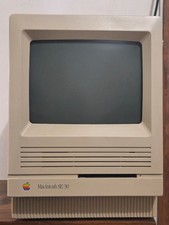
Apple MAC SE/30 Computer M5119, Vintage, Logic & Analog boards + PSU Recapped
$750.00

Refurbished Working 1960's Heathkit EC-1 Educational Electronic Analog Computer
$2999.99
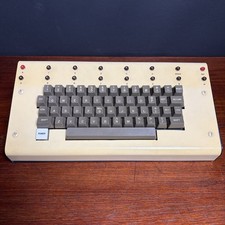
1979 vintage apple II 2 keyboard Mod CV Control Analog Synthesizer Paia Buchla
$500.00

Vintage Early Week 12 1984 Apple Macintosh 128K Computer M0001 w/Analog Board+
$209.99
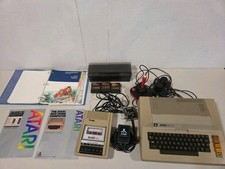
Vintage Atari 800 Computer System With Accessory And Games..
$299.99

Super Rare Analog Computer EAI TR-20 (from the 1960's) Electronic Associates Inc
$5450.00

VINTAGE 1970s SKIT Scientific Kit for Computer & Electronics SEALED INSIDE Rare
$380.00

Apple II V2 ANALOG VGA & Z80 PCPI Applicard Softcard PicoPal IIe
$56.99



 Reply With Quote