-
HDD install
Hello, i am somewhat experienced with linux and knoppix, and i love knoppix, wanted to do a HDD install, have 20 gigs Set Aside for it, Ive tried Creating the 500 meg swap, linux ext3 19.5 gig and then went to install, i use vcom system commander as my bootloader. i weent to install, ive used knoppix-installer and sudo knoppic-installer and i get permission errors, ive looked around and see that others have this problem, and i think its because my 1st partition is 20 gig with windows XP its NFTS.
So now you know the info about my system, my problem is the permission error. im not sure how to get it so its allowed to write to nfts so it can install. ive set it to beginner set my passwords everything correctly. ive tired pre-partitioning, and then ive tried letting it partition. so should i let it partition itself after i somehow get it able to write to NFTS 1st partition?
thanks, Drake
-
Senior Member
registered user
I don't have NTFS but from what I read it's about as well supported as HFS+
which is to say not very.
Linux-open source users are pioneers. The Linux NTFS project needs volunteers so you
might be able to help them. Link: http://linux-ntfs.sourceforge.net/
They do have a FAQ link at the site.
-
wait, so theres no way i can install knoppix on this comp just because my first partition is nfts?
-
Administrator
Site Admin-

Originally Posted by
DrakeBS
wait, so theres no way i can install knoppix on this comp just because my first partition is nfts?
That's absolutely incorrect. Any of the 4 partitions is as good as any other. Even MS doesn't look at the partition table in the same order in all it's OS's - sometimes it reads the table "top down" and yet other OSs read it "Bottom up". NTFS in the first or any partition will have no effect on you whatsoever, just don't try to write to that ntfs partition with Knoppix.
This is not, however, in any way a recommendation that Knoppix should be installed to hard disk. I am of the school that Debian should be installed to hard disk, Knoppix should be run from Live CD. But if you read through this forum and are aware of the issues that you face then you should make your own choices about that.
-
Junior Member
registered user
either check out this thread:
ISO boot from FAT/NTFS/USB (GRUB.exe, grldr from boot.ini)
[ Goto page: 1 ... 17, 18, 19 ]
Or click on this link:
http://www.knoppix.net/wiki/Win_Partition
Many people have been suuccessful using this method.
James
-
Please, help me! I lost my "dual-boot"
I'm a new Linux user and I had another Linux version in a partition on my HD.
I had also a "dual-boot" Windows XP/Linux.
So I tried to save data on my old Linux partition. Then I lost my dual boot.
What can I do?
I just want to recover the dual-boot. I did not lost my Windows data. I can see and open all the files on the Windows partition. But I need to use my Windows.
Help me, please.
-
Junior Member
registered user
you mention that you still have read access to the ntfs partition? I am assuming you cann boot linux but not xp???? if this is the case you can get your original xp cd, boot from it into the recoverey console, and by typing fixmbr or fixboot or something like that (just type help at the prompt on the console and iti should show you a list of these commands.) i don't know what that will do to liinux though. I would recommeend that you do a search on this forum for fixmbr or fixboot as they seem to appear very frequently in this forum.
James
 Posting Permissions
- You may not post new threads
- You may not post replies
- You may not post attachments
- You may not edit your posts
-
Forum Rules

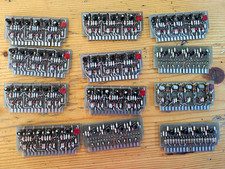
Lot of 12 Vintage 1960's Military Logic Cards PCB Set Germanium Transistors
$299.00

Vintage Computer - PC Innovation Intel 486DX2 - Dos Ver 6.2 Windows 3.1
$250.00

Vintage HP Hewlett Packard 2112A 21MX 1000 M-Series 16-Bit Minicomputer
$419.99

Vintage Jetway J-620BF Socket 370 Celeron AT Motherboard SiS 620 Brand New
$75.00
Vintage S-100 California Computer Systems cards Z80 cpu + ADS PromBlaster
$895.00

Vintage Apple Macintosh Plus Desktop Computer - M0001A
$150.00

Fujitsu Stylistic 3500 Tablet Computer Vintage Pen Powers On w/ Charger READ
$100.00

Vintage Quasar Information Processor
$39.00
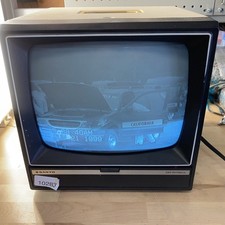
Sanyo DM 5012CM Solid State Data Display Monitor Working Vintage 1980s 80s
$169.99
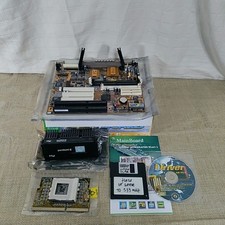
Vtg 370CPU Rev 370 FC-PGA converter board With ECS Motherboard + CPU Lot
$70.00



 Reply With Quote