-
Junior Member
registered user
bootup script
alright i tried these links but i still can't solve my problem.
http://www.knoppix.net/forum/viewtop...script&start=0
http://www.knoppix.net/forum/viewtop...iswrapper+boot
http://www.knoppix.net/forum/viewtop...wrapper+script
I would like to reinstall my driver using ndiswrapper every time i boot so i don't have to do it manually but i can't get it to work. I added this code(with the correct directories) to /etc/init.d/bootmisc.sh.
Code:
if [ -r /path/to/file.sh ]; then
    . /path/to/file.sh
fi
then i made a .sh file to .../.kde/Autostart/ and made this
Code:
#!/bin/sh
su mount /mnt/hda1
su ndiswrapper -e net8180
su ndiswrapper -i /file/directory/net8180.inf
su modprobe ndiswrapper
su iwconfig wlan0 mode Managed
su iwconfig wlan0 essid default
su iwconfig wlan0 commit
su ifconfig wlan0 up
su pump -i wlan0
but my internet doesn't want to work on boot and i have to do it manually. I tried putting "su root" on the top but it just didn't load knoppix's gui and i had to exit out of the root and the internet still did not work. I have also tried tweaking it around a bit but couldn't figure anything out.
i have knoppix 3.8 installed on my hard drive.
-
Junior Member
registered user
alright i think i got this working...sorta
when i put the code under /etc/profile it seems to run it but i can't get it working because of these root problems.
Code:
#!/bin/sh
su ndiswrapper -e net8180
su ndiswrapper -i /file/directory/net8180.inf
su modprobe ndiswrapper
su ndiswrapper -m
su iwconfig wlan0 essid default
su ifconfig wlan0 up
su pump -i wlan0
when i try that, the internet doesn't work instead when i open the terminal it shows those commands but says that i used su improperly. when i try with sudo, i need to open the terminal and then it says to input a password and i do and then the internet works. When i try su root on the top and then exit on the bottom it gets really wierd. when i open the terminal it asks for the password and when i type it in it just goes to the next line but there's not [email protected] and i can't do anything. How do i properly use the root command so it would load up?
==Update==
Nevermind i got it to work. I had to configure my sudoers file in /etc/ so it would allow me to do the sudo command 
Similar Threads
-
By rapturestar in forum Hardware & Booting
Replies: 2
Last Post: 07-03-2006, 03:05 AM
-
By digDug in forum General Support
Replies: 5
Last Post: 01-14-2005, 11:50 AM
-
By jjmerrill in forum General Support
Replies: 1
Last Post: 12-21-2004, 01:13 AM
-
By Jaki in forum General Support
Replies: 2
Last Post: 03-12-2004, 11:27 PM
-
By sireasoning in forum Ideas
Replies: 0
Last Post: 01-21-2003, 08:44 AM
 Posting Permissions
- You may not post new threads
- You may not post replies
- You may not post attachments
- You may not edit your posts
-
Forum Rules


Dell PowerEdge M630 Blade Server 2x Xeon E5-2680 v4, 2F3MP , 4GDP5 ,R10KJ ,JVFVR
$140.00

Cisco UCS 5108 Blade Server Chassis Enclosure N20-C6508 4x PSU 8x Fans 2x Fabric
$174.99

Dell PowerEdge M640 Blade Barebone Server Dell P/N: HHB006 Tested Working
$149.99
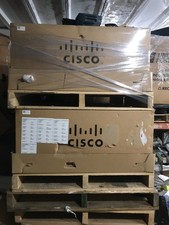
NEW Cisco UCSB-5108-AC2 Blade Server Chassis 8 Slot 6RU Chassis 4 X PSU - DW
$599.40
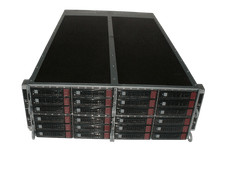
Supermicro 4U 32x 3.5 Bays 4-Nodes | 8x E5-2660 v3 2.6Ghz | 64gb RAM | 9207-8i
$699.99
Dell PowerEdge M640 Blade Server 2x Gold 6126 12C 32GB 2x 480GB SSD H330
$1759.00
Dell PowerEdge M640 Blade Server 2x Gold 6132 14C 32GB 2x 960GB SAS SSDH330
$1939.00
Dell PowerEdge M640 Blade Server 2x Gold 5118 12C 32GB 2x 960GB SAS SSDH330
$1939.00

Lot of 2 IBM blade center Type H chassis 8852
$559.00

Dell PowerEdge M620 Blade Server 2x Xeon E5-2680v2 256GB DDR3 RAM NO HDD
$349.99



 Reply With Quote