-
Is this a good idea? (Knoppix on an old laptop)
Well, it realized that i actually have never done one of those linux-on-an-old-laptop-installs that i so often think about doing on old laptops i get my hands on. So i tried just one more time. My general approach is to do a net install of debian, with a 3Com PCMCIA NIC, and it never works out allright. Neither this time.
I sighed.
Then i figured i'd see just how good knoppix would find the hardware, and ran a liveCD in the machine. Booted allright, took around four weeks from bios to KDE, but hey it worked, and hey i could use the internet.
I sighed again.
So then i started thinking, maybe Knoppix wouldnt be so bad after all. COnsidering it is phenomenal in finding hardware, what if i could do a HD install and just strip away stuff i dont want. My idea with debian was to get a system with just bash, and then maybe install X if i wanted to, later. Since Knoppix booted allright on the machine, maybe i could just rip out X and some other things after a HD install, and wind up with a pretty lean system anyhow?
And just apt-get from there?
Give me your opinions, and i'd also like to know if theres any specific place that gives the ultimate guide to knoppix HD installs
computer facts:
IBM thinkpad 380D,
pentium 1 around 120 MHz, 48 m RAM, 1.5 gb HD
-
Senior Member
registered user
You might want to head over to distrowatch and have alook at the many linux distributions out there, some live cd.
There used to be some good live distros for what you're trying to do, although the net install of debian would be ideal in that it gives you the option of installing x windows or not. I've done it on suns and macs, never easy but once installed you can apt-get what you want
The distros that used to be cool for old machines are flonix (now seems to be commercial) and morphix. Damnsmall linux is another.
http://distrowatch.com/
-
Senior Member
registered user
http://www.damnsmalllinux.org/
Let us know how you make out. I might want to try DSL on an old notebook too!
-
Senior Member
registered user
Most compelling limitation on old laptops is HD size. Knoppix needs 2.4 Gig just to install, if your laptop is old enough to only have a 2 G HD (ie..from the win98 era) you just don't have enough HD space to install Knoppix except as a poormans install. My 600 Mhz Toshiba (originally winME) has 6G & I can fit Knoppix & winME dual boot on it.
-
Senior Member
registered user
Yes, knoppix-installer doesn't allow you to choose what gets installed, so everything gets copied over. But if you really, really like Knoppix you could remaster your own version to install on the laptop.
You would install it on another computer that had room (and a CD burner), keep only what you want for the laptop, and make a new CD. When you boot it on the laptop with cheatcode 2, Knoppix won't even miss the GUI stuff you pulled out.
Another possibility is Progeny, which you can read about here: http://componentizedlinux.org/progen...ease-notes-rc2 It's the closest thing to a corporate Debian you'll ever find since the company was founded by Ian Murdoch, the Ian of Deb-Ian.
Progeny has its own hardware detection, so it may work better for you than straight Debian.
It configures installation with anaconda, allowing you to pick either a pre-defined or customized setup. I think I used a standard workstation configuration, which came to 1.2 GB. If you take out GUI stuff (X, Gnome, Firefox), you should be able to fit it on the laptop nicely.
Another option may be to graft Knoppix hardware detection onto another Debian installation since Knoppix is Debian - a hodgepodge Debian, but Debian nevertheless. 
I hope this helps.
-- Ed
-
thank you for your ideas and insights! i went for damnsmall, for the moment i am only running it as a liveCD but it does what i want it to so.... however i did try a HD install of it on another desktop PC. Holy cow, that sucker was ready and installed in about ten minutes! Did it all on its own.
-
Senior Member
registered user
That's great! Thanks for getting back to us.
-- Ed
Similar Threads
-
By admart35 in forum Laptops
Replies: 1
Last Post: 08-18-2005, 03:19 PM
-
By Krogen in forum Hdd Install / Debian / Apt
Replies: 0
Last Post: 06-07-2005, 03:00 AM
-
By gurr2 in forum The Lounge
Replies: 1
Last Post: 12-07-2003, 02:23 PM
-
By Dreamert in forum General Support
Replies: 7
Last Post: 09-22-2003, 11:49 PM
-
By stefan_isaacs in forum Hdd Install / Debian / Apt
Replies: 8
Last Post: 07-29-2003, 01:33 AM
 Posting Permissions
- You may not post new threads
- You may not post replies
- You may not post attachments
- You may not edit your posts
-
Forum Rules


Dell 6P85J 4TB ST4000NM0063 7.2k 6Gb/s 3.5” SAS SED Hard Drive with Tray
$39.99

Western Digital HUS726T4TAL5204 4TB 7.2K SAS 12Gb/s 3.5" 512e HDD NetApp X375A
$64.00
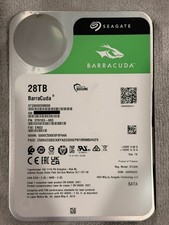
Seagate BarraCuda 28TB 7.2K SATA 6Gb/s 3.5in Internal HDD ST28000DM000 - Tested
$670.00

DELL 2TB Enterprise HDD (7200RPM, 3.5", SATA III, 128MB Cache) HUS722T2TALA600
$49.95

Seagate ST4000NM0034 Enterprise 4TB 7200RPM SAS 12Gb/s HDD v4
$39.00

Seagate ST500DM009 BarraCuda 500 GB 3.5" SATA III Desktop Hard Drive
$14.99

Dell ST6000NM0034 1HT27Z-150 NWCCG 6TB SAS 3.5 7.2K ENTERPRISE SERVER DRIVE
$68.99

HGST HUS724040ALA640 HDD 4TB SATA 6Gb/s 7.5K 3.5" 0F19459 512 b/s
$78.00

(ST8000NM0045) SEAGATE ENTERPRISE 8TB 7200RPM 4Kn SATA 6Gb/s 3.5" HARD DRIVE
$199.99

Seagate ST8000NM0075 Enterprise Capacity 3.5 HDD 8TB SAS Hard Drive 8TB EXOS
$184.99



 Reply With Quote