-
Senior Member
registered user
Cannot surf Internet
Using knoppix 3.7, installed as a live CD, could surf Internet fine. Installed knoppix on my hard drive and I cannot surf the Internet, pages time out in knoqueror and I can only ping my router and local addresses. If I ping www.google.com I get unknown host??
Sounds like a dns problem I have an onboard Marvell ethernet adapter (Asus P4P800 motherboard).
Network setup uses a fixed IP and netmask of 192.168.254.197 / 255.255.255.0 Default gateway (router) is set at 192.168.254.254 My DNS names for my ISP are set in /etc/resolv.conf
lspci:
0000:02:05.0 Ethernet controller: Marvell Technology Group Ltd. Yukon Gigabit Ethernet 10/100/1000Base-T Adapter (rev 13)
I have set a host name but not domainname. Using a single computer connected to my router. I am running, SuSe,
Mandrake, FreeBSD , Ubuntu and Knoppix 3.7. I can browse in other systems but not knoppix. Thanks in advance for any help.
-
Administrator
Site Admin-
Re: Cannot surf Internet

Originally Posted by
hal8000
.... Installed knoppix on my hard drive .... If I ping
www.google.com I get unknown host??
Sounds like a dns problem ..
There are plenty of reports of networking failing after a hard disk install, you might want to read through the forums a bit.
I don't know if it really sounds like a dns problem or not, unknown host isn't enough information. What happens if you ping 64.233.187.99 (www.google.com) or if you ping 66.220.1.171 (www.knoppix.net). If you can ping them by IP address but not by name then I'll agree that it sounds like a dns problem. Othewise it is not.
-
Junior Member
registered user
I have the same problem
when 3.7 is installed to the hard drive it seems that only the root user has access to use the net.
Other users can dial in as in my case so slooowly 
So in my case. How can I give access to other users
This seems to be your problem also.
-
Senior Member
registered user
when 3.7 is installed to the hard drive it seems that only the root user has access to use the net.
Other users can dial in as in my case so slooowly
So in my case. How can I give access to other users
I'm not entirely sure what your problem is, but I don't think it's the same (and you shouldn't hi-jack threads like this -- you'll get better responses by posting your own problem, yourself).
Anyway, have you tried editing /etc/group, making your users members of the dialout and dip groups?
Similar Threads
-
By tekas007 in forum Networking
Replies: 11
Last Post: 06-30-2008, 10:29 PM
-
By spottyrover in forum Hdd Install / Debian / Apt
Replies: 2
Last Post: 03-21-2005, 12:06 AM
-
By WolfBLN in forum Networking
Replies: 2
Last Post: 05-11-2004, 06:25 AM
-
By DavidTempler in forum Hardware & Booting
Replies: 7
Last Post: 01-19-2004, 11:18 PM
-
By katrina1 in forum General Support
Replies: 1
Last Post: 03-22-2003, 02:55 PM
 Posting Permissions
- You may not post new threads
- You may not post replies
- You may not post attachments
- You may not edit your posts
-
Forum Rules


SFP TO RJ45 TRANSCEIVER SFP MODULE COPPER SFP OPTICAL PORT TO RJ45 ETHERNET PORT
$7.99

Dell Intel X710-DA2 5N7Y5 Dual-Port 10GbE SFP+ PCIe 3.0 x8 Network Adapter
$27.50

NEW Sealed Cisco SFP-10G-LR 10GBASE-LR SFP+ 1310nm 10km *US Shipping*
$24.00

Cisco Meraki MA-SFP-1GB-SX Network Tranceiver Module
$89.00

Genuine Cisco SFP-10G-SR 0-2415-03 10 Gigabit Transceiver
$5.40
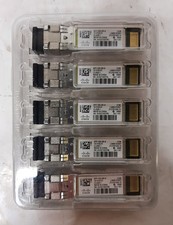
New Open Box Lot of (5) Genuine Cisco SFP-10G-SR-S 10Gig Transceivers 10-3105-01
$84.99
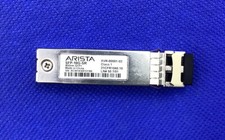
Arista SFP-10G-SR 10gbase-SR transceiver SFP+ (XVR-00001-02)
$9.00

HP 560SFP+ 10GB 2-port PCIe NIC Ethernet ADAPTER 669279-001 w/ (2) 10GB SFP+
$16.99
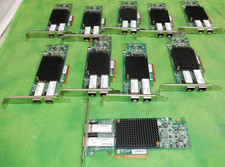
HP 557SFP+ ETHERNET 10GB 2 PORT 792834-001 788991-001 HIGH LOT OF 10
$70.00

SFP QSFP Transceivers Programmer allows to corning and (re)programming sfp code
$108.09



 Reply With Quote