

 Reply With Quote
boot with:
knoppix nofstab


I want to have a few custom mounts in my fstab file and am looking for a way to keep it from getting clobbered when booting.
Any suggestions?
TIA
Radnor
boot with:
knoppix nofstab
ok, and if by chance you plug a usb device in (new), will it force a rebuild?
The 'nofstab' cheat code prevents the Knoppix bootup (the linuxrc script) from scanning the local drives and creating an appropriate fstab. Inserting a USB device and fstab being edited is less dependent on Knoppix itself & more dependedent on how hotplug scripts and automount are configured. Will hotplug & automount force a rebuild? perhaps it will & I don't think that 'nofstab' will prevent that.
I hope this helps.
James
Hello,
How does this work on an installed on hardrive Knoppix system? I use Grub for boot-loader, Should I put the code (knoppix nofstab) in there and how? Thank you.
I think there's been a post here by Harry about this.Originally Posted by petri
I have my own wierd way of doing it: just put the custom mounts above the first of the
# Added by KNOPPIX lines.
 Posting Permissions


Intel Core i7-9700 Octa-Core 3 GHz Desktop Processor LGA 1151
$79.99

INTEL CORE I7-870 SLBJG 2.93GHZ LGA1156 4 CORE CPU PROCESSOR
$23.00
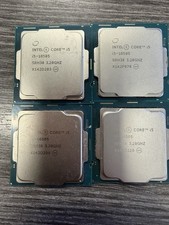
LOT OF 4 Intel Core i5-10505 6-Core 3.2GHz SRH38 CPU Processor
$349.95
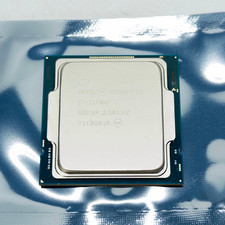
Intel Core i7-11700F SRKNR 2.5GHz 8-Core 16MB CPU Processor Socket LGA1200
$149.99

AMD Ryzen 5 5600X Desktop Processor (3.7GHz, 6 Cores, AM4 CPU) 100-100000065
$135.00

Intel Core i7-8700 3.2 GHz 8 GT/s LGA 1151 Desktop CPU Processor SR3QS
$67.99
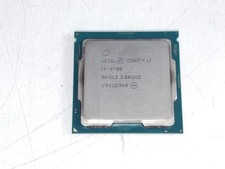
Intel Core i7-9700 3.00 GHz LGA 1151 Desktop CPU Processor SRG13
$79.99

Intel Core i3-14100T 2.70GHz Quad Core CM8071505092103 8 Thread LGA 1700
$84.99

29x Intel CPUs. Mostly 2nd-4th gen i5 a few xeon and a few newer. All tested
$265.00
INTEL CORE I5-11600 2.80GHZ PROCESSOR | SRKNW
$109.99