

 Reply With Quote
The obvious solution would be to boot from the live CD (not from your hard drive), run QTParted as root, and recreate the swap partition, no?Originally Posted by jariep


I accidentally deleted my swap partition with qtparted. How do I create a new swap partition for knoppix 3.6 to replace the one I deleted?
The obvious solution would be to boot from the live CD (not from your hard drive), run QTParted as root, and recreate the swap partition, no?
This is exactly the sort of situation that knoppix live-CD shines at: emergency system recovery, even for itself.
Creating the swap partition is only the first step however. It also has to be initialised. QTParted apparently will do this. Select the appropriate partition, then go under Operations->&Format. Select a partition type of "linux-swap". Or, you can do it from a root shell using mkswap (see the man page). The next time you boot linux should find the swap and use it automagically just like always.
 Posting Permissions


Vintage Apple II Avant-Garde Creations Super Shape Draw And Animate 1981
$295.00

Vintage HP Hewlett Packard 2112A 21MX 1000 M-Series 16-Bit Minicomputer
$419.99

Vintage Jetway J-620BF Socket 370 Celeron AT Motherboard SiS 620 Brand New
$75.00

Vintage ECS Micro-ATX Desktop Case | Beige/Dark Grey | *READ*
$80.00

Vintage Mainframe Computer Disk Drive Pack Dyson SMD 5 Level Disks
$79.00
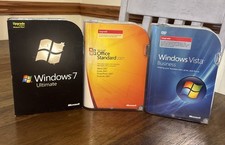
3 Microsoft Windows 7 Ultimate, Office 2007, Windows Vista Business Vintage
$60.00
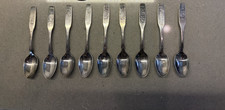
Oneida Silversmiths NOEL Christmas Spoons Lot 9 Vintage 1975-1983 Annual Series
$29.61
![Apple Macintosh Boot Disk System [1.0 - 8.0] 400/800k/1.4 Floppy for Vintage Mac picture](/store/img/g/EhEAAOSwg7ZnexmU/s-l225/Apple-Macintosh-Boot-Disk-System-1-0-8-0-400-800k-.jpg)
Apple Macintosh Boot Disk System [1.0 - 8.0] 400/800k/1.4 Floppy for Vintage Mac
$11.75

Vintage 1986 Goldenrod Research Corp CP/M Desktop Computer Syste w/Keyboard
$350.00

Vintage Toshiba Satellite 4090XDVD Intel Celeron 400Mhz Retro - Powers up Cards
$57.59