

 Reply With Quote
This looks like a corrupted ntfs partition; what is it actually?
You don't actually need the desktop icons, try 'sudo mount /dev/hda1' or 'sudo mount -t ntfs /dev/hda1 /mnt/hda1'.


Any help would be appreciated. Here is the output from a few of the essentials I have seen on this forum. I need to recover data off this drive. I have a direct connection to another PC as a copy destination. I am fairly new to Linux, so details wouldn't hurt. Thanks!!!
dmesg|grep ATA
hda: HITACHI_DK23CA-20, ATA DISK, drive
hdc: TOSHIBA DVD-ROM SD-R2102, ATAPI CD/DVD-ROM drive
scsi0: SCSI host adapter emulation for IDE ATAPI devices
dmesg|grep hd
ide0: BM-DMA at 0xeff0-oxeff7, BIOS settings: hdaMA, hdb
io
ide1: BM-DMA at 0xeff8-0xefff, BIOS settings: hdc
hda: HITACHI_DK23CA-20, ATA DISK drive
hdc: TOSHIBA DVD-ROM SDR2102, ATAPI CD/DVD-ROM drive
hda: attached ide-disk driver.
hda: host protected area =>1
hda: 39070080 sectors (20004 MB) w/2048KiB Cache, CHS=2432/255/63
hda: unknown partition table
hdc: attached ide-scsi driver
hda: hda1
dmesg|grep CD
sr0: scsi3-mmc drive:24x/24x writer cd/rw xa/form2 cdda tray
cloop: /cdrom/KNOPPIX/KNOPPIX: 30369 blocks, 65536 bytes/block, largest block is 65552 bytes
fdisk -l
Disk /dev/hda: 20.0 GB 20003880960 bytes
255 heads, 63 sectors/track, 2432 cylinders
Units=cylinders of 16065 * 512 = 8225280 bytes
Device Boot Start End Blocks Id System
/dev/hda1 * 1 2432 19535008+ 7 HPFS/NTFS
cat /etc/fstab
/proc /proc proc defaults 0 0
/sys /sys sysfs noauto 0 0
/dev/pts /dev/pts devpts mode=0622 0 0
/dev/fd0 /mnt/auto/floppy auto user, noauto,exec,umask=000 0 0
/dev/cdrom /mnt/auto/cdrom auto user, noauto,exec,ro 0 0
# Added by Knoppix
/dev/hda /mnt/hda auto noauto,users,exec 0 0
dmesg|grep mount
usbdevfs: remount parameter error
mount
/dev/root on / types ext2 (rw)
/dev/scd0 on /cdrom type iso9660 (ro)
/dev/cloop on KNOPPIX type iso9660 (ro)
/ramdisk on /ramdisk type tmpfs (rw, size=186340k)
/proc/bus/usb on /proc/bus/usb type usbdevfs (rw,devmode=0666)
automount(pid321) on /mnt/auto type autofs (rw,fd=4,pgrp=321,minproto=2,maxproto=4)
This looks like a corrupted ntfs partition; what is it actually?
You don't actually need the desktop icons, try 'sudo mount /dev/hda1' or 'sudo mount -t ntfs /dev/hda1 /mnt/hda1'.
This crash was the result of "properly-according to Microsoft" uninstalling SP2 for Win XP Home. Knoppix is my last resort for my data recovery. I've tried a bunch of different approaches with no luck so far.
After I ran the sudo mount command you gave it says the point /mnt/hda1 does not exist. Any ideas?
-cheers
You can always try a backup hard disk and MS-Dos but you'lkl be there a long time, is your hard drive connected(ie IDE cable and power cable), can you hear the Hard Disk? You might try this, Get a small USB Hard Disk or something that you can plug into the computer, install either Linux or Windows onto this hard disk to try to get access to the files, I've successfully done this to a couple of servers that I have. This is the first problem with Knoppix that I've heard of, what version do you have?
All that means is the intended mount directory is not yet created so do 'sudo mkdir /mnt/hda1' first then retry the sudo mount command.Originally Posted by KnoppyKate
I made the directory for the mount location and it seems to work, but when I try to ls that directory, there is nothing in it.
The Knoppix version I have is 3.6. I can hear my hard disk just fine, but it goes into an infinite boot cycle when I try to boot into Windows. I have tried everything I can think of. I have an external USB HD that I can probably borrow from someone. How exactly do I go about getting the files off of the crashed PC with the external?
-cheers
K
 Posting Permissions


Intel Xeon E5-2680 V2 2.8GHz 10-Core 25MB 8GT/s SR1A6 LGA2011 B Grade Server CPU
$7.95

NEW HP Z4 G4 Workstation Xeon W-2123 16GB ECC 256GB NVMe NVIDIA T400 750W Win11
$450.00

Lenovo ThinkServer TS460 Part Number: 70TS-S01U00
$279.00

Lenovo ThinkStation P520c Intel Xeon W-2133 6-Core 3.60GHz -NO RAM/ HDD/ GPU/ OS
$127.54

Intel Xeon E5-2699 V4 2.20GHz 55M 22-CORES LGA2011-3 Server Processor 145W SR2JS
$84.49
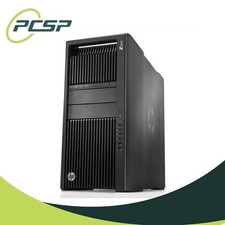
HP Z840 44 Core Workstation 2x Xeon E5-2699 v4 - No RAM/ GPU/ HDD/ OS
$594.97
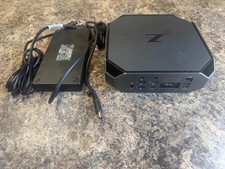
HP Z2 Mini G5 Workstation Xeon W-1270P 3.8GHz/16GB/1TB SSD/ NVIDIA T1000/W11 Pro
$349.00

Intel Xeon E5-2690 v4 SR2N2 14 Core 2.6GHz 35MB LGA2011-3 CPU *km
$15.99

Intel Xeon Phi 5110P 60-Core 1.053GHz Coprocessor
$50.00

DELL Precision T3420 | Xeon 1240v6 | 525GB SSD |16GB RAM |Nvidia GPU |Win11
$149.00