

 Reply With Quote
What video card does your laptop have? Without further information, we're not able to help.


I just downloaded Knoppix for my Dell Inspiron 8200 laptop and I'm having a hell of a time getting it to go into full screen. Its just centered and I don't know how to change it... Any thoughts?
What video card does your laptop have? Without further information, we're not able to help.
Geforce 4 mx 440..... 64mb of ram...
Docs: CheatcodesOriginally Posted by bigd652
I'd try screen=1024x768, or what your actual resolution is.
I have an inspiron 8200
the trick is that the default resolution for your screen is 1600x1200
so do
knoppix screen=1600x1200
and it will work
the only problem is that the resolution is a bit high so you might have to use the eraser mouse instead of the touch pad, which will be really slow at that resolution. (unless you change your mouse speed settings)
Well, this is all dependant on One thing, and ONE thing only. If you are using the CD or if you are running it off your HDD...
If you are running it off the CD, well there isnt much I can think of that we can do with this... however if you are running it off your HDD like I am, I have a whopper of a solution for you that took me 2 hours to realize, and 5 minutes to do.
first off, see my signature below for my system specs, I dont think that the vid card makes all that much difference considering nvidia puts all of their video cards in one driver (usually, plus I could be wrong since I am usually a windows user, I figured that this solution as it was a pain in the butt for me, would be helpful for anyone else)
Secondly, here are the instructions....
1. Download the NVidia Drivers from ftp://download.nvidia.com/XFree86_40/1.0-4191 you can get the kernel and GLX files from that folder (Make sure you do NOT download the unified.tar.gz because it doesnt have all the files you will need)
2. Untar the tar.gz files using tar -zxvf NVIDIA(blah).#.#.#.tar.tz
3. run the following commands in your konsole(or shell of your preference) as root
export IGNORE_CC_MISMATCH=1
cd (nv kernel dir)
make install
cd ..
cd (nv glx dir)
make install
now, your probably thinking, well damn, that was easy... well that was easy, but this is the more fun part....
4. Boot off the Knoppix CD and use the cheatcode knoppix screen=1600x1200
5. once in X use ctrl & - ctrl & + to get so where you can see the screen... if you move your mouse to the edge of the viewport the desktop will navigate with it... get back into the shell
6. copy /etc/X11/XF86Config-4 onto a floppy disk
7. reboot into your HD installed Knoppix
8. Get to your shell
9. copy your XF86Config-4 file to the /etc/X11 folder overwriting the existing one (back it up first if you wish)
10. edit your XF86Config-4 file using vi XF86Config-4
11 make the following changes...
change driver "vesa" to Driver "nvidia"
change Load "glx" to #Load "glx" preventing the load of this statement
change Load "glcore" to #Load "glcore" preventing the load of this statement
12. Make sure you leave the vendorname and boardname strings set to "all" or this will NOT work
13. save the cahnges
14. press ctrl & alt & backspace to reload the config file into X and voila you should be at 1600x1200 resolution
NOW BEAR IN MIND: If you go to configure your resolution it will come up as 640x480 8 bit color, but you are actually running at 1600x1200x24!!!! so I would back up your XF86Config-4 file incase you accidentally lose those settings so you dont have to do it all over again... I called mine XF86Config-4.WORKS! and stored it in my /etc/X11 folder
I am a newbie, and have been using linux for a grand total of about amonth starting off with mandy 8 and redhat... if I can do this ANYONE can do it.
I'm pretty sure I didnt leave anything out... if it doesnt work E-Mail me and I would be glad to send you the XF86Config-4 file that I edited to get this running.
Good Luck , I hope this helps
Press Fn button and 7 (or was it F7) at the same time to get full screen or centered screen. Be warned though, everything will be blurry if you did not have the right drivers and resolution 1600x1200.
 Posting Permissions


Kingston 32GB 64GB 128GB 256GB USB 3.0 Flash Drive Thumb Memory Stick Pen lot
$285.90

MICRON MTA36ASF4G72PZ-2G6D1 32GB PC4-21300R DDR4-2666V RDIMM 2RX4 MEMORY DIMM
$139.99
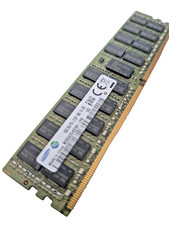
Samsung 16GB DDR4 2133MHz PC4-17000 ECC REG Server RAM RDIMM 2Rx4 288-Pin Memory
$149.00

Microsoft Office 2021 Pro Plus USB for 1PC Windows 10 & 11
$62.55

USB 3.0 Flash Drive 32GB 64GB 128GB Memory Stick Thumb Stick Lot Pack
$826.09
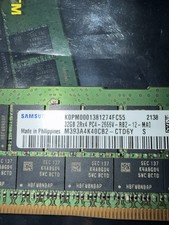
Samsung 128GB (4x32GB) DDR4 PC4-2666V ECC Server RAM 288-Pin M393A4K40CB2-CTD6Y
$699.99

USB 3.0 Micro SD SDHC TF Card Reader Memory Adapter for PC Laptop Camera lot
$3.75
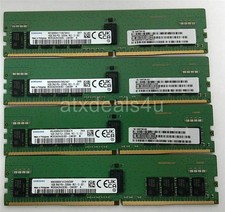
Samsung 64GB (16GBx4) 16GB 2Rx8 PC4-3200AA M393A2K43EM3-CWENY DDR4 Server Memory
$399.99

1/ 10/ 100pcs USB 2.0 2GB, 4GB ,8GB ,16GB ,32GB ,64GB 128GB USB Flash Drives Lot
$202.50

TF/SD Card Adapter Camera Reader Android Type-c For iPhone17 Pro Max Plusm lot
$573.98