
I recently used KPackage manager to download KDE 3.4. However, after installing I can't tell whether I'm using KDE 3.4 because the boot screen still says 3.3. Am I doing something wrong? What can I do to ensure that i'm using KDE 3.4? Thanks.


I recently used KPackage manager to download KDE 3.4. However, after installing I can't tell whether I'm using KDE 3.4 because the boot screen still says 3.3. Am I doing something wrong? What can I do to ensure that i'm using KDE 3.4? Thanks.
I also would like to know the PROPER way to upgrade the KDE package on Knoppix 3.9 . Is there one package to choose that will get them all, or at least the minimum base package (ie: kdebase) ? This is through KPACKAGE.Thanks for any pointers.
There is no single package to upgrade all of kde, at best there is 'meta-packages' like kdebase & kdeaddons (see http://www.kde.org/download/ for a list). Kde releases only the source code, it is up to package maintainers to create packages for each distro, so if you want the very latest kde you will have to compile it from source. I would not recommend this, I have tried it & I would describe it as a PITA at best.
To get kde 3.4.xxx using debian packages, you will have to wait until the packages are available, then kpackage will be able to install them. Kpackage, btw, is just a gui frontend for the apt-get installer system, I find it more convenient to use apt-get directly. First, update your package lists with 'dselect update' command, then just 'apt-get -t unstable install <package>' to get the latest (well almost the latest) package available.
Newer than unstable, there is 'experimental'. It is not normally recommended as the applications may be buggy but it is available. Kde 3.4.2 is now in experimental so 'apt-get -t experimental install kdebase' will get you started.
It may be buggy, I found k3b from experimental would not work (it just locked up) so I downgraded to 'unstable' by 'apt-get -purge remove k3b' then 'apt-get -t unstable install k3b'.
You are going to end up with a very 'mixed' system which can cause some problems, for instance when I installed kde 3.4.2 it upgraded some lib file that koffice required so as part of the install process it removed kword & kspread. So far I have not been able to replace them with kde 3.4.2 compatible versions.
 Posting Permissions


Lenovo ThinkPad E14 Gen 2 Laptop 14” HD Ryzen 5 16GB RAM 512GB SSD Win 11 Pro
$334.99

Lenovo ThinkPad L15 Gen 3 15.6" 16GB, Thunder Black
$241.50
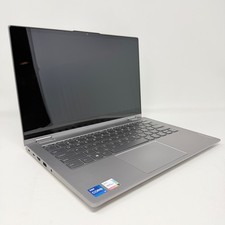
Lenovo Thinkbook 14s Yoga ITL 14” Core i7-1165G7, 16GB RAM, 512GB SSD Touch
$379.00

Lenovo ThinkPad E14 Gen 3 Laptop 14” FHD AMD Ryzen 5 16GB RAM 512GB SSD Win 11
$374.99

Lenovo Legion 5 Gaming 15.1" WQXGA OLED 165Hz Core i9-14900HX 16GB 1TB RTX 5070
$1469.00

Lenovo ThinkPad T14 Gen 1 14" AMD Ryzen 5 16GB 256GB SSD
$219.99

Lenovo ThinkPad X13 Gen 1 i5-10310U 16GB 512GB SSD Touch Win 11 Pro Good
$222.99

Lenovo - IdeaPad Slim 3i 15.3" 2K Touchscreen Laptop - Intel Core 7 350 2026 ...
$679.99

Lenovo ThinkPad L15 Gen 3 15.6" 16GB, Thunder Black
$241.50

Lenovo ThinkPad T14s Laptop 14” Laptop Core i5 8GB RAM 256GB SSD Windows 11 Pro
$249.99

 Reply With Quote