

 Reply With Quote
I hope this thread develops.
jm
(edited: 24th March)


I'd like to know details about the working structure of knoppix.
On boot the kernel is started & miniroot is extracted to a ramdisk.
Booting happens, at some point the miniroot is dropped & the cloop
file is mounted "as is" & the boot completes & knoppix is running.
1) Does this sound about right? Is there other important parts?
2) How much of the boot does the miniroot handle & where does the
cloop file get mounted & take over?
Syslinux.cfg file sets: kernel, ramdisk, miniroot, etc.
3) What file sets the cloop file parameters for the kernel to mount it?
4) Is the Knoppix cloop file the entire file system when running?
5) When running, is ONLY the kernel & cloop file needed? Others also?
6) Has anyone made a GUI utility for working with the cloop file?
7) Is the cloop file's compression level greater than gZip, or less?
Why was yet another compression format (cloop) used to mount
the file system, why not gZip? Some technical problem using it?
I hope this thread develops.
jm
(edited: 24th March)
basically yes.
the initrd(linuxrc script) just handle the following :
1. search for the BIG cloop device
2. mount it
3. setup the "to be ROOTFS", a combination of the cloop device fs and /tmpfs
4. switch to this new rootfs and run its /bin/init
The hardware detection etc. are all done by scripts in this new ROOTFS(under /etc/init.d/).
You cannot use gzip because it doesn't support BLOCK level access which is needed for any file system. cloop is designed for this purpose and no it compress less than gzip(speed tradeoff).
a cloop device(outside KNOPPIX) is just one big file stored under another FS(NTFS, FAT, ISO9660 etc.) and that is the only file you need when running. even kernel(vmlinuz*) is not needed because it has already been loaded in memory.
I know of the command line cloop tools & automatic remaster scripts.
Is there a "WinZip" like GUI for cloop? I've Googled with no luck.
I think the kernel will mount more than one cloop file, how many?
The cloop tutorial says the file sys. is used directly from the cloop file.
What is a large 120mb ramdisk needed for? What's being loaded into it?
What sets what gets loaded into the ramdisk, and is it swaped around?
Is the ramdisk uncompressed or still clooped data ( clooped I think )?
I've missed something about the way the cloop file is handled...
Is an overlay file system 2 separate mounted file systems with
overlapping directory trees that work together as a single file system?
Forgive me, I'm idea babbling here... PLEASE COMMENT!
Lanboot to a clients ramdisk, Ice, KDE, etc. clooped, ~30mb-90mb.
Apps would all be in other cloop files mounted nfs on a server.
Could clients share the servers cloops, or separate ones for each client?
Apps could be normal file sys., would clooped ones reduce the LAN load?
Many Thanks for your kindness in indulging my Qs, ideas, & ignorance.
 Posting Permissions

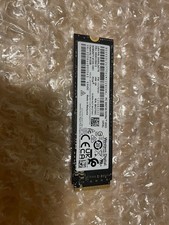
512GB NVMe M.2 2280 SSD WD PC SN730 Lenovo Tested
$44.00

SSD 880EVO SATA III 2.5 4TB INTERNAL STATE DRIVE
$214.99

Samsung 860 EVO 250GB SSD MZ-76E250 2.5" SATA III Solid State Drive
$39.99

M2 2280 PCIe 4.0 solid-state drive high-speed storage device 1080P RO 2TB NGFF
$99.00
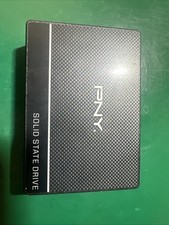
PNY 500GB |SSD7CS900-500-RB| Internal 2.5 Inch Solid State Drive
$29.99

M.2 SATA SSD 2280 128GB 256GB 512GB major brands | Very Good health
$35.99

Crucial BX500 1TB SATA III 2.5" Internal SSD (CT1000BX500SSD1)
$79.00

Western Digital WD Blue 3D NAND 500GB 2.5in SATA III Internal SSD WDS500G2B0A
$41.99

Samsung 970 EVO Plus 500GB M.2 NVMe Internal SSD
$79.99

128TB External SSD Solid State Drive Hard Drive Disk PC Phones Mac Games Videos
$97.60