-
Junior Member
registered user
Crenn, I've been working on this for a week now and finally got it to work on a USB hard drive enclosure. I hope to have this work on my iPod when I get all the bugs worked out. I recommend that you make a full back-up of your mp3 device before doing what I have done. I'm not sure if the iPod or other mp3 players require a boot loader for its own OS, I guess I will find out when I get Knoppix remastered and moved to my iPod (work in progress). Here are the rough steps I took:
1. Find out what device the USB drive is in a standard Knoppix run and create a partition for the Knoppix install. (I am using FAT16 right now and it is 840 MB, just enough for the CD image and a few boot files, could be smaller). Any filesystem that GRUB can read is ok to use (not tested though).
2. Reboot the computer with the USB hard drive attached and the Knoppix CD (you may be able to just copy from the ISO file from Windows or Linux but not tested). Give the following command on the isolinux prompt
Code:
knoppix usb2 tohd=/dev/sda1
if your destination partition is not /sda1 then substitue with the actual one. I have not found the bug that prevents the 2.6 kernel from finding the USB drive yet so I've stuck with the 2.4 kernel (next project after the remaster)
3. Wait for the copy to happen then Knoppix will boot off the USB drive and use it as the base.
4. When Knoppix boots open a terminal and issue the following commands
Code:
su
mount -o remount,rw /cdrom
cd /cdrom
mkdir boot
grub-install /dev/sda
vi boot/grub/menu.lst
-- in vi add the following lines --
default 0
timeout 0

title knoppix
kernel /linux24 usb2 ramdisk_size=100000 init=/etc/init lang=us apm=power-off vga=791 nomce quiet BOOT_IMAGE=knoppix
initrd /minirt24.gz
--save and exit vi--
--if linux24 and minirt24.gz are not in /cdrom then--
cp /mnt/cdrom/linux24 /mnt/cdrom/minirt24.gz .
Reboot the system, take out the CD and it should work. Your milage may vary and will. I tried using syslinux, but DELL computers had problems reading the kernel and initrd image off the disk correctly. I hope this helps you. So far, I've booted my USB drive off four diffrent computers wilthout any problems (other then XFree resolutions not quite right) Be sure your USB boot device is before your internal hard drive.
Good Luck,
Robert
Similar Threads
-
By bluekylin in forum Other Live CDs
Replies: 2
Last Post: 05-09-2006, 02:32 PM
-
By vegetto in forum Hdd Install / Debian / Apt
Replies: 1
Last Post: 04-14-2005, 12:40 AM
-
By jariep in forum General Support
Replies: 2
Last Post: 03-15-2005, 04:50 PM
-
By fm78 in forum Hdd Install / Debian / Apt
Replies: 13
Last Post: 03-13-2003, 09:44 AM
-
By bret in forum Hdd Install / Debian / Apt
Replies: 2
Last Post: 03-03-2003, 07:40 PM
 Posting Permissions
- You may not post new threads
- You may not post replies
- You may not post attachments
- You may not edit your posts
-
Forum Rules


GIGABYTE A520M DS3H AC AMD AM4 Motherboard mATX
$59.99

Corsair RMe RM850e 850W 80 Plus Gold Fully Modular Low Noise Certified Refurb
$58.99

Gigabyte GA-B85M-D3H Motherboard
$54.99

ASUS PRIME Z890-P WIFI Z890 LGA 1851 ATX motherboard, Intel® Core™ Ultra Series
$235.99

Asus Prime B660M-A AC D4 Motherboard Intel LGA 1700 14th 13th 12th Gen DDR4
$79.99

GIGABYTE B365 HD3 LGA1151 Intel 9th Gen motherboard
$59.99

Intel H81 Motherboard M.2 NVMe LGA 1150 mATX w/ IO Shield (Random Slot Color)
$29.90

MSI B550M PRO-VDH Micro-ATX Motherboard - AMD AM4, Ryzen 5000/4000/3000 Ready, P
$71.49
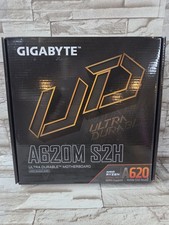
GIGABYTE - A620M S2H AM5 DDR5 M-ATX Motherboard
$65.00

HP Z440 WorkStation LGA 2011-3 DDR4 Desktop Motherboard 710324-002
$39.99



 Reply With Quote