-
Boot Help at initial screen.
Just decided to give Linux a try, coming from Windows/DOS. I burned a Linux Live CD 2.6 ISO and tried to boot two of my computers using that. On the laptop it hangs after displaying a window that says setting up computer (or something like that, didnt pay attention to keep notice)
On my main computer it hangs at the window that says setting up Interprocess Communication.
My main computer has a 2.4c P4 , 512mb of OCZ Ram, 80G of Harddrive, ATI AIW 7500 64mb. Any help will be highly appreciated. I can't wait to give Linux a try.
-
Administrator
Site Admin-
Re: Boot Help at initial screen.

Originally Posted by
Rashedul
.... On the laptop it hangs after displaying a window that says setting up computer (or something like that, didnt pay attention to keep notice).....
I would suggest that you try again and take careful notes if we are to have enough information to help you.
Did you burn the ISO as an image? If you downloaded it from a mirror rather than by Bittorrent, did you check the md5 checksum to be sure the download was good? Did you burn the disc at a slow speed like 4x?
-
Okay Im going to give it another try and take careful notes this time. I downloaded it off a ftp mirror. Didn't do checksum. Should I try BT instead? I burned it at 32x, my burner is capable of 52. The screen that it stops loading it is a a box with smaller boxes inside. Umm okay gonna describe it better soon. Thanks for your help. I am really looking forward to learning about Linux.
-
Administrator
Site Admin-
Originally Posted by
Rashedul
.... Didn't do checksum. Should I try BT instead? ....
If you still have the iso file, no. You should download the md5 file from the ftp site and use a program such as md5summer to confirm that the iso you have is good (or to find out that it is not). This will be much faster than getting the entire file again by bt. Bittorrent does do some checks that help insure a good download that ftp does not (actually some ftp transfers cause the corruption), but bt transfers include the md5 files anyway and I always find it a good idea to do a quick check even when I get the file by bt. But I've never has a bad bt download, about 1/2 of my downloads from the mirrors have been bad.
Originally Posted by
Rashedul
I burned it at 32x, my burner is capable of 52.
One would certainly think that if the burner claims it can burn at these speeds than the burn would be good. But over and over again we've seen cases where after a CD would not boot all the user did was burn the iso agan ay 4x and all was well. We have also seen CD's that boot in some computers but not others because of the speed of the burn, and cases of Knoppix booting very slowly when the burn was fast (see the last part of this thread). I always burn all of my CDs slow, my advice to other Knoppix users is to at least burn slow until you have everything working, after that if you want to burn fast it's your problem.
I don't quite understand at what point in the boot process you are having problems.
And it certainly could be that neither of the above is the issue, you might just need the right "cheat codes" to coax your system to boot. But the above is always a good place to start.
-
Okay tried it again. Knoppix loads and goes into a screen that I can closely describe to is Desktop. A little box comes up, initial setup dialoge box I guess that starts to configure stuff.
First it goes Initializing System Services, with the second circle flashing. After that is done the box flashes off and returns again.
First circle is flashing and it displays " Setting up Interprocess Communication" and it just stays there forever. No change after that.
I have a screenshot I took with a camera, if that will help describe the situation better.
-
Also its Knoppix 3.7 not 3.6, I made a mistake in posting that before.
-
MD5 checks ok, ISO is good.
-
Administrator
Site Admin-
Originally Posted by
Rashedul
....Knoppix loads and goes into a screen that I can closely describe to is Desktop. A little box comes up, initial setup dialoge box I guess that starts to configure stuff. .....
OK, I understand where you are now. You're getting pretty far in the boot process. You might indeed need some cheat codes, but I have no idea what you need for your particular system (if indeed that is the problem). You might want to post more details about the system (make and model of the motherboard, for example) in the hopes that someone else knows what codes, if any, that particular board needs. I still see no good reason at al to not confirm that the md5 sum is indeed good (or save yourself a lot of time and effort if it turns out bad). And at ths point I doubt that it's a burning speed issue but I can't rule it out either.
You might want to try knoppix failsafe at the boot prompt. It will disable a lot of stuff that you will eventually want, but might be a good first boot test. Eventually you may need to find the cheat codes that work right for you, but I know of no prefect way to do that.
-
Administrator
Site Admin-
Originally Posted by
Rashedul
MD5 checks ok, ISO is good.
Good, that rules out a major source of problems.
-
THANK YOU so much!! I burned another disc at 8x speed (my Nero software didnt have 4x option) and booted with that cd. Everything loaded up quickly and just fine.
Well almost everything, The NIC hasn't been detected yet, but I won't bother you with that problem. I will try to troubleshoot the rest of the problems by doing research myself. A quick search in the forum has revealed one solution to my NIC problem. I will go ahead and try that.
My motherboard is P4C800-Deluxe from Asus with 3com Gigabit NIC. I found a thread with exact problem. Trying that out now.
Thanks again for your help. My journey into linux world has begun 
Maybe the next post will be done in Linux .... maybe.......
Similar Threads
-
By Action-Man in forum General Support
Replies: 6
Last Post: 05-11-2004, 01:30 PM
-
By DeadMonitor in forum Hardware & Booting
Replies: 5
Last Post: 05-05-2004, 05:41 AM
-
By labrador in forum Customising & Remastering
Replies: 0
Last Post: 07-27-2003, 03:06 PM
-
By dragonx in forum Customising & Remastering
Replies: 1
Last Post: 05-28-2003, 07:27 AM
-
By Jmack0013 in forum General Support
Replies: 3
Last Post: 02-18-2003, 04:57 AM
 Posting Permissions
- You may not post new threads
- You may not post replies
- You may not post attachments
- You may not edit your posts
-
Forum Rules

Apple iBook G3 Clamshell 300MHz 160MB 3GB CD Tangerine Vintage Mac w/ Box
$643.08
Apple iBook G4 A1054 1.07GHz PowerPC G4 256MB RAM Mac OS X 10.4.11
$52.47
Apple Mac OS X Snow Leopard 10.6.3 Operating System Software DVD Disc, vintage
$120.00

Apple Macintosh DuoDock Duo Dock M7779 & Powerbook 230 Vintage Mac RARE Vintage
$224.10
Apple Macintosh SE FDHD Vintage Mac Computer Shell Front/Back Only (260204)
$29.99
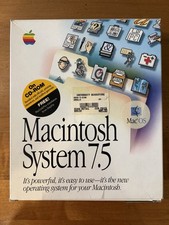
Apple Macintosh System 7.5 Vintage 1994 Mac OS 2 Original CDs Box Manual
$70.00
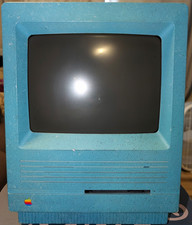
Vintage Apple Macintosh SE/30 Custom Blue Case Housing & CRT Monitor Only - Mode
$230.00
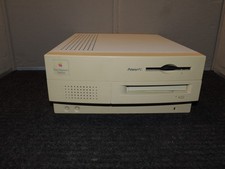
Vintage Power Macintosh 7100/ 66AV M2391
$89.00
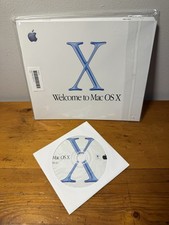
VTG 2001 Apple Mac OS X v10.0.3 Retail Software CD OEM With SEALED Manual See..
$48.97
Vintage Apple Macintosh Classic II M4150 1991 Computer AS-IS Parts Repair
$149.00



 Reply With Quote