

 Reply With Quote
Can you bring the interface up with
ifconfig eth0 up
If so, then do:
pump -i eth0
this should tell your interface to send out a dhcp request.


Heard Knoppix 3.7 would work with my amtel chipset Belkin WLAN card so I tried out the live CD on my ThinkPad A31. Ran the config scripts and it worked great, recognized my card right away and connected to the AP.
So I commit and do the HDD install. Now the card does not work. From the startup log I can see that it still recognizes it, however it appears to be killing it favor of eth1.
I run ifconfig and it only sees eth1, my card is eth0.
I've checked the forums for help of course, and tried to edit the startup config file as suggested, but no success. Any suggestions would be appreciated.
Can you bring the interface up with
ifconfig eth0 up
If so, then do:
pump -i eth0
this should tell your interface to send out a dhcp request.
Its static IP. I wonder if I should just switch to DHCP would that make this easier?
Right now it tells me no such device.
no such device implies, ...
uhm...
device not working
not configged
or something.
can you post a lspci ?
Gets:Originally Posted by foamrotreturns
eth0: ERROR while getting interface flags: No such device
0000:00:00.0 Host bridge: Intel Corp. 82845 845 (Brookdale) Chipset Host Bridge (rev 04)
0000:00:01.0 PCI bridge: Intel Corp. 82845 845 (Brookdale) Chipset AGP Bridge (rev 04)
0000:00:1d.0 USB Controller: Intel Corp. 82801CA/CAM USB (Hub #1) (rev 02)
0000:00:1d.1 USB Controller: Intel Corp. 82801CA/CAM USB (Hub #2) (rev 02)
0000:00:1d.2 USB Controller: Intel Corp. 82801CA/CAM USB (Hub #3) (rev 02)
0000:00:1e.0 PCI bridge: Intel Corp. 82801 PCI Bridge (rev 42)
0000:00:1f.0 ISA bridge: Intel Corp. 82801CAM ISA Bridge (LPC) (rev 02)
0000:00:1f.1 IDE interface: Intel Corp. 82801CAM IDE U100 (rev 02)
0000:00:1f.3 SMBus: Intel Corp. 82801CA/CAM SMBus Controller (rev 02)
0000:00:1f.5 Multimedia audio controller: Intel Corp. 82801CA/CAM AC'97 Audio Controller (rev 02)
0000:00:1f.6 Modem: Intel Corp. 82801CA/CAM AC'97 Modem Controller (rev 02)
0000:01:00.0 VGA compatible controller: ATI Technologies Inc Radeon Mobility M7 LW [Radeon Mobility 7500]
0000:02:00.0 CardBus bridge: Ricoh Co Ltd RL5c476 II (rev 80)
0000:02:00.1 CardBus bridge: Ricoh Co Ltd RL5c476 II (rev 80)
0000:02:08.0 Ethernet controller: Intel Corp. 82801CAM (ICH3) PRO/100 VE (LOM) Ethernet Controller (rev 42)
Ok, so I don't see my card in there anywhere. What can i do next?
bump. I have the same problem
ETH1 starts the card flasing. Wifi0 cannot be configured. no web access
After much fiddling, I have found a solution that works for me anyway. Being a Linux novice I can't say for sure why this works, but it does.
1. Make sure you're using the 2.6 kernel.
2. Install Knoppix to your HD but make sure the WiFi card is not in the slot.
3. Restart at least 2 times.
4. Restart Knoppix with the card out, once booted up then you can insert the card. Both lights should light up solid.
5. Run netcardconfig with your settings.
6. Open browser and you should be able to connect to the net.
Remember in the future to keep the card out when booting up, then plug in once started. Your network setting shouldn't need to be reset, it should just work. Starting with the card in caused my installed net card to be recognized second as eth1, the wireless card is recognized as eth0 initially, but goes down once started up, don't know why, it just does. Doesn't come back up once running.
Hope this helps someone with this card. I've tried a dozen of other distros with no luck getting it working (plain Debian, Suse, Ubuntu, Mepis).
Some useful commands I picked up:
dmesg - shows your startup log.
ifconfig - shows net card configurations
iwconfig - shows net cards and if they have wireless extensions
lsmod - shows running modules, you should see atmel_cs if not, you've got a problem
Don't for get iwlist
 Posting Permissions


Vintage Power Computing PowerCenter 132 Apple Macintosh Clone Computer Tower
$350.00

2001 Apple iMac G3 600MHz DV M8492LL/A in Strawberry shell Vintage Mac OS PPC 9
$299.99

VINTAGE Apple Mac OS X Computer Monitor
$250.00

Vintage Apple PowerBook 15” G4 “Aluminum” (1.25GHz/2gb/150gb/Tiger)
$99.99
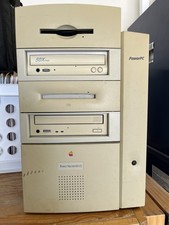
Vtg Apple Macintosh G3 PowerPC M4405 Desktop Computer, Powers On, Cords/Keyboard
$99.00
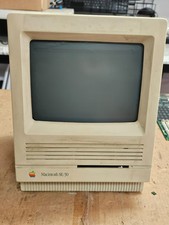
Vintage Apple Macintosh SE/30- Samsung CRT - Shell/Case Assembly Tech Special
$148.45

Vintage Apple Macintosh IIsi Computer, Monitor, Keyboard & Mouse Complete Setup
$199.99

NEW Vintage Apple Mac OS X Version 10.1 Upgrade CD 2001 Factory Sealed Package
$29.95

Vintage Apple Macintosh M1212 Color Display Monitor *Untested*
$69.99
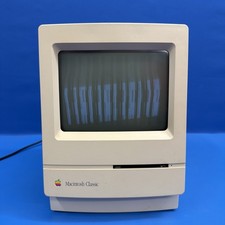
Macintosh Classic M1420 Apple Computer 1990 Vintage Powers On
$149.00