-
USB Port Problem
Hi, newbie here. I have a USB 1.1 port going to my printer. When I print a test page, it says it printed, but nothing goes to the printer. Question, do I have to set up something special for a USB 1.1 port?
Thanks,
John
-
Senior Member
registered user
There should be quite a bit to be found on this site about USB if you use the search function. There are many ways to gain info about USB. Do a lsmod to see what drivers are loaded. Do a dmesg to see all of your kernel messages from boot and find out what it tells you about USB. There is a program called usbview. Run it from the command line. You can do a cat /proc/bus/usb to see if your hub or anything connected to it shows up. If your device seems to be recognized you could run the Printer Wizard.
-

Originally Posted by
rickenbacherus
There should be quite a bit to be found on this site about USB if you use the search function. There are many ways to gain info about USB. Do a lsmod to see what drivers are loaded. Do a dmesg to see all of your kernel messages from boot and find out what it tells you about USB. There is a program called usbview. Run it from the command line. You can do a cat /proc/bus/usb to see if your hub or anything connected to it shows up. If your device seems to be recognized you could run the Printer Wizard.
Thanks,
I'll give those all a try.
John
-
Senior Member
registered user
I've had this happen before and, for me, the solution was picking a different driver. When you go through the KDE print wizard see if there isn't more than one driver for your printer. In my case I needed to choose the gimp-print driver. Post back if this helps.
-
Originally Posted by
aay
I've had this happen before and, for me, the solution was picking a different driver. When you go through the KDE print wizard see if there isn't more than one driver for your printer. In my case I needed to choose the gimp-print driver. Post back if this helps.
Yes, you're right. I found the problem to be with the drivers not the USB port. I had to switch to a CUPS type of printer.
Thanks for all your help.
John
-
Senior Member
registered user
Glad to hear that fixed you up and thanks for posting back that it worked.
Similar Threads
-
By kn2user in forum General Support
Replies: 0
Last Post: 12-06-2004, 06:43 PM
-
By vtechstu in forum Networking
Replies: 3
Last Post: 11-16-2004, 10:56 PM
-
By KeTZer in forum Hardware & Booting
Replies: 0
Last Post: 05-13-2004, 01:47 PM
-
By KeTZer in forum General Support
Replies: 0
Last Post: 05-10-2004, 03:18 PM
-
By oscar in forum Networking
Replies: 8
Last Post: 05-07-2003, 03:12 AM
 Posting Permissions
- You may not post new threads
- You may not post replies
- You may not post attachments
- You may not edit your posts
-
Forum Rules


Samsung SSD Solid State Drive MZ-VL25120 512GB
$54.99

ON SALE TURBOLINK EVO 4TB V-HAND SSD 2.5 SATA III Internal Solid State Drive
$199.99

Samsung 870 EVO 500GB 2.5” SATA III Internal SSD MZ-77E500 SSD - Good Health
$59.99

Western Digital Blue 3D NAND 250GB 2.5" SATA III Internal SSD - WDS250G2B0A
$29.99

SAMSUNG SSD 512GB 500GB 480GB 256GB 250GB 240GB SSD 2.5 Solide State Drive 6Gbps
$40.99

Samsung 860 EVO 250GB, SATA III, 2.5" Internal Solid State Drive - Black
$29.00

256GB mSATA SSD DRIVE MIXED BRAND TESTED WORKING
$23.50

Crucial 2TB P3 Plus NVMe PCIe 4.0 M.2 Laptop Desktop Internal SSD CT2000P3PSSD8
$199.00

Toshiba THNSN81Q92CSE 1920GB SATA 2.5 Solid State Drive
$199.00
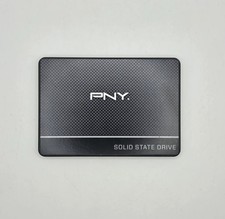
PNY CS900 250GB 2.5" Internal SSD (SSD7CS900-250-RB)
$31.00



 Reply With Quote