

 Reply With Quote
I am new to knoppix just got it today I ran a test on it and test says this kernel doesn't include sound.[/img]


Soundcard: Creative SB AWE64
Clean boot with a P3-500, no cheatcodes -- under 3.8 the soundcard is simply NOT DETECTED.
What can I output from 3.7 and 3.8 that would help figure out what's changed here?
I take it this is not normal.. or has there been a change in HW detection?
Any help much appreciated.. thanks
I am new to knoppix just got it today I ran a test on it and test says this kernel doesn't include sound.[/img]
I just installed knoppix 3.8 cebit just to test it and all I had to do to get sound to work with xmms was to fire up aumix and pump up the volume.
I used as bootstring: knoppix lang=us screen=1280x1024 vga=normal alsa=intel8x0
Thanks for the effort, but even with additional parameters (even with alsa=sbawe), the new distro does not detect my sound.
The problem -- or perhaps curiosity -- is that there was no need for any boot params whatsoever in 3.7 and the whole system (including sound) booted up perfectly. Now I'm looking at rebuilding the kernel, modules, special drivers, even remastering knoppix... all these seemingly unnecessary steps just because I'm not able to get a straight answer: what's changed in the way 3.8 and 3.7 boots that the soundcard detection now fails?
Is it easier to get UnionFS to work in 3.7?
Thanks anyway
mmh, I didn't actually make the install just for this problem
Anyway, have you tried the emu10k driver instead?
I haven't tried adding alsa=emul10k to the boot prompt, but right after I post this, I will... however, this still does not answer the basic question -- what has changed in the boot sequence to have a very basic, standard, non-emulated ISA card to not be detected under the new distro, but works perfectly fine with 3.7?Originally Posted by Markus
I don't understand this in the slightest... I'd love to get this to work, but the mechanics of the solution for this "bug" are less a priority than figuring out what brought it on in the first place.
ok, well, nothing has happened with the extra (correct) alsa=emu10k param
I did a little digging and pnpdump is seemingly able to identify the card.. I just don't quite know where to go from there
Code:Board 1 has Identity 59 1f 0d 2c 0b e4 00 8c 0e: CTL00e4 Serial no 520956939 [checksum 59]
Hmm, hard to say 'cause I don't have a SB. One possibility would be that something is now supported, like a webcam, that takes over as the sound device while usb hotplugs the modules later.
How far is it detected?
lspci -v (check the irq)
cat /proc/asound/cards
dmesg (any errors on the card?)
Well the lspci -v doesn't result in much as it's an ISA card.. I could post up some values just for completeness.
lspnp also spits out quite a list, but the awe64 is not there either...
Other components on the system include: 2 HDD, 1 CDRW, 1 DVDR, an AGP Nvidia board, a PCI intel 10/100 ether, and that's it. everything else is detected.. np... when I switch the bios out of pnp, the audio gets irq5 according to preboot but is still not detected post bootlaunch ... incidentally, IRQ5 is not used in lspnp or lspci, regardless of toggle BIOS pnp support.
cat /proc/asound/cards reports "--- no soundcards ---"
dunno even what I'm looking for in dmesg.. but nothing shows up glaringly obviously all-caps-style "wrong"
This is terribly disconcerting as I chose an ISA card the the specific reason that it's [presumably] more dependable than PCI.. but now with the module itself MIA, this has left me wondering if I should even bother getting comfy with this distro as things will inevitably change for either better or worse next release.. and it's even a real soundblaster... I remember back when that actually meant something!
Thanks again for the reply on this one
One more thing to try is deselecting any onboard sound and pnp in BIOS and adding the cheatcode pci=biosirq
Try to modprobe the module if lsmod shows nothing appropriate, or run modconf to do it.
Getting out of ideas really, and you're correct about the fact that an ISA card should work.
 Posting Permissions

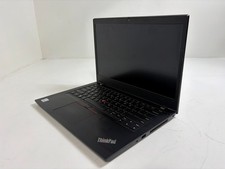
Lenovo ThinkPad L14 Gen 1 Core i5-10310U 1.7GHz 16GB 512GB 14" W11P Laptop
$197.10

Lenovo ThinkPad L14 Gen 3 Laptop 14” FHD Core i5 12th 16GB RAM 512GB SSD Win 11
$359.99
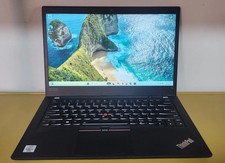
Lenovo ThinkPad T14 Gen 1 Core i5 1.70GHz, 16GB RAM , 256GB SSD
$259.99

Lenovo Thinkpad E15 Gen 2 8GB RAM 256GB SSD Intel Core [email protected] Laptop
$220.36

LENOVO THINKPAD T14s GEN 2a Ryzen 7 PRO 5850U 1.9GHz 16GB 256GB TOUCH - NO OS
$299.95
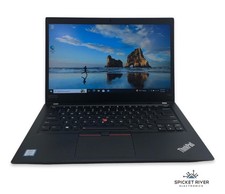
Lenovo ThinkPad T490 Quad Core i7-8565U 1.80GHz 256GB SSD 16GB RAM Win11Pro
$170.00
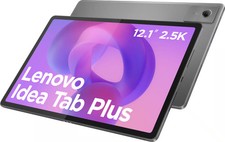
Lenovo - Idea Tab Plus - 12.1" 2.5K Tablet - 8GB RAM - 128GB UFS - Luna Grey
$209.99
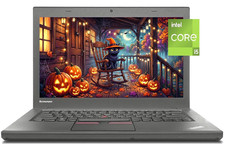
14" Lenovo T460 Laptop PC: Intel i5-6300U (16GB RAM - 256GB SSD) Windows 10
$129.69
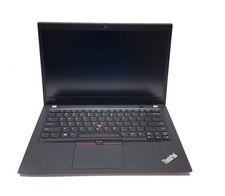
Lenovo ThinkPad T490s 14" FHD i5-8365U 16GB RAM 256GB SSD Windows 11 Pro Laptop
$229.00
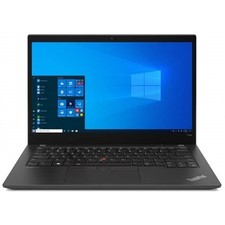
Lenovo ThinkPad T14s Gen 2 14" 32GB, Thunder Black
$318.83
