-
Installation auf Laptop ohne bootable CD-ROM
servus zusammen!
so - ich hab das hier gefunden: windows partition pmi.
(http://www.knoppix.net/wiki/Win_Partition)
der rechner ist soweit eingerichtet (c auf ntfs konvertiert) und ich kann auch im grub diverse optionen auswählen (die im menu.lst). aber bei jeder erscheint "cannot mount selected partition".
ich hab schon ein wenig mit den bezeichnungen herumgespielt hd (0,0) und hd (0.1), aber kein erfolg.
auf meiner platte ist c: die erste partition, davor liegen nur noch knapp 8 mb, die ich aber nicht zuordnen oder partitionieren kann.
meine konfiguration
thinkpad notebook, 192 mb ram,
20 gb hd
(6 gb ntfs; c:
- 6 gb daten fat32 d:
8 gb ungenutzt)
multiboot auf c mit win98 und w2k.
vielleicht hilft euch das weiter, um mir zu helfen? kann man damit auch eine beliebige andere distri die im *.iso-format vorliegt starten?
radi
-
so, da bin ich wieder.
ich habs jetzt nochmal versucht. prinzip: windows partition.
siehe auch:
An alternative HowTo on 3.7
siveys
Joined: 10 Jan 2005
Posts: 2
Post Posted: Mon Jan 10, 2005 3:01 am Reply with quote
I have just started tinkering with Knoppix a couple of days earlier and I did not find this thread before so I ended up doing basically the same thing you suggest here on my own using wingrub and files in knoppix 3.7 iso. I can't bother with reading all the 18 pages in this thread so I write this to give you a "fresh view" on how to get knoppix 3.7 iso-file booting from a ntfs partition using grub via XP bootloader (no partition resizing, no external boot media, no overwriting the mbr).
1. Download Knoppix 3.7 iso and place it to C:\knoppix\knoppix37.iso
2. Mount the iso with your favourite iso mounter utility, for example DAEMON Tools
3. Copy linux26 and minirt26.gz from F:\boot\isolinux\ (the mounted iso) and place them to C:\knoppix\
4. Download and install WINGRUB from SourceForge
5. Run WinGrub and install bootloader to boot.ini in drive C:
6. Move the directory C:\Grub to C:\boot\Grub to avoid wingrub stalling on boot
7. Edit C:\boot\Grub\MENU.LST to contain only the following:
timeout=1
default=0
title Knoppix 3.7
kernel (hd0,0)/knoppix/linux26 ramdisk_size=100000 init=/etc/init lang=us apm=power-off vga=791 nomce quiet bootfrom=/dev/hda1/knoppix/knoppix37.iso
initrd (hd0,0)/knoppix/minirt26.gz
8. Boot
This was actually very easy when compared to the first route I took, which was to repartition the ntfs-drive with burnt knoppix, copy the necessary files to an ext2 partition and install a fresh lilo to dual boot between XP and knoppix - which actuallty worked in the end, but caused some gray hair especially when qtparted, after resizing the partition correctly, messed up the partition table so that it hung up on itself when trying to reread it..
What is notable here is that at least with the recent knoppix 3.7 you don't need special nfts enabled minirt files but the ones supplied within Knoppix cd work fine.
===========================================
und wieder - error 16. file not found.
menu.lst:
timeout=10
default=0
title Knoppix 3.7
kernel (hd0,0)/KNOPPIX/linux26 ramdisk_size=100000 init=/etc/init lang=de screen=800x600 noacpi apm=power-off vga=791 nomce quiet bootfrom=/dev/hda1/KNOPPIX/KNOPPIX37.iso
initrd (hd0,0)/KNOPPIX/minirt26.gz
windows und alle dateien für knoppix liegen auf c (ntfs).
ich kriege die krise.
Similar Threads
-
By trubadix in forum German Forum
Replies: 0
Last Post: 11-09-2005, 05:42 PM
-
By chris_andrew in forum Laptops
Replies: 11
Last Post: 07-21-2005, 02:34 PM
-
By lunatic in forum German Forum
Replies: 2
Last Post: 06-22-2005, 02:27 AM
-
By keksler in forum German Forum
Replies: 0
Last Post: 06-05-2005, 12:19 AM
-
By radschlaeger in forum Laptops
Replies: 7
Last Post: 04-25-2005, 03:20 AM
 Posting Permissions
- You may not post new threads
- You may not post replies
- You may not post attachments
- You may not edit your posts
-
Forum Rules

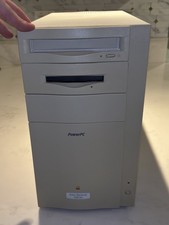
Vintage APPLE POWER MACINTOSH 8500/180 M3409 w/ Original Box & Reciept UNTESTED
$199.00
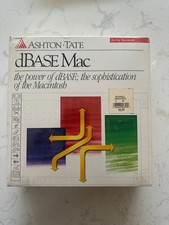
dBase 1.0 for Vintage Apple Macintosh Computers New in Box Sealed
$119.00

Vintage Apple USB Mouse M4848 Bondi Blue iMac G3 Hockey Puck - Tested Working
$22.99

Lot of 3 VIntage Apple Computer Rainbow Logo Sticker Decal Macintosh 1980s NOS
$7.00
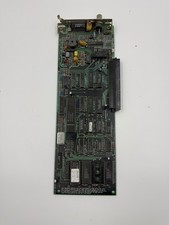
Vintage Apple Macintosh Ethernet Network Card 820-0207-A 1987 NuBus Adapter
$55.00
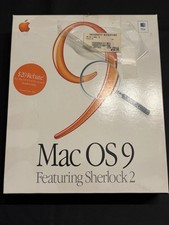
Vintage Apple Mac OS 9 Retail Box 1999 Sherlock 2 Original CD Manuals
$50.00
Vintage Apple Newton MessagePad 120 w/ Stylus Flash Card & Software *WORKS*
$99.99
Vintage Apple IIc Computer Carrying Case Bag Grey Canvas Rainbow Logo 1980s
$74.99

Apple cloth fabric banner iBook tangerine orange New Old Stock Vintage
$99.00

Vintage Apple Multiple Scan 15av Display Monitor M4681
$299.99



 Reply With Quote