-
Trouble Booting
Hello,
I know, I've searched the forums...
I'm having trouble booting. It won't boot at all. Here's some more information:
- When I burned it, I extracted the ISO and then burned the files. So, the files are like D:\knoppix\ where D is the CD-ROM, so basically I burned it correctly. I don't think you need to specify anything else or do I, when burning? I've done burning several times and they all worked, bootable CDs.
- The MD5 sum verifies I downloaded it correctly.
- If I put in the CD under Windows, it shows up the documentation page or whatever.
- I've changed the BIOS settings, still nothing. I know what I'm doing, so it's not my fault on this end. The computer is an old Pentium II, 300MHz or so with 378mb of ram, so it meets the requirements.
- It doesn't boot on my other computer, but something was strange. Once I booted, it says "Boot CD-ROM: __" but doesn't say "Press any key to boot..." of which it normally does.
I really want to get this working...
Thanks in advance,
achtunga
-
Senior Member
registered user
I still think that it's in the burning.
I've no idea what burning software you're using, but what you have to do is to "burn as image".
There's absolutely no need to extract stuff from the .iso and -- although Windows may tell you different -- it isn't a rar archive.
-
Administrator
Site Admin-
Re: Trouble Booting

Originally Posted by
achtunga
...- When I burned it, I extracted the ISO and then burned the files. So, the files are like D:\knoppix\ where D is the CD-ROM, so basically I burned it correctly. I don't think you need to specify anything else or do I, when burning? I've done burning several times and they all worked, ...
If you extracted anything from the iso then you did not burn Knoppix correctly.
It does not matter that you can see the directory structure on the CD you built. We do sometimes use not being able to see the directory structure as a way to demonstrate to people that they have burnt the CD improperly, but if you extracted the directory structure from the iso and then threw that down on a CD you would have a directory structure, but not a bootable Knoppix Linux CD. That does not make it bootable. And you never want to use an option in your burning software to make it bootable.
Accept the fact that you might need to learn something here. Follow the documentation link at the top of this page and read the downloading faq. Check your md5 sum, burn the iso as an image, and burn it at a slow speed like 4x (and use a 700 meg CDRW if you have one, at least until you get things right).
-
I've done CDs before and they've worked...
Owell I solved it.
Similar Threads
-
By britonk in forum Hardware & Booting
Replies: 1
Last Post: 04-02-2007, 05:46 PM
-
By Blaurens in forum Hdd Install / Debian / Apt
Replies: 2
Last Post: 12-30-2004, 11:07 PM
-
By njmetalmeister in forum General Support
Replies: 2
Last Post: 12-04-2004, 11:26 PM
-
By Polo2883 in forum General Support
Replies: 1
Last Post: 11-24-2004, 12:01 AM
-
By hpljs1200 in forum General Support
Replies: 3
Last Post: 10-04-2004, 08:41 PM
 Posting Permissions
- You may not post new threads
- You may not post replies
- You may not post attachments
- You may not edit your posts
-
Forum Rules


TP-Link TL-SG105 5-Port Gigabit Ethernet Unmanaged Metal Desktop Network Switch
$19.99

NETGEAR GS308EP Essential Series 8-Port Gigabit PoE+ Unmanaged Switch
$39.99

D-Link DGS-1210-28P 28-Port PoE Gigabit Web Smart Switch With Cord
$49.99

NETGEAR 5-Port Gigabit Ethernet Unmanaged Switch (Gs305) - Desktop Quiet Fanless
$25.99

10-Port Gigabit PoE Network Switch with 8 PoE+ Ports with 2 Combo SFP Slots 125W
$39.99

TP-Link TL-SG105, 5 Port Gigabit Unmanaged Ethernet Switch, Network Hub, Ethern
$15.25

Cisco Catalyst 2960-48TT-L 48-Port Fast Ethernet Managed Rackmount Switch
$46.99
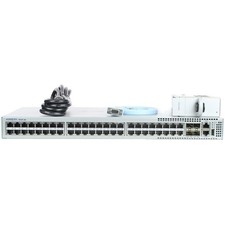
Arista DCS-7010T-48-R 48P 1GbE 4P 10GbE SFP+ RA Switch with rack mounts
$69.00

Cisco WS-C3650-12X48UR-L 48-Port Stackable Layer 3 8x10G SFP+ Port Switch
$129.99

5Ports Gigabit Network Switch w/ 4 PoE+ Ports Total 52W each port 30W Plug&Play
$31.99



 Reply With Quote