


 Reply With Quote
If you do delete stuff on an ntfs filesystem from Linux you will destroy the filesystem.
If you still want to go ahead, mount the partition through the icon, click on actions and r/write enable and that should be it.


Hey all,
I am having problems deleting files in knoppix on a ntfs partition.
I booted up into knoppix 3.7 using the live cd.
Then I went to "devices" and right clicked on hda1 and "mount"
I went into the command konsole and typed the following:
"su" (which logged me in as root)
I typed the following: "mount -o remount, rw /mnt/hda1"
then I typed "rm -rf file:/mnt/hda1/Program Files/test"
but it did not seem to remove the directory
I would like to know what I am doing wrong. Thanks alot
-Tiepo
If you do delete stuff on an ntfs filesystem from Linux you will destroy the filesystem.
If you still want to go ahead, mount the partition through the icon, click on actions and r/write enable and that should be it.
Sorry could you please be a bit more specific I am very new to knoppix.Originally Posted by fingers99
And yes I do want to go through it. I have my hdd backed anyway.
I have clicked the icon and the hdd is already mounted. When I go to action only
Send file per mail>
Zip File>
Send zip file>
Show up.
MS did a lot of stuff to make and keep NTFS propritary. While Linux can read NTFS well, it still can't write to it safely. This includes both writing files and deleting files. There is software called "captive ntfs" that claims to be able to write to an NTFS partition, but from what I've seen in the support forums it's more like playing Russian Roulet with a bullet in one chamber rather than with bullets in five of six chambers.
Since you have the disk backed up anyway, there is no good reason to do this. If it did look like it worked you may well end up with a corrupt disk that may come back to haunt you later. The only good reason to do it would be if you didn't have a backup and needed to get Windows up just long enough to recover important files before you reformatted and reinstalled everything. If you already have a good backup then don't mess with this, it will catch up with you in the end if you do.
Yeah I have backed up all important files. and Can completely wipe my hdd and re-install windows (if I wanted too).
I just really want to get this delete thing working properly. Was I on the right track? Im really trying to expand my knowledge of knoppix here. Anymore assitance would be great
OK, I'd do what Harry says --- you've got all the stuff you need from that HD. So, re-install Windows, but this time make a fairly large fat 32 partition as well as ntfs (use Windows to do this). I say fairly large as it'll act as a partition to share stuff between Linux and Windows, safely. Before you put anything on that partition you might even look at making some of it a "persistant home directory" for Knoppix.
ok thanks. fat 32 will have to do
 Posting Permissions

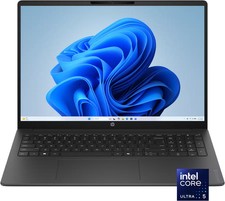
HP - OmniBook 3 16" 2K Touchscreen Laptop - Intel Core Ultra 5 (2025) - 8GB M...
$479.99

8-core 10-core GPU baseboard 8654 to PCIE 5.0x16 GPU expansion baseboard
$377.77

Panasonic Toughbook CF19 MK8 Core i5 3610ME 2.7GHz 12GB RAM 512GB SSD Win 10 Pro
$319.00

Apple MacBook Air 13.6” M2 8GB 256GB SSD 2022 MLY33LL/A 8‑Core CPU 8‑Core GPU
$529.95

(New) AMD Ryzen 7 5700X 8 Core 16 Thread AM4 Unlocked 3.4 GHz CPU OEM Tray
$169.99

Lenovo LOQ 15 15.6" FHD 144Hz 8-Core i5-12450HX 16GB 512GB SSD GeForce RTX 4050
$799.00
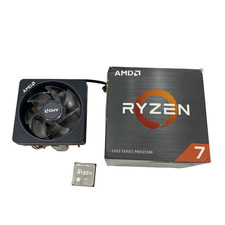
AMD Ryzen 7 5800XT 3.80GHz 8 Core 16 Thread AM4 #U6325 (AR)
$189.88

Intel Core i9-9900K Coffee Lake 8-Core, 16-Thread, 3.6 GHz (LGA 1151)
$189.99
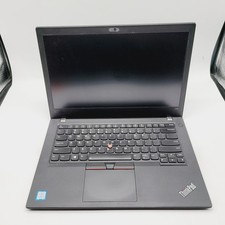
Lenovo ThinkPad T480 Core i5-8250u 1.6GHz 8GB 256GB SSD 14" ***Boot to Bios
$110.00

CHUWI 15.6'' Laptop 8GB RAM 256G SSD Intel Celeron Quad-Core 2.80 GHz HD 1080P
$197.99