-
Senior Member
registered user
init 3 refers to runlevel 3 of the system & NOT a boot menu option. So boot the system normally, open up a shell prompt, then as root or use sudo:
init 3
This should kill the Xserver & drop you right out of the GUI and into a console black & white command line. If it doesn't then try init 2.
I hope this helps.
James
Similar Threads
-
By karl_sand in forum Networking
Replies: 2
Last Post: 02-16-2005, 07:24 PM
-
By enboig in forum Hdd Install / Debian / Apt
Replies: 1
Last Post: 01-30-2005, 07:31 AM
-
By drpunkerz in forum General Support
Replies: 1
Last Post: 07-01-2004, 03:09 PM
-
By Benox in forum General Support
Replies: 2
Last Post: 04-21-2004, 06:40 PM
-
By jojo in forum General Support
Replies: 3
Last Post: 02-23-2004, 11:56 PM
 Posting Permissions
- You may not post new threads
- You may not post replies
- You may not post attachments
- You may not edit your posts
-
Forum Rules


(New) AMD Ryzen 7 5700X 8 Core 16 Thread AM4 Unlocked 3.4 GHz CPU OEM Tray
$174.99

SGIN 17.3" Laptop Intel Quad-Core Up to 2.4 GHZ 8GB RAM 256GB SSD HD
$229.99
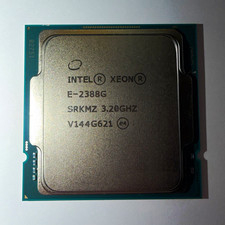
Intel Xeon E-2388G 8-Core 3.20GHz CPU Processor LGA 1151 SRKMZ
$799.99

HP ZBook Firefly 14" G8 Mobile Workstation i5 11th Gen 16GB RAM 256 GB SSD No AC
$184.99

Intel Xeon E5 - 2667V2 / SR19W 3.30GHz 25MB 8-Core CPU Socket LGA2011
$30.00

AMD FX 8350 8-CORE 4.00GHz CPU FD8350FRW8KHK SOCKET AM3+ *QTY
$39.99

AMD Ryzen 7 5700G 8-Core 16-Thread 4.6GHz Max Boost, 3.8 GHz Base
$170.00

AMD Ryzen 7 9700X 8-Core 16-Thread 40MB Cache Socket AM5 9000 Series Processor
$245.99

acer swift air 14
$600.00

Dell T7810 Workstation 8-Core 2.40GHz E5-2630 v3 No RAM GPU HDD OS
$259.98



 Reply With Quote