-
Senior Member
registered user
init 3 refers to runlevel 3 of the system & NOT a boot menu option. So boot the system normally, open up a shell prompt, then as root or use sudo:
init 3
This should kill the Xserver & drop you right out of the GUI and into a console black & white command line. If it doesn't then try init 2.
I hope this helps.
James
Similar Threads
-
By karl_sand in forum Networking
Replies: 2
Last Post: 02-16-2005, 07:24 PM
-
By enboig in forum Hdd Install / Debian / Apt
Replies: 1
Last Post: 01-30-2005, 07:31 AM
-
By drpunkerz in forum General Support
Replies: 1
Last Post: 07-01-2004, 03:09 PM
-
By Benox in forum General Support
Replies: 2
Last Post: 04-21-2004, 06:40 PM
-
By jojo in forum General Support
Replies: 3
Last Post: 02-23-2004, 11:56 PM
 Posting Permissions
- You may not post new threads
- You may not post replies
- You may not post attachments
- You may not edit your posts
-
Forum Rules


Huge Lot of Vintage Computer Brochures, Catalogs, etc. - 1980's - SEE PICS
$100.00

Vintage Computer - PC Innovation Intel 486DX2 - Dos Ver 6.2 Windows 3.1
$250.00

Vintage Microsoft Visual Studio.NET Professional Software suite Version 2002 New
$82.00

Vintage Jetway J-620BF Socket 370 Celeron AT Motherboard SiS 620 Brand New
$75.00

Vintage 2006 Juicy Couture House of Juicy Velour Laptop Sleeve Y2K NWT Rare
$199.99
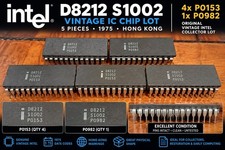
5x Vintage Intel D8212 S1002 IC Chips 1975 Hong Kong P0153 P0982
$99.99
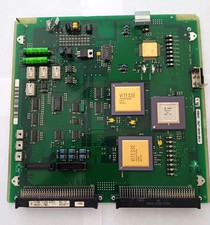
Vintage Fujitsu Scrap Board with 4 CPU's for Gold Recovery
$89.95

VINTAGE ESS ES1868 16 BIT ISA SOUND CARD COMPAQ 247428-001 - USA SELLER RM2-SC
$24.95

🔥 RARE VINTAGE HP 2112A 21MX M-SERIES 16-BIT MINICOMPUTER HP
$299.99

🔥 RARE VINTAGE HP 2113A 21MX 1000 E-SERIES MINICOMPUTER CHASSIS BACKPLANE
$249.00



 Reply With Quote