-
use modprobe acm
From website http://modular.fas.harvard.edu/t42/
Lots of information about using Debian linux
Debian GNU/Linux on a Thinkpad T42p
William Stein
Configuration
I received a Thinkpad T42p at the end of July, 2004.
My Sprint USB Sanyo 4900 Phone
Compiled CONFIG_USB_ACM=m the acm.o module. (Selected this in the USB section, near the middle.)
modprobe acm
Plugin phone:
May 29 16:40:01 localhost kernel: Product: SANYO USB Phone
May 29 16:40:01 localhost kernel: SerialNumber: Serial Number
May 29 16:40:01 localhost kernel: ttyACM0: USB ACM device
May 29 16:40:01 localhost default.hotplug[3190]: arguments (usb) env (DEVFS=/proc/bus/usb OLDPWD=/ PATH=/bin:/sbin:/usr/sbin:/usr/bin ACTION=add PWD=/etc/hotplug HOME=/ SHLVL=2 DEVICE=/proc/bus/usb/003/003 PRODUCT=474/701/0 TYPE=2/0/0 DEBUG=kernel _=/usr/bin/env)
May 29 16:40:01 localhost default.hotplug[3190]: invoke /etc/hotplug/usb.agent ()
May 29 16:40:01 localhost default.hotplug[3191]: arguments (usb) env (DEVFS=/proc/bus/usb OLDPWD=/ PATH=/bin:/sbin:/usr/sbin:/usr/bin ACTION=add PWD=/etc/hotplug HOME=/ SHLVL=2 DEVICE=/proc/bus/usb/003/003 PRODUCT=474/701/0 TYPE=2/0/0 DEBUG=kernel _=/usr/bin/env)
May 29 16:40:01 localhost default.hotplug[3191]: invoke /etc/hotplug/usb.agent ()
May 29 16:40:05 localhost usb.agent[3190]: Setup acm for USB product 474/701/0
May 29 16:40:05 localhost usb.agent[3191]: Setup acm for USB product 474/701/0
May 29 16:40:05 localhost usb.agent[3190]: acm: already loaded
May 29 16:40:05 localhost usb.agent[3191]: acm: already loaded
The following configuration steps are copied this web page, and they work perfectly for me. Now that you've got an ACM device, you just need to create a dialup connection. Note that the ACM device name may vary - just search through /dev for the proper device. On my (default) Debian install, it's /dev/ttyACM0. On RedHat 7.3, it's /dev/input/ttyACM0. Once you've found that, the number to dial to get a connection to the Vision network is '#777' (which is #PPP on the keypad). So, use whatever method you prefer to create a dialer that will dial #777. On my Debian box, I'm using the standard 'pon' scripts. Here are the config files I use:
/etc/ppp/peers/sprint:
# You usually need this if there is no PAP authentication
noauth
# The chat script (be sure to edit that file, too!)
connect "/usr/sbin/chat -v -f /etc/chatscripts/sprint"
# Set up routing to go through this PPP link
defaultroute
# Use remote DNS
usepeerdns
# Default modem
/dev/ttyACM0
# Connect at high speed
230400
local
novj
/etc/chatscripts/sprint:
TIMEOUT 5
ABORT '\nBUSY\r'
ABORT '\nERROR\r'
ABORT '\nNO ANSWER\r'
ABORT '\nNO CARRIER\r'
ABORT '\nNO DIALTONE\r'
ABORT '\nRINGING\r\n\r\nRINGING\r'
'' \rAT
TIMEOUT 12
OK ATD#777
TIMEOUT 22
CONNECT ""
More Websites to Check out
Lab-Y reportsLinux Internet Access with Sprint Cell Phones: Compatibility Reports
http://dast.freeshell.org/section/debian/phones
Linux and Mobile (Cellular, Smart) Phones
You want to use Linux or another UniX with your mobile (cellular) phone? Here are links to usage documentation about Linux with different mobile phones. You may find documentation about non-Linux phones as well as dedicated Linux phones. Do you have written a documentation yourself? Please submit a new entry. And don't miss the general resources section at the bottom, containing overviews about Linux software for mobile phones (including free JAVA applications for mobile devices) and more.
http://tuxmobil.org/phones_linux.html
http://tuxmobil.org/howto_linux_laptop.html Howto Linux-Mobile-Guide
http://tuxmobil.org/phones_survey_sanyo.html Sanyo with Linux survery
http://tuxmobil.org/phones_linux_sms.html Linux Apps for Smart Messaging System - SMS
Need to save/load information to the phone? Use BITPIM
http://www.bitpim.org/ works with the Sanyo 4900 and other cellphones.
Similar Threads
-
By Karl13 in forum General Support
Replies: 0
Last Post: 04-20-2007, 10:03 AM
-
By Arthur Abramovitch in forum Networking
Replies: 1
Last Post: 03-15-2007, 12:15 AM
-
By WolfBLN in forum Networking
Replies: 2
Last Post: 05-11-2004, 06:25 AM
-
By DavidTempler in forum Hardware & Booting
Replies: 7
Last Post: 01-19-2004, 11:18 PM
-
By seth niren in forum General Support
Replies: 0
Last Post: 11-23-2003, 06:00 AM
 Posting Permissions
- You may not post new threads
- You may not post replies
- You may not post attachments
- You may not edit your posts
-
Forum Rules


AMD Ryzen 5 5500 Processor ( read Description)
$59.00
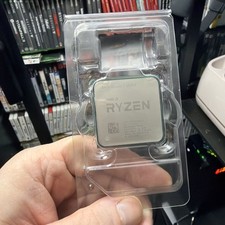
AMD Ryzen 7 5800X Desktop Processor (4.7GHz, 8 Cores, Socket AM4)
$150.00

Intel Core i7-4770 3.40GHz Quad Core SR149 LGA 1150 CPU Processor tested
$35.00

INTEL CORE I9-10940X X-SERIES PROCESSOR | 3.30GHZ | SRGSH
$179.99

Intel Core i7-3770K 3.5 GHz Processor
$39.00

Intel Core i7-9700 Octa-Core 3 GHz Desktop Processor LGA 1151
$79.99

Intel Core i5-12500T SRL5W 2GHz 18MB 6 Core Socket LGA1700 Desktop CPU Processor
$114.99

Intel i7-8700 Coffee Lake 3.2GHz 6-Core Max Turbo 4.6GHz Processor
$67.99

Intel Core i7-10700 8-Core 16-Thread 2.9GHz Desktop CPU LGA1200 SRH6Y Z490 Z590
$129.00

(LOT OF 20) Intel Core i5-8400 CPU 2.80GHz Desktop Processor (SR3QT)
$700.00



 Reply With Quote