

 Reply With Quote
I have remastered 3.8 sucessfully. I have yet to update it, but you do not have to do anything different in order to remaster Knoppix 3.8 with my HOWTO http://www.knoppix.net/forum/viewtopic.php?t=13867.


Hi, anyone knows how to remasterize KNOPPIX 3.8???
I don't know how I have to use UNIONFS; and if I have to compress it with unionfs or cloop...

any one can help me?¿
tnx
I have remastered 3.8 sucessfully. I have yet to update it, but you do not have to do anything different in order to remaster Knoppix 3.8 with my HOWTO http://www.knoppix.net/forum/viewtopic.php?t=13867.
To remaster graphically, I had to alter a symlink and add the sticky bit to a /tmp folder...
/var/tmp --> /tmp and /tmp --> /var/tmp
This was no good and KDE would not start. So I rm'd /var/tmp and made a new one, then chmod 1777'd it.
I sorta remember that when I remastered 3.8 two weeks ago. Thanks for the reminder as I will have to update the HOWTO to reflect that.Originally Posted by arkaine23
Thanks again,
James
You also have to edit your isolinux.cfg to change the default language from es to us or whatever you prefer. And you'll probably want to adjust the kde regional settings too and set to to load a manually saved session instead of the previous session (kmix might popup when kde loads otherwise). There are es and ca packages to look for and remove if you don't need them, things like spanish ispell dictionaries and such.
I upgraded to unstable and didn't have any trouble. Am working out the switch over from cloop to squashfs now. I'm starting to wonder if the bootup dialog is still going to be in spanish. I had a look at knoppix-autoconfig and I think it'll export the language setting to that script early on, but the messages at the top of the script about searching for aes encryption might still be in spanish if it can't find the filesystem in the first place anyway...????
Overclockix 3.8 (in the works)
http://overclockix.octeams.com/ocix38.jpg
arkaine23
Thanks for the info. I faced the same problem. I did the following:
chmod a+rw /tmp
and i was able to start kde in the remastered folder, but when I compress it and make the iso, kde will not start. Should I do the following:
rm /var/tmp
mkdir /var/tmp
chmod 777 /var/tmp
to get it working?
You'll want to put it back the way it was with symlinks... I don't know if anything ciritcal is in your new /var/tmp, so you could copy the contents to /var/tmp.old to be safe. Then:
rm -rf /var/tmp
ln -s /var/tmp /tmp
 Posting Permissions

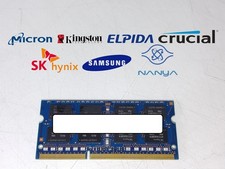
Major Brand 8 GB PC3L-12800 (DDR3-1600) 2Rx8 DDR3L Laptop Memory RAM
$10.99
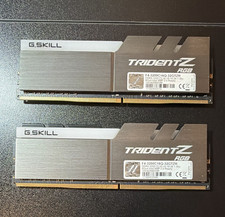
G.SKILL Trident Z RGB 16GB Ram Kit
$80.00
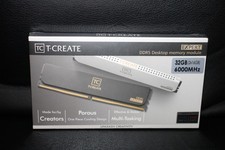
Team Group T-Create Expert RAM 32gb (2 x 16gb) 6000 Mhz DDR5 Desktop Memory Modu
$399.95

Corsair CMK32GX4M2B3000C15 Vengeance LPX DDR4 3000mhz Memory Kit - 32GB (2x16GB)
$164.95
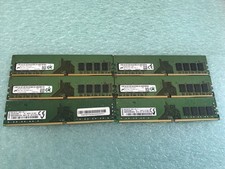
48GB(6 x 8GB) Mixed Brand PC4-2666V DDR4 Desktop UDIMM RAM - R1051A
$129.95
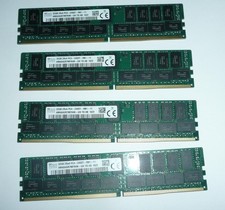
SK Hynix 128GB (4 x 32GB) PC4-2400T DDR4 ECC Server Memory HMA84GR7MFR4N-UH
$649.95
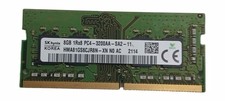
Sk Hynix 8GB PC4-3200AA PC4-3200 260-Pin SO-DIMM Laptop RAM
$37.99

RAMAXEL Lenovo 32GB LPDDR5X CAMM2 7500MHz Laptop RAM | UNTESTED
$445.00

LOT OF 23 Ram Sticks-Corsair Vengeance CMZ8GX3M2A1600C9 4GB (4GBx23=92GB Total)
$129.99
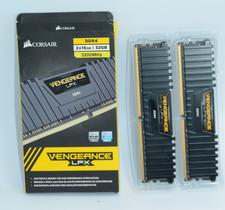
Corsair Vengeance LPX 32GB (2x16GB) RAM DDR4 3200MHz
$175.00