-
XP / Knoppix hybrid: How to reinstall XP?
Hi all
I have 3 HD partitions:
partition 1 (c: ) Windows XP
partition 2 (d: ) Programs and files for Windows XP
partition 3 Knoppix HD installation
I have the Knoppix boot manager installed (LiLo).
Now I'd like to format c: and reinstall Windows XP but I'm afraid that I could kill anything of the rest on the HD... How should I do this? So the LiLo is not being overwritten by Windows XP installation?
Thank you! 
Josh
-
Administrator
Site Admin-
Re: XP / Knoppix hybrid: How to reinstall XP?

Originally Posted by
Josh83
How should I do this? So the LiLo is not being overwritten by Windows XP installation?
It almost certainly will. Your choices are to reinstall Lilo to the MBR again later (and every time you have to reinstall Windows) or to install Lilo to the Linux partition and then use a boot manager like SBL or XOSL to select between systems when booting. That way Lilo never need to be reinstalled (untill you change the Linux kernel). Yea, SBM of XOSL would need to be reinstalled, but SBM installs fast and easy from it's install exe and XOSL plans ahead for this and lets you save everything to a floppy so that after an install of anything that overwrites the MBR you just use the floppy to recover all of your configuration again.
-
this sounds very interesting, I'll take a look at those boot managers. are they free?
and how could I reinstall lilo after installing windows xp (if i do not decide to use another bm)?
thanks for help.
-
Administrator
Site Admin-
Originally Posted by
Josh83
.... I'll take a look at those boot managers. are they free?
and how could I reinstall lilo after installing windows xp (if i do not decide to use another bm)?.
Yes, both are free. I like XOSL more (installed to it's own small partition), nicer look, more features, but Smart Boot Manager will do the job too.
I'n not sure exactly what is needed for reinstalling Lilo, since by always installing it to the Linux partition and using either of the above I've never had to do it. I would start by reading the lilo man page.
-
am i right that smart boot manager is installed also when i install xosl?
-
Junior Member
registered user
If you have a writer + floppy drive + Nero , do this.
1) mkliloboot to a floppy.
2) use nero to burn a bootable, choose floppy drive where you see the source image.
3)use the bootable CD whenever u want to boot to knoppix................
or
3)get into knoppix once by using the CD/floopy and mklilo to HD..... that should work.
-
Administrator
Site Admin-
Originally Posted by
Josh83
am i right that smart boot manager is installed also when i install xosl?
My understanding (which could be "confused") is that some SBM code is being used to let XOSL do it's CD booting. You never see anything that looks like SBM when you install and run XOSL. The look and feel is completely different. SBM never shows through. Something very different than SBM seems to be written to the MBR.
-
@ cyberoidx:
thanks for the info.
@ harry:
now i'm not really sure yet... if i decide to install xosl to a dedicated partition, and after this i reinstall e.g. windows xp, then xp will overwrite the MBR with its own "bootmanager", right. so how can i "link" the MBR again to the dedicated partition?
thank you.
-
and another thing:
can i boot from cdroom? e.g. when i configure a hd for use with windows xp and then i select it and click "boot" (or something like that in xosl), can then be booted from cdrom?
-
Junior Member
registered user
i didn't really get your question.
You want to know if you can boot from cd rom after install of XP? Yes you can..... If u try using my method.
If u do it my way... then Windows will load if the lilo CD is not in the drive, if it is in the drivew, knoppix will boot. Before you try this, make sure that your bios can boot from CD's. that can be done in to ways. Check if Knoppix Live Cd works, or check bios boot order......
Similar Threads
-
By udippel in forum Hdd Install / Debian / Apt
Replies: 3
Last Post: 07-09-2006, 11:28 PM
-
By sakiZ in forum Customising & Remastering
Replies: 3
Last Post: 09-08-2005, 05:23 PM
-
By morter in forum General Support
Replies: 0
Last Post: 08-02-2004, 10:59 PM
-
Replies: 6
Last Post: 08-04-2003, 11:47 PM
-
By benpark22 in forum Hdd Install / Debian / Apt
Replies: 1
Last Post: 04-17-2003, 07:49 PM
 Posting Permissions
- You may not post new threads
- You may not post replies
- You may not post attachments
- You may not edit your posts
-
Forum Rules


Mini Computer Vacuum USB Keyboard Cleaner PC Laptop Brush Dust Cleaning Kit NEW
$13.89

LEVOIT Cordless Vacuum Cleaner, Stick Vac with Tangle-Resistant Design, Up to...
$162.04
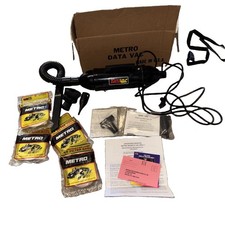
Metro DataVac PRO MDV-1 Computer Cleaning System Blower/Vacuum Complete w/ Bags
$129.99

2-in-1 Compressed Air Duster & Vacuum, Brushless Motor, 320000RPM
$37.99

US Mini Computer Vacuum USB Keyboard Cleaner PC Laptop Brush Dust Cleaning Kits
$13.89
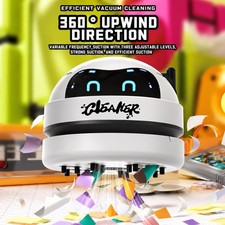
Wireless White Robot Desktop Vacuum Cleaner w/USB Charger in Original Box
$14.49

(2) Battery For FoxNoble Cordless Vacuum Cleaner GLBP01-6S26
$49.00

Compressed Air Duster Rechargeable Computer Vacuum Cleaner for PC Keyboard Toys
$16.99

Cordless Air Duster & Vacuum Cleaner for Keyboard & PC Cleaning - 110000RPM Powe
$53.99
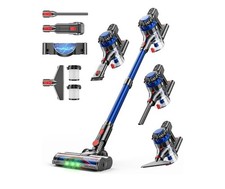
KARDV Cordless Vacuum Cleaner, 500W/40Kpa Vacuum Cleaners for Home, 60Mins St...
$64.99



 Reply With Quote