

 Reply With Quote
At the bootup Knoppix 3.8 splash screen, type:
knoppix nodhcp


I am using Knoppix 3.6. and 3.7 without any problems with always the same standard hardware. Booting Knoppix 3.8 stops at recognizing eth0, wainting on DHCP - no way going on. There is a DSL router with DHCP server.
I tried to boot with parameter "expert" but there was no possibility to interact at eth0 or ignore.
Who knows ta solution for this problem?
Reinhart.
At the bootup Knoppix 3.8 splash screen, type:
knoppix nodhcp
Thnx !
Finally I found this parameter [nodhcp] by myself and used it, but after starting Knoppix I cannot install the network card by hand. The system freezes totally after the input of the correct IP addresses.
What kind of card?Originally Posted by rgruhn
I have the same issue with DEC 21041 Tulip based cards under 2.6.x kernel
Reference: http://www.knoppix.net/forum/viewtopic.php?t=17894
I too have tried to do the nodhcp, rmmod or modprobe -r to remove the module and put a new module for a LAN driver in with out success.
So I am sticking to V3.7 under 2.4.x kernel, and since newer versions of Knoppix will only include 2.6 will just have to wait till what ever the bug is, is resolved.
It is an Intel 21143 fast ethernet PCI adapter.
I 've read the thread you pointed to - may be it is a bug in the 2.6.xx kernel. because I had the same problem with knoppix 3.7 and the 2.6 kernel! I only use the 2.4 and hope the problem will be fixed soon.
Thanks so much.
I think it is but I need to compile some evidence to support this.
Thanks for the info on the card, can you possible post a lspci -v and dmesg with the key parts for reference.
Thanks!
I think my problem is just the same as the well known with a DEC-Chip!
Here is the information:
lspci:
0000:02:0b.0 Ethernet controller: Digital Equipment Corporation DECchip 21142/43 (rev 41)
Flags: bus master, medium devsel, latency 96, IRQ 23
I/O ports at e880 [size=128]
Memory at f7fff800 (32-bit, non-prefetchable) [size=1K]
Expansion ROM at f7f80000 [disabled] [size=256K]
DMESG:
de4x5.c:V0.546 2001/02/22 [email protected]
Intel 810 + AC97 Audio, version 1.01, 07:27:43 Feb 23 2005
ACPI: PCI interrupt 0000:00:1f.5[B] -> GSI 17 (level, low) -> IRQ 17
Is this any help, from dmesg and lspci?
Something related to IRQs?
____________________________________
PCI: Found IRQ 9 for device 0000:01:02.0
PCI: Sharing IRQ 9 with 0000:00:1f.3
PCI: Sharing IRQ 9 with 0000:00:1f.5
IRQ routing conflict for 0000:01:02.0, have irq 5, want irq 9
0000:01:02.0: DE434/5 at 0x7880, h/w address 00:00:92:91:2b:78,
and requires IRQ5 (provided by PCI BIOS).
de4x5.c:V0.546 2001/02/22 [email protected]
__________________________________________________ __________________
0000:01:02.0 Ethernet controller: Digital Equipment Corporation DECchip 21040 [Tulip] (rev 23)
Flags: bus master, medium devsel, latency 96, IRQ 5
I/O ports at 7880 [size=128]
Memory at febeff80 (32-bit, non-prefetchable) [size=128]
I'm a newbie in this area of linux. Would changing IRQ help? How do I do that in linux?
Thanks.
Dave
Some progress thanks to Mepis Forum. Based on
http://www.mepis.org/node/2485?from=...ts_per_page=30
near bottom of page, I tried
rmmod de4x5
modprobe de2104x
ifconfig eth0 up
ifconfig
pump
Now eth0 seems to be up, but still no internet.
dmesg | tail shows eth0: no IPv6 routers present
What next?
Hmmm, Ubuntu 5.04 gets eth0 up and internet connection up almost immediately after starting to install. Ubuntu uses de2104x and dhclient (instead of pump).
So would dhclient be better with Knoppix kernel 2.6.x than pump, for my ancient DECchip 21040?
How to do that without installing Knoppix?
Thanks.
Dave
 Posting Permissions


Dell 6P85J 4TB ST4000NM0063 7.2k 6Gb/s 3.5” SAS SED Hard Drive with Tray
$39.99

Western Digital HUS726T4TAL5204 4TB 7.2K SAS 12Gb/s 3.5" 512e HDD NetApp X375A
$64.00

DELL 2TB Enterprise HDD (7200RPM, 3.5", SATA III, 128MB Cache) HUS722T2TALA600
$49.95

Seagate ST12000NM0127 12TB 256MB 7200RPM 3.5" SATA 6.0Gb/s Enterprise Hard Drive
$318.99

Seagate ST4000NM0034 Enterprise 4TB 7200RPM SAS 12Gb/s HDD v4
$39.00

Seagate ST500DM009 BarraCuda 500 GB 3.5" SATA III Desktop Hard Drive
$14.99

Seagate 3.5" Desktop HDD 3TB SATA III 6Gbps HDD 1ER166-510
$39.99

Dell ST6000NM0034 1HT27Z-150 NWCCG 6TB SAS 3.5 7.2K ENTERPRISE SERVER DRIVE
$68.99

Seagate ST8000NM0075 Enterprise Capacity 3.5 HDD 8TB SAS Hard Drive 8TB EXOS
$184.99
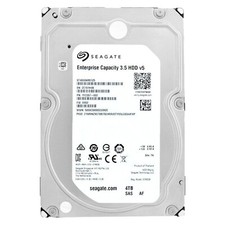
SEAGATE EXOS 4TB 7.2K 12Gb/s 3.5" 128MB Cach SAS ST4000NM0125 HDD hard drive
$59.99