-
-
Senior Member
registered user
Sounds like you're just trying too hard.
First, the compulsory warning: writing to an ntfs partition (that's copying or deleting) from Linux will almost certainly trash it. ntfs is the default filsystem for NT, Windows 2K, XP.
On 9* Windows, no problem.
Just click on the drive you want to mount, on the drive you want to write to just click on the actions tab and select read/write. Drag and drop, that's it!
-

Originally Posted by
fingers99
Sounds like you're just trying too hard.
First, the compulsory warning: writing to an ntfs partition (that's copying or deleting) from Linux will almost certainly trash it. ntfs is the default filsystem for NT, Windows 2K, XP.
On 9* Windows, no problem.
Just click on the drive you want to mount, on the drive you want to write to just click on the actions tab and select read/write. Drag and drop, that's it!
Well, my computer doesnt work since 3 days back ... sooo >X (Windows XP usually, using Knoppix to fix error now, win xp doesnt boot)
When im in "File Manager" and in "Devices" , u told me to
1. Click the drive i want to mount
I dont really understand the word mount, when i right click it says "unmount", so i guess its already mounted, and i can see the files i want to move, i dont want to move them to another hard disc, just move them to another location.
2. On the drive you want to write, just click on the actions tab and select read/write
Hmm... when ive selected the drive i looked for a actions tab, but found none. If i right click and hold "actions" the only things mentioned is "zip" and stuff, nothing about read/write.
3. Drag and drop isnt that easy it seems , for me anyways >(
I would be most gratefull if you could explain it the most simple way there is.
-
Senior Member
registered user
Sorry -- right mouse click on the icon, select actions, go to change read write mode, left click.
Drag and drop, just like Windows (or Mac): you can "open" 2 views of the drive, find the file you want to transfer, right click on it and drag it where you want it. Otherwise, there's "move to" or cut and paste.
-
Originally Posted by
fingers99
Sorry -- right mouse click on the icon, select actions, go to change read write mode, left click.
I am really slow, sorry.. But when i am there at "Hard Disc (sda2) [/mnt/sda2]" and right click on that icon. Hold mouse over Actions, the only options avaiable is "Send per Mail", "Zip file(s)", "Zip and email file(s)".
go to change read write mode
Could it be that you mean Right click - Properties - Permissions - "Change view and modify" ? Cause it is there i cant change because i get that error..
Could it be that i use Kernel 2.6 with Knoppix 3.7 ? (Without the Serial-ATA disks doesnt show  )
)
Drag and drop, just like Windows (or Mac): you can "open" 2 views of the drive, find the file you want to transfer, right click on it and drag it where you want it. Otherwise, there's "move to" or cut and paste.
Drag and drop = Could not write to /mnt/sda2/... and with cut and paste = Could not delete ....
*i have now tested with Knoppix 3.6, Kernel 2.6 (because of the SATA discs) , and the results is the same, just some small differences - when i right click and hold actions, there is 3 new options, "create gzipped tar archive", "create bzipped tar archive" and "create zip archive".. No big use huh >P*
-
Senior Member
registered user
Very, very strange. I'm using 3.6 with the 2.6 kernel but from a HD install.
Just a thought, if you open a file manager in Super User mode:
Kmenu>System>Other Progames>File Manager Super User Mode and go to the Desktop, do you get the same results?
-
Originally Posted by
fingers99
Very, very strange. I'm using 3.6 with the 2.6 kernel but from a HD install.
Just a thought, if you open a file manager in Super User mode:
Kmenu>System>Other Progames>File Manager Super User Mode and go to the Desktop, do you get the same results?
When i start that program i need to write a password, ive never entered a password so i didnt know what to do. I tested Ignore.
The results are exactly the same. (Whitout password)
Edited > I changed the root password with Root Shell to "root" by typing passwd, now when i used Super user mode with the new password i got it working, i belive. But still, i wasnt able to see or change the settings for read/write.
-
Junior Member
registered user
RE::"Hi, i need to move some files on a hard disc in Knoppix, but when i do it tells me "Could not make folder /mnt/sda2/.."
Had to reply because it doesn't seem this got resolved for Simonkex. I discovered this little nasty with a Flash Card inserted into a USB port.
To make it short:
Plug in the Drive and wait till it pops up on your desktop.
"Right Click" on the Drive Icon and "Mount" from the Menu that pops up.
"Right Click" again and choose "Actions", and from the next Menu choose "Change read/write mode".
A window will pop up asking if you really want to "change partition... to be writtable?"
Click "Yes". (All this assumes the Drive is NOT formatted in ntfs)
Now to verify everything is as it should be: try writing a new Directory to the drive -- if it works, you're good to go.
I discovered the USB drives weren't automatically writable when I directed a download to one
I've used quite a few different Distros of Linux and I really like Knoppix (almost everything works great)...
Only time I was really ticked was when trying to save a "configuration" to floppy and discovered I couldn't
get it to re-load on startup. The startup command was wrong in the documentation -- it should be:
"knoppix floppyconf" NOT "knoppix myconfig=/mnt/auto/floppy"
Similar Threads
-
By KnoppixIsOk in forum MS Windows & New to Linux
Replies: 5
Last Post: 08-23-2007, 11:27 PM
-
By pai in forum Hdd Install / Debian / Apt
Replies: 1
Last Post: 04-07-2006, 09:32 PM
-
By chiasc in forum General Support
Replies: 0
Last Post: 11-10-2005, 11:50 PM
-
By Ionut in forum General Support
Replies: 1
Last Post: 06-21-2004, 08:05 PM
-
By dabuggin1 in forum General Support
Replies: 1
Last Post: 02-04-2004, 08:06 PM
 Posting Permissions
- You may not post new threads
- You may not post replies
- You may not post attachments
- You may not edit your posts
-
Forum Rules


Samsung Galaxy Tab SCH-1800 7" 4GB Wi-Fi + Verizon Tablet Working
$30.00

Samsung 32GB DDR4-2666 PC4-21300 288-Pin DIMM RAM M393A4K40CB1CRC0Q
$185.00

New Samsung 512GB FIT Plus USB 3.2 Gen 1 Type-A Flash Drive MUF-512AB/AM NEW
$120.00

Samsung 24" S3 Essential IPS 100Hz Monitor | Sealed | Fast shipping
$50.00

Samsung SCXSTP000, SCX-STP000 (Swingline Staple Cartridge - 3 Refills)
$57.99
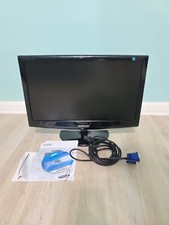
Samsung SyncMaster 2033SW 20" 1600x900 Resolution WideScreen LCD Monitor
$41.00

Cell Phone Smartphone Computer repair banner poster sign iphone Samsung
$89.99

Kids Case for Samsung Galaxy Tab A9+/A9 plus 11 Inch 2023 Case, with Strap, Shoc
$27.99

NEW Samsung NoteBook NT930QCG touch LCD Full Screen Assembly Blue
$225.77
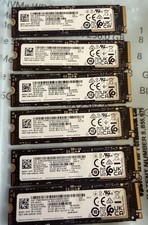
Lot of 6 Samsung SSD 256GB PM9A1 NVMe Tested Good.
$180.00



 Reply With Quote