-
Senior Member
registered user
Sorry -- right mouse click on the icon, select actions, go to change read write mode, left click.
Drag and drop, just like Windows (or Mac): you can "open" 2 views of the drive, find the file you want to transfer, right click on it and drag it where you want it. Otherwise, there's "move to" or cut and paste.
Similar Threads
-
By KnoppixIsOk in forum MS Windows & New to Linux
Replies: 5
Last Post: 08-23-2007, 11:27 PM
-
By pai in forum Hdd Install / Debian / Apt
Replies: 1
Last Post: 04-07-2006, 09:32 PM
-
By chiasc in forum General Support
Replies: 0
Last Post: 11-10-2005, 11:50 PM
-
By Ionut in forum General Support
Replies: 1
Last Post: 06-21-2004, 08:05 PM
-
By dabuggin1 in forum General Support
Replies: 1
Last Post: 02-04-2004, 08:06 PM
 Posting Permissions
- You may not post new threads
- You may not post replies
- You may not post attachments
- You may not edit your posts
-
Forum Rules

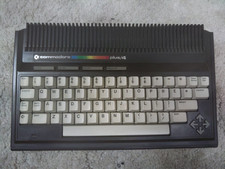
Commodore Plus/4 computer for parts or restore
$50.00

Commodore VIC-20 Diagnostic Cartridge & Test Harness Set - USA seller
$39.99
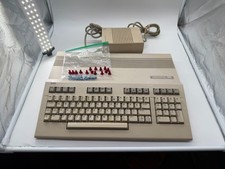
Commodore C128 Comp w/ Original Box TESTED & WORKING + Original & PETG Key Plung
$297.98

Commodore OS USB | Bootable LIVE + Install | The Ultimate Gaming Linux OS | NEW
$11.99
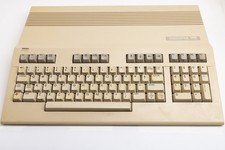
Vintage Commodore 128 Computer Powers On Not Tested with Power Supply
$169.99
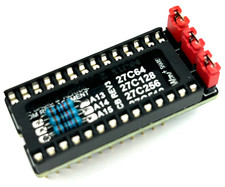
Commodore 64 & VIC-20 BASIC & Kernel ROM Replacement Adapter - USA seller
$17.99
Commodore 128 Vintage Computer Not Working No Power Damage READ
$129.00

Commodore 1541 Emulator PI1541 HAT with ROTARY, OLED screen, USA Seller
$29.99

Commodore 64 Dead Test & Diagnostic Cartridge & Test Harness Set - USA seller
$39.99

TeensyROM+ TR+ v0.4 Cartridge for C64/128 - w/ Case & 32GB SD Preloaded
$89.50



 Reply With Quote