-
how to mount a modem
Hi, Just booted Knoppix on a Thinkpad, ran 'LSPCI" to see if there is a modem detected,, there is.,,, so I need to know how to associate what I see in the lspci list as modem to a device such as /dev/modem. Below is the output of LSPCI that relates to my modem:
0000:02:02.0 Communication controller: Lucent Microelectronics WinModem 56k (rev 01)
Subsystem: AMBIT Microsystem Corp. IBM ThinkPad T23 (2647-4MG)
Control: I/O+ Mem+ BusMaster+ SpecCycle- MemWINV- VGASnoop- ParErr- Stepping- SERR+ FastB2B-
Status: Cap+ 66MHz- UDF- FastB2B+ ParErr- DEVSEL=medium >TAbort- <TAbort- <MAbort- >SERR- <PERR-
Latency: 0 (63000ns min, 3500ns max)
Interrupt: pin A routed to IRQ 11
Region 0: Memory at c0201000 (32-bit, non-prefetchable) [size=256]
Region 1: I/O ports at 6440 [size=8]
Region 2: I/O ports at 6000 [size=256]
Capabilities: <available only to root>
Another question: Do I need to install Knoppix on a hard drive to save configuation files? (I have a mountable memory key)
Thanks
-
Senior Member
registered user
This a very good site for winmodems http://linmodems.technion.ac.il/ especially scanmodem utility http://linmodems.technion.ac.il/#scanmodem
Do I need to install Knoppix
I think you musrt install it on hdd. There are some new ways of dooing things, but this is in experimental period(?).
-
Thanks tdjokic, i have the information I need from the modem site.
My PC recognizes my modem ok. I can use kppp.
When I configure my modem, I need to tell Linux the device address (/dev/ttyS0, or /dev/ttuSL0).
I've tried '/dev/modem' ..... I get a message saying Knoppix cannot find /dev/modem
I've tried '/dev/ttyS0' ........ I get a message saying device is busy
What my question now is: What address do I assign to my modem when configuring it? ttyS0, ttyS1?,,, how does one decide what the address must be?
Scanmodem output:
knoppix@ttyp1[knoppix]$ scanmodem
UPDATE=2004 July 30
Providing detail for device at PCI_bus 0000:02:02.0
with vendor-ID:device-ID
----:----
0780: 11c1:0449 (rev Communication controller: Lucent Microelectronics WinModem 56k (rev 01)
SubSystem 1468:0410 AMBIT Microsystem Corp. IBM ThinkPad T23 (2647-4MG)
0000:02:02.0 0780: 11c1:0449 (rev 01)
Flags: bus master, medium devsel, latency 0, IRQ 11
Memory at c0201000 (32-bit, non-prefetchable) [size=256]
I/O ports at 6440 [size=8]
A PCMCIA modem is detected.
From this output I see what i need to get the drivers (11c1:0410) but nothing in this to say what address I should assign to the modem.
Thanks.
Similar Threads
-
By markpelletier in forum Networking
Replies: 0
Last Post: 10-31-2005, 07:06 PM
-
By Mic Q in forum General Support
Replies: 0
Last Post: 11-17-2004, 02:17 PM
-
By panthrax in forum Hardware & Booting
Replies: 2
Last Post: 12-11-2003, 11:39 PM
-
By FarAway in forum Networking
Replies: 2
Last Post: 05-14-2003, 10:29 PM
-
By www.rzr.online.fr in forum Hardware & Booting
Replies: 0
Last Post: 04-21-2003, 09:49 PM
 Posting Permissions
- You may not post new threads
- You may not post replies
- You may not post attachments
- You may not edit your posts
-
Forum Rules


(New) AMD Ryzen 7 5700X 8 Core 16 Thread AM4 Unlocked 3.4 GHz CPU OEM Tray
$174.99

AMD Ryzen 7 PRO 8700GE 8-Core/16-Thread Up to 5.1GHz AM5 (FL1)
$189.00

Dell OptiPlex 5070 SFF i7-9700 (8-Core) 3.0GHz 16GB 256 SSD Windows 11
$250.00
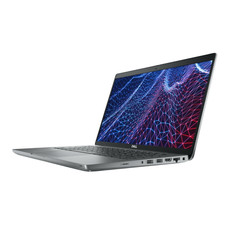
Dell Latitude 5420 14" - Core i5-1145G7 - 8GB - 256GB SSD Win 11 Pro - WARRANTY
$276.35

AMD Ryzen 7 7800X3D 4.20GHz Quad Core 100-000000510 8 Thread AM4
$279.99
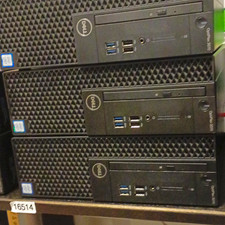
Dell OptiPlex 3070 SFF Desktop Intel Core i3 9th gen 8gb RAM 128gb NVMe win11pro
$79.99

AMD Ryzen 7 9800X3D 8-Core 16-Thread AM5 Zen 5 Desktop Processor NEW
$399.00

Apple Macbook Pro 13" M1 8-Core 16GB 512GB - Good
$464.99

SGIN 17.3" Laptop Intel Quad-Core Up to 2.4 GHZ 8GB RAM 256GB SSD HD
$229.99
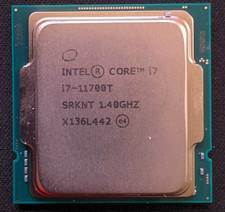
Intel Core i7-11700T 1.4GHz Processor 8-Core Socket LGA1200 SRKNT
$129.95



 Reply With Quote