

 Reply With Quote
When knoppix first loads up a splash screen, hit f2 or f3. it will display some Cheat codes. You will need to specify the resolution so at the boot prompt enter:
knoppix screen=1280x960
If that does not work try:
knoppix screen=1280x1024


Although I consider myself quite PC-literate, I'm new to KNOPPIX (or any other LINUX distro) and new to this forum, so first let me say 'hello'.
I just downloaded KNOPPIX v3.7 and successfully burned the iso to CD. The CD boots up and seems to perform most, if not all, hardware detection but then I get the following message on my LCD screen:
INPUT SIGNAL
OUT OF RANGE
and from that point on, the system is no longer responsive. I sure hope you guys can figure out the problem and get me up and running.
Fwiw, here is my hardware configuration...
CPU Properties:
CPU Type Intel Pentium 4HT
CPU Alias Northwood HyperThreading
CPU Stepping D1
CPUID CPU Name Intel(R) Pentium(R) 4 CPU 2.80GHz
CPU Speed:
CPU Clock 2800.16 MHz (original: 2800 MHz)
CPU Multiplier 14.0x
CPU FSB 200.01 MHz (original: 200 MHz)
Memory Bus 200.01 MHz
CPU Cache:
L1 Trace Cache 12K Instructions
L1 Data Cache 8 KB
L2 Cache 512 KB (On-Die, ATC, Full-Speed)
Motherboard Properties:
Motherboard Name Asus P4C800 Deluxe (5 PCI, 1 AGP Pro, 1 WiFi, 4 DIMM, Audio, Gigabit LAN, IEEE-1394)
Chipset Properties:
Motherboard Chipset Intel Canterwood i875P
CAS Latency (CL) 2T
RAS To CAS Delay (tRCD) 3T
RAS Precharge (tRP) 3T
RAS Active Time (tRAS) 6T
PAT Enabled
SPD Memory Modules:
Corsair CMX512-3200C2 512 MB PC3200 DDR SDRAM (CL 2.5 @ 200 MHz) (CL 2.0 @ 166 MHz)
Corsair CMX512-3200C2 512 MB PC3200 DDR SDRAM (CL 2.5 @ 200 MHz) (CL 2.0 @ 166 MHz)
BIOS Properties:
System BIOS Date 05/06/03
Video BIOS Date 12/12/01
DMI BIOS Version 1006.005
Graphics Processor Properties:
DirectX 4.09.00.0904 (DirectX 9.0)
Video Adapter Matrox G550 (Matrox Millennium G550)
GPU Clock 130 MHz
Warp Clock 130 MHz
Memory Clock 162 MHz
Physical Memory:
Total 1022 MB
Used 403 MB
Free 619 MB
Utilization 39 %
Memory Module Properties:
Module Name Corsair CMX512-3200C2
Module Size 512 MB (2 rows, 4 banks)
Module Type Unbuffered
Memory Type DDR SDRAM
Chipset Properties:
Motherboard Chipset Intel Canterwood i875P
In-Order Queue Depth 12
PAT Enabled
North Bridge Properties:
North Bridge Intel Canterwood i875P
Revision / Stepping 02 / A2
South Bridge Properties:
South Bridge Intel 82801EB ICH5
Revision / Stepping C2 / A2/A3
Memory Timings:
CAS Latency (CL) 2T
RAS To CAS Delay (tRCD) 3T
RAS Precharge (tRP) 3T
RAS Active Time (tRAS) 6T
AGP Properties:
AGP Version 3.00
AGP Status Enabled
AGP Aperture Size 64 MB
Supported AGP Speeds 1x, 2x, 4x, 8x
Current AGP Speed 4x
Fast-Write Supported, Disabled
Side Band Addressing Supported, Enabled
BIOS Properties:
BIOS Type Asus AMI
System BIOS Date 05/06/03
Video BIOS Date 12/12/01
Video Adapter Properties:
Device Description Matrox Graphics Millennium G550 AGP
Adapter String Matrox Millennium G550 AGP
BIOS String v1.4.014
Chip Type Matrox G550
DAC Type Integrated, 360 MHz
Serial Number PBT66706
Installed Drivers G550DHD (5.13.01.1360)
Memory Size 32 MB
Video Monitor Princeton VL193
Type LCD Panel - 19" 1280 x 1024 (1280 x 960 in use)
Disk drives:
C: WDC WD360GD SATA 5.1.2535.0
D: Maxtor 6 Y120P0 ATA 5.1.2535.0
DVD/CD-ROM drives:
LITE-ON LTR-52246S 5.1.2535.0
Floppy disk controllers:
Standard floppy disk controller 5.1.2600.0
IDE ATA/ATAPI controllers:
Promise 378 - SATA Channel 5.1.2600.2180
Intel(R) 82801EB Ultra ATA Controllers 5.0.1007.0
Secondary IDE Channel 5.1.2600.2180
Imaging devices:
MINOLTA DiMAGE Scan Dual3
Keyboards:
Standard 101/102-Key or Microsoft Natural PS/2 Keyboard5.1.2600.2180
Mice and other pointing devices:
Microsoft USB-PS/2 IntelliPoint Mouse 5.20.413.0
When knoppix first loads up a splash screen, hit f2 or f3. it will display some Cheat codes. You will need to specify the resolution so at the boot prompt enter:
knoppix screen=1280x960
If that does not work try:
knoppix screen=1280x1024
That seems to have been the fix needed, thanks again!
Now for another noob problem... I gather that Wine is the means of running a Windows app under KNOPPIX, but so far I'm not having any success. When I click on the app's executable, it trys to load, but never does. Any tips?
Wine doesn't have a gui. You must open a .exe with wine. There's typically two ways of doing this,Originally Posted by pvsurfer
1) You can right click on the .exe, and click on "Open With...". This should open a dialog, and all you have to do is type in wine.
2) Or from a terminal, you can type wine [program name], and wine will try to run the program that you typed.
Also, note that wine is still under developement, and there's many programs it wont run.
I have the same problem with my Philips 15" LCD which is capable of 1024x768, but no matter how I change the boot config. the max it can display is 800x600, but it works fine with Suse, this problem stops me from replacing Suse with this one.
If we're talking HD installs here, you could try copying over the /etc/X11/XF86Config-4
from SuSE, but best to check -- maybe with a SuSE forum -- that it uses XF86Config-4.
Will it work if I simply remove those useless 'modeline' from the file after HD install ?
Btw why I did not receive email notification ?
 Posting Permissions

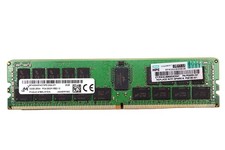
LOT OF (12) HPE MTA36ASF4G72PZ-2G9J3TI MICRON 32GB 2RX4 PC4-2933Y MEMORY RAM
$3000.00
Samsung 32GBX2 1Rx4 PC4-3200AA DDR4 ECC Server Memory M393A4G40AB3-CWEBQ 64GB EC
$370.00

2 in 1 USB 3.0 Card Reader Micro TF card Reader usb adapter High Speed Cardreder
$3.99

Samsung 32GB (1x32GB) PC4-17000 (DDR4-2133) LRDIMM Memory (M386A4G40DM0-CPB0Q)
$120.00
K hynix 128GB (4x32GB) DDR4 PC4-2400T ECC Registered DIMM Server RAM
$750.00

Kingston 32GB 64GB 128GB 256GB USB 3.0 Flash Drive Thumb Memory Stick Pen lot
$285.90

USB 3.0 Flash Drive 32GB 64GB 128GB Memory Stick Thumb Stick Lot Pack
$826.09

Samsung 96GB LPCAMM2 PC5 9600 FE1 E1 LPDDR5X CAMM2 M561K6LC3CL1-CCV DDR5 Memory
$2150.00
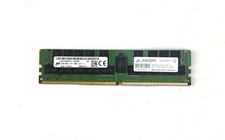
Micron 64GB DDR4 PC4-2666V 4DRx4 ECC LRDIMM MTA72ASS8G72LZ-2G6D2 SERVER MEM
$320.00
Wholesale USB 2.0 5/10/ 100PCS 2GB 4GB 8GB 16GB 32GB 64GB Metal USB Flash Drive
$312.84