

Hi
Does anybody habe an idea on how to create SSH enabled users at boot. I have a system where i boot Feather Linux (Knoppix remaster) from a USB stick, and I would like to add a user doing boot, so when the system is booted I can access it from a SSH client. I would prefer not to include the users in a remaster since it is not as dynamic as adding users from the knoppix.sh script.
I have tried to use the useradd and passwd functions, but the passwd function needs a input from the keyboard so I can not use it doing boot. Further I have tried to generate a shadow and passwd file with the passwords and users created, and then replacing the shadow and passwd files created doing boot with the ones with passwords and it works, but when I try to do it in the knoppix.sh script the file will be overridden with the default files after the knoppix.sh script has been executed.
Does anybody have a clue on a solution to this problem?
Regards
Thorbjørn
 Posting Permissions


Lenovo ThinkPad L13 Yoga Touch Laptop 13.3” Core i5 8GB RAM 256GB SSD Win 11 Pro
$239.99

Lenovo ThinkPad L15 Gen 3 15.6" 16GB, Thunder Black
$241.50

Lenovo ThinkPad E14 Gen 2 Laptop 14” HD Ryzen 5 16GB RAM 512GB SSD Win 11 Pro
$319.99

Lenovo ThinkPad L15 Gen 3 15.6" 16GB, Thunder Black
$241.50

Lenovo ThinkPad T14 Gen 1 14" AMD Ryzen 5 16GB 256GB SSD
$219.99

Lenovo ThinkPad E14 Gen 3 Laptop 14” FHD AMD Ryzen 5 16GB RAM 512GB SSD Win 11
$374.99

Lenovo Thinkpad T14 Gen 2i 14" 16GB 512GB, Black
$313.00
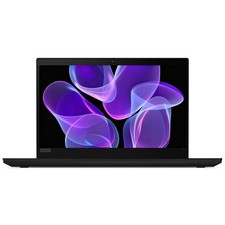
Lenovo Thinkpad T14 Gen 2 14" 16GB, Thunder Black
$387.46

Lenovo ThinkPad T495 14” Laptop AMD Ryzen 5 PRO 16GB RAM 256GB SSD Windows 11
$229.99

Windows 11 PRO Laptop Notebook PC Computer, 8GB Ram, Webcam, Wifi, and HDMI
$144.00


 Reply With Quote