-
Administrator
Site Admin-

Originally Posted by
dave932932
....It choose the "Create a Data Disc" button so I just pulled the ISO files over without special options or anything. ..... I confess that I burned this CD at 24x. ...
it sounds to me like you just have a copy of the ISO file on the CD. That is not the same as burning the iso as an image. Think of it this way: When you biuld your own disk compilations, in addition to just burning them, you usually have ways to save your compilation to hard disk. One way just saves pointers to all of the other files (small and handy, but not what we're talking about here). The other way builds a large file (around 700 meg in the case of a full CD) in one of several different formats. These are "image files" and can later be used to burn copies of the CD without the need for all of the smaller files (they are included in the image). ISO is a common form of such a file and is "cross platform", it is supported by many burning programs.
Look at the CD you burnt under windows. If it just has one ISO file on it then you did not burn the iso as an image.
As to what to do: Either look through your documentation for information on how to use your current application to burn ISO files (if it supports it at all) or download something that does. There have been many suggestions in these forums for thinsg that do, make your own choice. If I had to pick one I would say use Nero, but version 6 makes it hard to find the right option too. If you end up with one of the crippleware Nero for Dummies interfaces then look for an option on the front screen to laod an image, if you get the "regular: nero interface then under the file meny just select open and open the ISO. Do not take any option to make the CD bootable, and do not just drag the ISO into a file area.
And burn at a slow speed just to be safe (at least until you get past the other issues) and use a 700 meg CDRW if you have one.
 Posting Permissions
- You may not post new threads
- You may not post replies
- You may not post attachments
- You may not edit your posts
-
Forum Rules

LOT OF 8 Samsung 32gb 2Rx8 PC4-3200AA RE3 12 DC1 Server Memory M393A4G43AB3
$1849.95
SK Hynix 32GB DDR4-2666V-2Rx4-RB2-11 RAM HMA84GR7AFR4N-VK
$169.95

Microsoft Office 2021 Pro Plus USB for 1PC Windows 10 & 11
$62.50
Lot Of 16Micron MTA36ASF2G72PZ-2G1A2IJ 16GB 2Rx4 PC4-2133P-RB0-10 ECC Server Ram
$960.00

Kingston 32GB 64GB 128GB 256GB USB 3.0 Flash Drive Thumb Memory Stick Pen lot
$285.90

USB 3.0 Flash Drive 32GB 64GB 128GB Memory Stick Thumb Stick Lot Pack
$826.09

USB 3.0 Micro SD SDHC TF Card Reader Memory Adapter for PC Laptop Camera lot
$3.75
SET OF 8 (64GB) - Micron MTA9ASF1G72PZ 8GB 1RX8 PC4-2666V-RD1-11 Memory
$225.00
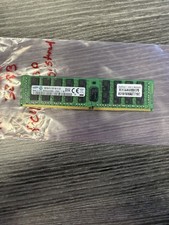
Samsung 32GB DDR4 2133MHz ECC Registered Server RAM M393A4K40BB0-CPB0Q
$144.95

Lot Of 8 Micron 8GB 2Rx8 PC4-2666V-RE2-11 ECC REG Server Ram MTA18ASF1G72PDZ-2G6
$210.00



 Reply With Quote