

 Reply With Quote
KDE CONTROL PANEL ---> DESKTOP -----> ICONS
You can decide what icons u want on your desktop.


i am booting from cd knoppix 3.7 and everything seems to be fine. it sees the usb ports and the hitachi drive ( 4gb fat32 ) is connected and seen by the bios at the startup.
but after the booting there is no hd icon for this drive.... how can i enable it or find it?
thanks for help
KDE CONTROL PANEL ---> DESKTOP -----> ICONS
You can decide what icons u want on your desktop.
i still cannt find my usb drive nowwhere....
that is a bit odd.
what does the comands below say?
Code:sudo fdisk -lCode:dmesg|grep hdCode:dmesg|grep sdthe answers will help us help youCode:dmesg|grep ub
 Posting Permissions


(New) AMD Ryzen 7 5700X 8 Core 16 Thread AM4 Unlocked 3.4 GHz CPU OEM Tray
$174.99

HP ZBook Firefly 14" G8 Mobile Workstation i5 11th Gen 16GB RAM 256 GB SSD No AC
$184.99

HP Z420 Pro Workstation PC Xeon E5-2660 8-Core 64GB RAM Quadro K5000 128GB SSD
$249.00

Intel Core i7-10700 8-Core 16-Thread 2.9GHz Desktop CPU LGA1200 SRH6Y Z490 Z590
$129.00

Intel Xeon E5 - 2667V2 / SR19W 3.30GHz 25MB 8-Core CPU Socket LGA2011
$30.00

AMD Ryzen 7 9700X 8-Core 16-Thread 40MB Cache Socket AM5 9000 Series Processor
$245.99

AMD FX 8350 8-CORE 4.00GHz CPU FD8350FRW8KHK SOCKET AM3+ *QTY
$39.99

AMD Ryzen Threadripper PRO 3945WX 12-Core 4.0GHz sWRX8 CPU NEW Tray Unlocked
$79.99
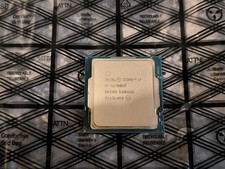
Intel Core i7-11700KF 3.60GHz 8 Core SRKNN 16 Thread LGA 1200 USED
$180.00

SGIN 17.3" Laptop Intel Quad-Core Up to 2.4 GHZ 8GB RAM 256GB SSD HD
$229.99