-
Junior Member
registered user
how to create bootable CD under knoppix 3.7?
Knoppix 3.7 provides K3B to write CDs. Pretty nifty tool but I can't see any way to make the CD bootable.
I've searched google extensively. All I can find on this is to use project->edit boot images however this does not make the CD bootable. It still creates a file system on the CD and installs the iso image as a file under /boot. Not useful.
What am I missing?
Thanks,
dd
-
Administrator
Site Admin-
You might want to tell us more about what you are trying to do. K3b certainly can burn bootable CDs; it can burn Knoppix after all. And we can all guess what type of a system Knoppix was created on. But making a bootable disk is a more complicated issue that just checking a box saying "make it bootable". If you give more information on what you want to do then others are more likely to be able to point you in the right direction.
-
Junior Member
registered user

Originally Posted by
Harry Kuhman
You might want to tell us more about what you are trying to do. K3b certainly can burn bootable CDs; it can burn Knoppix after all. .
That's exactly what I was trying to do: burn a knoppix 3.8
I'm not trying to make K3b create a bootable CD. What I want is for K3b to write my iso image on the CD directly, as opposed to first creating a file system and copying the image file into it.
dd
-
Administrator
Site Admin-
Originally Posted by
ddrex
Originally Posted by
Harry Kuhman
You might want to tell us more about what you are trying to do. K3b certainly can burn bootable CDs; it can burn Knoppix after all. .
That's exactly what I was trying to do: burn a knoppix 3.8
I think we have a case of RTFM here. A quick look at the man page showed me that there is a --isoimage switch, which I had little doubt of other than the exact name of the switch. Go to a shell and type man k3b at the prompt.
-
Junior Member
registered user
Originally Posted by
Harry Kuhman
I think we have a case of RTFM here. A quick look at the man page showed me that there is a --isoimage switch, which I had little doubt of other than the exact name of the switch. Go to a shell and type man k3b at the prompt.
Just in case someone else asks this question, the correct answer turns out to be tools->cd->burn cd image
Thanks for your help.
Similar Threads
-
By Jerry in forum Hardware & Booting
Replies: 1
Last Post: 06-09-2009, 01:05 PM
-
By Thoth in forum MS Windows & New to Linux
Replies: 3
Last Post: 02-27-2008, 01:37 PM
-
By Kethean in forum General Support
Replies: 4
Last Post: 01-03-2005, 10:44 PM
-
By woodrow in forum General Support
Replies: 2
Last Post: 10-12-2004, 01:50 AM
-
By yonder in forum General Support
Replies: 3
Last Post: 08-25-2004, 04:15 PM
 Posting Permissions
- You may not post new threads
- You may not post replies
- You may not post attachments
- You may not edit your posts
-
Forum Rules


Intel Xeon E5-2680 V2 2.8GHz 10-Core 25MB 8GT/s SR1A6 LGA2011 B Grade Server CPU
$7.95
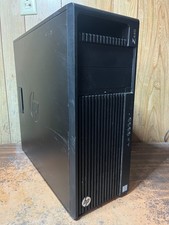
HP Z440 Workstation Windows 11 Pro Computer XEON 16GB 500GB SSD 2TB HDD M2000
$200.00

NEW HP Z4 G4 Workstation Xeon W-2123 16GB ECC 256GB NVMe NVIDIA T400 750W Win11
$450.00
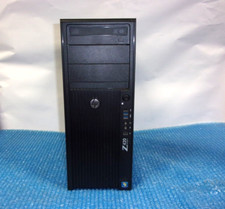
HP Z420 Tower Workstation Xeon E5-1620 3.60GHz, 4GB Ram, NO HDD, NO OS
$140.00

Lenovo ThinkStation P520c Intel Xeon W-2133 6-Core 3.60GHz -NO RAM/ HDD/ GPU/ OS
$127.54
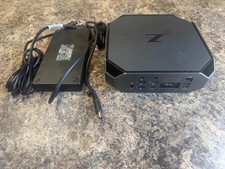
HP Z2 Mini G5 Workstation Xeon W-1270P 3.8GHz/16GB/1TB SSD/ NVIDIA T1000/W11 Pro
$349.00

Intel Xeon E5-2699 V4 2.20GHz 55M 22-CORES LGA2011-3 Server Processor 145W SR2JS
$84.49
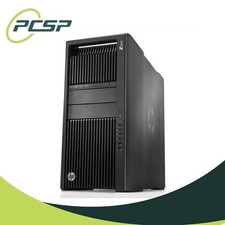
HP Z840 44 Core Workstation 2x Xeon E5-2699 v4 - No RAM/ GPU/ HDD/ OS
$594.97

DELL Precision T3420 | Xeon 1240v6 | 525GB SSD |16GB RAM |Nvidia GPU |Win11
$149.00

Lenovo ThinkServer TS460 Part Number: 70TS-S01U00
$279.00



 Reply With Quote