-
Administrator
Site Admin-

Originally Posted by
Josh83
so could you tell me how i can boot a cd rom from it?
What a strange question. It was so easy when I first set up XOSL so long ago that just someone asking it came as a shock.
Install XOSL. Boot to the GUI screen. Press the setup button (tab until it is highlighted and enter is needed). Press ADD. Give the new entry a name, select the smart boot manager from the list of things that you can boot (XOSL uses SBM to boot the CD, but there is more than just that). Select Apply. You can now use the hiding button to hide any partitions you want when this item is booted. I suggest that you make at least on CD boot button with no hiding, it can be handy if you ever boot recovery CDs. You can make another button for "CD, hide parrtitions" You could set up boot keys now by going to the keys tab, but since the exact sequence depends on the partitions on that hard drive that SBM sees I find it is best to boot the CD "manually" once first. Do a Save and you will be back at the XOSL main GUI. There should be a new entry in the menu for the CD (you can move this up or down in the setup screen if you don't like it's position in the list). Select the CD option you just created. Now make note of every keystroke that you use to select the CD (this is generally just a count of the number of lines you needed to move down, then the return). When you hit return the CD should boot.
Once you have the system booting this way, reboot and go back into XOSL setup. Select the CD menu item and go to the keys tab (highlight the general tab and then use the right arrow twice), here you will want to set up the exact same keystrokes as you needed to select the CD dirve from the SBM menu. (I have 2 CD drives so I have a menu entry for each. The only difference is that I have one extra keystroke here to select and boot the second CD drive rather than the first.) Save this, save out of the setup menu and you will be at the normal XOSL boot menu. Now when you select the CD now it will enter SBM and feed it the proper keystrokes to select the CD drive for you.
If you need or want any cheat codes for booting Knoppix you should also be able to enter them in the boot keys settings. Again, if you do this you should make a seperate entry such as "CD with Knoppix cheat codes" and leave yourself a CD boot option without the extra codes for other CDs. I have not done this for Knoppix CD's (don't need cheat codes onthe XOSL system) but I do use it for some Windows booting options. For example I have an entry, in addition to my normal windows boot menu item, that passes in an extra F8 to my Win98 system to let me force the system to boot into DOS rather than into Windows.
Similar Threads
-
By Levi32 in forum Hdd Install / Debian / Apt
Replies: 19
Last Post: 04-08-2007, 12:55 AM
-
By Kumagoro in forum Hdd Install / Debian / Apt
Replies: 4
Last Post: 03-01-2005, 04:26 AM
-
By rushman8282 in forum MS Windows & New to Linux
Replies: 1
Last Post: 01-30-2005, 03:38 AM
-
By fritschi in forum Hdd Install / Debian / Apt
Replies: 4
Last Post: 08-06-2004, 12:02 AM
-
By Éireannach in forum Hdd Install / Debian / Apt
Replies: 6
Last Post: 07-22-2004, 05:00 AM
 Posting Permissions
- You may not post new threads
- You may not post replies
- You may not post attachments
- You may not edit your posts
-
Forum Rules


Genuine Apple OEM A2164 30W USB-C AC Power Adapter with USB-C Cable, Very Good
$20.59

OEM Apple Data Migration Toolkit for A1706 A1707 MacBook Pro PN 076-00236
$499.99
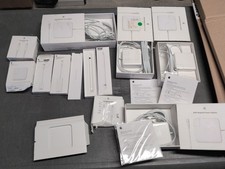
Lot Of Apple Cords And Accessories All OEM Genuine Apple Pencil, Magsafe Power
$109.99
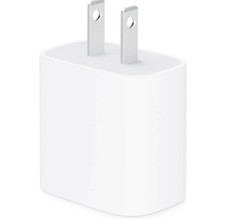
apple oem 20w charger usb-c power adapter
$9.99

OEM 45w T-Tip Power Adapter charger for Apple macbook air 2012-2017 A1436 A1466
$19.99

Genuine OEM Apple Power Adapter Extension Cable for MacBook Pro Air
$8.99

Genuine OEM Apple 60W MagSafe Power Adapter A1344 ~ FREE S/H
$12.99

OEM Genuine For Apple MacBook Air Magsafe 2 45W Power Adapter Charger A1436 NEW
$26.79

Genuine Apple Power Adapter Extension Cable 6FT White OEM MacBook MK122LL/A
$10.99
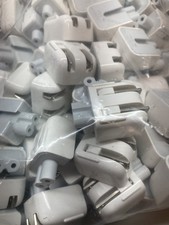
Genuine/OEM Apple Duckhead Two-Prong Plug - MagSafe AC Wall Adapter - Set of 25
$32.29



 Reply With Quote