

 Reply With Quote
Is the drive picked up by the bios?*** Fatal error: open(/dev/hda): No such device or address.
crapppppppppppppppppppppppppppppppppppppppppppppp. ...


That sure doesn't sound good for the drive. No matter what was written on sector 0, track 0, head 0, gpart should be able to bring in the bytes and display them to you if the drive was talking to it. I would still suggest that you try to look at the partition table with something else, even an old version of DOS and fdisk if you don't have anything else. fdisk will not understand NTFS partition types, but if it sees the drive at all then it should be able to at least tell you what the partiton table looks like, maybe saying unknown partition type. Obviously don't let fdisk make any changes, but if fdisk can see the drive then something very wacky is going on with Knoppix, if it can't then it sure seems like the software just isn't seeing the hard drive.Originally Posted by OpenIntro
You might want to go into your BIOS and see if you can learn anything about the hard drive there. What you might learn depends a lot on the drive and the BIOS. My HP notebook is completely worthless, but even that would tell me the drive geometry when set to "auto", which actually tells you a lot since it confirms the computer and drive are talking to one and other.
Before rushing to send that drive off to someone who claims to be able to charge you large amounts of money and maybe recover files, I would also try to either find a friend with a noteook that will let you try the drive in his notebook, or get a notebook to 3 1/2 inch IDE adapter and try the drive in a desktop. If the drive hasn't talked to you up to this point it seems most likely that it is a drive failure, but that is not certain. It could be the IDE electronics on the motherboard that talk to the drive that have failed. I would confirm that it is the drive itself before I sent it to anyone who was about to charge me hundreds (ok, I'm actually too cheap to send it to anyone who would charge me hunderds and gaurantee nothing, but you get the idea). Obviously if you test it in another notebook I would have the Knoppix CD with you, as that notebook will have had its own hard drive removed. And I still think it is a good idea for you to see gpart run ok on some computer just to be comfortable about what you are typing.
And for a real scare about what can go wrong, here's an interesting article that was recently referenced on Slashdot: http://www.heise.de/ct/english/05/08/172/
Is the drive picked up by the bios?*** Fatal error: open(/dev/hda): No such device or address.
crapppppppppppppppppppppppppppppppppppppppppppppp. ...
how do i check if this is the one picked up by the BIOS?
If it's hda it'll be the primary master. Unless you have your CDRom as primary master (unlikely, but possible). Just hit (usually) [del] before the box boots.
When I startup, I am getting this screen, which I had never seen before I started messing with Knoppix.....
Phoenix FirstBIOS(tm) Notebook Pro Version 2.0
Copyright 1985-2002 Phoenix Technologies Ltd.
All Rights Reserved
CPU = Mobile Intel (R) Pentium (R) 4 CPU 3.06Ghz
639K System RAM Passed
509M Extended RAM Passed
512K Cache SRAM Passed
System BIOS shadowed
Fixed Disk 0:
ATAPI CD-ROM: SONY DVD RW DW-U54A
Mouse initialized
S/N: 28166630-3207713
ERROR
0200: Failure Fixed Disk 0
Press <F1> to resume, <F2> to Setup
If I hit F2 and go into the BIOS Setup, and go to the Advanced Tab, I see:
Primary IDE Adapter: 0MB
Secondary IDE Adapter: CD-ROM
Not looking good for that hard drive. Again, I urge you to test the hard drive in another laptop or get a notebook to 3 1/2 inch adapter and test it in a desktop. Even one of those small external cases to attach a notebook by a USB interface would be helpful. The hard drive is the most likely canidate but it could be the notebook motherboard.
So it saying 0Mb is a bad sign? :/
Just a note, I ran gpart on my girlfriend's desktop, and it ran just fine...so at least I know how it works....
I have another laptop, and a desktop I could try it in. I have never done any removing of laptop hard drives before, so I'm not totally sure what I am doing. Which of the above options that you mentioned would be the easiest to test?
Different laptops vary in their ease of access to the hard drive, so it's a case of your results may vary. Easiest in terms of not needing any extra hardware would be to test the drive in another laptop, assuming the other laptop can deal with a 80 gig drive. Since you say the current problem laptop is out of warranty then why not at least figure out what you need to do to access that hard drive. If it's not in your documentation there should be plenty of info on the web. Once you have done that you can decide if you want to open your other laptop (again, see it's documentation or search the web) or if you want to try sticking it in a hard drive. Sticking it in a desktop system would be easier for me, but it would mean that I would need to buy a notebook to 3 1/2 inch adapter. This should be a small device that addapts your PC IDE cable to the notebook drive (different pin count) and a power connector as well. And in my case I would have to use my main desktop, older testbed systems I have would not support an 80 gig drive.
 Posting Permissions


Dell PowerEdge FC430 Blade Server 2x Xeon E5-2630v4 20 Cores FX2 FX2s No RAM/HDD
$119.99

Dell PowerEdge FX2s + 8x FC430 Blades 16x E5-2630v4 160 Cores Rails No PSU/RAM
$699.00

Dell PowerEdge M630 Blade Server 2x Xeon E5-2680 v4, 2F3MP , 4GDP5 ,R10KJ ,JVFVR
$96.60

Lot of 3 Dell PowerEdge Blade Server HHB005 x2 HHB006 x1
$256.49

Dell PowerEdge M640 VRTX Blade Xeon Silver 4116 Bare Server (No Memory, Drives)
$200.00

NETAPP HCI NAF-1701 SuperMicro Server 4X BLADE H410C 8X GOLD 5120 - 4X S25G NICs
$1999.97

Dell PowerEdge VRTX Rackmount Chassis w/4x PSUs 2x CMC Modules
$399.98
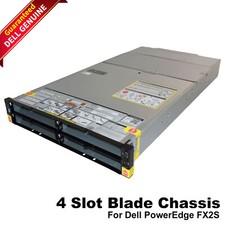
Dell PowerEdge FX2 FX2s Server 10GbE CMC Blade Empty Chassis XJ6VP
$149.99

Dell Poweredge VRTX 25Bay 2.5" 2x PERC 8, 2xCMC, I/O 1GB Pass Through, 4x PS
$578.08

Cisco UCS B200 M5 Blade Server 2x Xeon Platinum 8160 No RAM No HDD
$159.99