

 Reply With Quote
It probably has nothing to do with agp.
I'm not sure why you're pressing the F keys.
My guess is that you either need to set the bios to non plug and play OS or to use the equivalent cheatcode.


Ive looked through countless pages on the forums and the FAQ and i cant seem to understand how im actually supposed to load up Knoppix OS. I get to the boot screen and i can press F2 or F3, after doing any sort of command it goes into the hardware checking, CD drives and HDD's are found, also my mouse, usb and any other sort of thing. The only problem im finding though is that it says AGP detected and then nothing. The boot seems to just hang, ive tried running commands to lower the resolution to 800x600 but nothing much happened. Ive done knoppix testcd and everything is OK.
Has anyone got any suggestions why nothing happens after AGP is detected??
It probably has nothing to do with agp.
I'm not sure why you're pressing the F keys.
My guess is that you either need to set the bios to non plug and play OS or to use the equivalent cheatcode.
 Posting Permissions


LENOVO THINKPAD T14s GEN 2a Ryzen 7 PRO 5850U 1.9GHz 16GB 256GB TOUCH - NO OS
$299.95
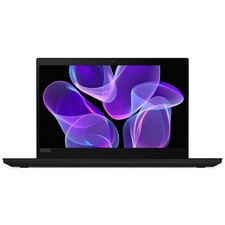
Lenovo Thinkpad T14 Gen 2 14" 16GB, Thunder Black
$313.00

Lenovo ThinkPad L14 Gen 3 Laptop 14” FHD Core i5 12th 16GB RAM 512GB SSD Win 11
$374.99
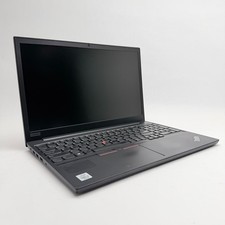
Lenovo Thinkpad E15 15.6" Laptop i5/i3 8GB RAM Up to 1TB SSD HDD Tested Working
$136.55

Lenovo Thinkpad T14 Gen 2i 14" 16GB 512GB, Black
$313.00
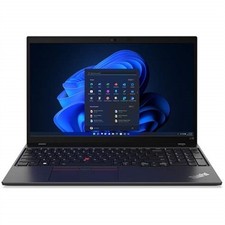
Lenovo ThinkPad L15 Gen 3 15.6" 16GB, Thunder Black
$230.00

Lenovo Legion 5 Gaming 15.1" WQXGA OLED 165Hz Core i9-14900HX 16GB 1TB RTX 5070
$1439.00
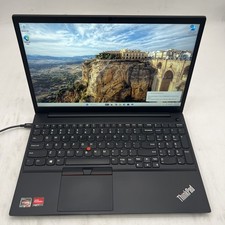
LENOVO ThinkPad E15 Gen 3 AMD Ryzen 5 5500U 8GB RAM 256GB NVMe Win11P
$207.99

Lenovo Thinkpad E15 Gen 2 8GB RAM 256GB SSD Intel Core [email protected] Laptop
$220.36
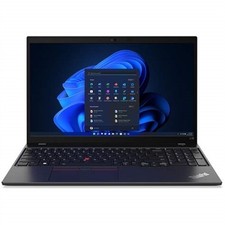
Lenovo ThinkPad L15 Gen 3 15.6" 16GB, Thunder Black
$242.00