

 Reply With Quote
Right click on the desktop, then click on Configure Desktop, click on Behavior, click on the Device Icons tab and uncheck Show device icons.


how do i get rid of the device icons on my desktop???
I can delete them but when I reboot there back
Right click on the desktop, then click on Configure Desktop, click on Behavior, click on the Device Icons tab and uncheck Show device icons.
I'm using knoppix v3.4 and it's not set to display device icons..but it still does
I'd imagine I'll need to alter some script somewhere??
You might need to edit /etc/init.d/knoppix-hd-autoconfig Take a look at this thread and see if it helps.
rename the hdicon script to comething else:
sudo mv /usr/bin/mkdesktophdicons /usr/bin/no-mkdesktophdicons
see this post: http://www.knoppix.net/forum/viewtop...ighlight=icons
 Posting Permissions


Macintosh Platinum Mouse - Apple 128K 512K 512Ke Mac Plus Lisa IIe M0100 - NEW
$49.99

Apple Macintosh 128k Desktop computer. Upgraded to 512k
$300.00

1984 APPLE MACINTOSH 128K MATCHING # BOX Set Original Mac Model M0001 WORKS RARE
$6299.00

1984 APPLE MACINTOSH 128K FIRST MAC Model M0001 PICASSO KIT Discs Harvard Rare
$1800.00

Vintage Apple Macintosh 128K 512K Carrying Case Rainbow Logo Excellent Cond
$140.00

Apple Keyboard and Cable for Macintosh 128k 512k Mac Plus RARE Vintage M0110
$129.99
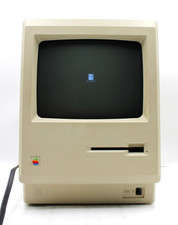
Apple Macintosh 128K Computer M0001 *TESTED FOR POWER*
$349.99

Vintage Early Week 12 1984 Apple Macintosh 128K Computer M0001 w/Analog Board+
$209.99

Apple Keyboard for Macintosh 128k 512k Mac Plus RARE Vintage M0110 (010)
$149.00

Apple Macintosh Mac 128k - 512k Boot / Diagnostics 2 Disk Set for Classic Macs
$14.99