

I put a cd image and created a persistent home on /dev/hda1
The boot line I use is:
boot: knoppix lang=us keyboard=us bootfrom=/dev/hda1/knx38.iso home=/dev/hda1
It boots fine but home is still in ramdisk. Mount tells me:
/dev/root on / type ext2 (rw)
/dev/hda1 on /cdrom2.loop type ext2 (ro)
/cdrom2.loop/knx38.iso on /cdrom/ type iso9660 (ro,loop=/dev/loop0)
/dev/cloop on /KNOPPIX type iso9660 (ro)
/ramdisk on /ramdisk type tmpfs (rw,size=400376k)
/UNIONFS on /UNIONFS type unionfs (rw,dirs=/ramdisk=rw:/KNOPPIX=ro)
/proc/bus/usb on /proc/bus/usb type usbfs (rw,devmode=0666)
automount(pid2508) on /mnt/auto type autofs (rw,fd=4,pgrp=2508,minproto=2,maxproto=4)
Since /dev/hda1 is mounted read-only I don't see how it could put home on the same partition. I would like to the use that 28G partition for other things as well. Is there a way to make this work without either using two partitions or doing a disk install?
If this is a simple RTFM question please kindly point me to the appropriate documentation, and thanks.
 Posting Permissions


(New) AMD Ryzen 7 5700X 8 Core 16 Thread AM4 Unlocked 3.4 GHz CPU OEM Tray
$169.99

Intel Core i9-9900K SRG19 3.60GHz 16MB 8-Core LGA1151 B Grade CPU Processor
$175.00
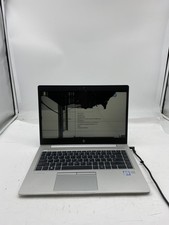
HP EliteBook 840 G5 Laptop Intel Core i5 7200U 8GB RAM – No HDD
$64.00

AMD Ryzen 7 7700X 8-Core, 16-Thread Unlocked Desktop Processor
$250.00
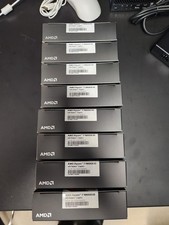
AMD RYZEN 7 9800X3D 8-Core, 16-Thread Desktop Processor
$399.00

AMD Ryzen 5 PRO 4650GE 100-000000153 6-Core 3.30GHz 8MB AM4 CPU Processor
$59.99

Intel Xeon E5 - 2667V2 / SR19W 3.30GHz 25MB 8-Core CPU Socket LGA2011
$30.00

AMD Ryzen 7 9700X 8-Core 16-Thread 40MB Cache Socket AM5 9000 Series Processor
$245.99

Dell OptiPlex 5070 SFF i7-9700 (8-Core) 3.0GHz 16GB 256 SSD Windows 11
$250.00

Dell T7810 Workstation 8-Core 2.40GHz E5-2630 v3 No RAM GPU HDD OS
$259.98


 Reply With Quote