-
Junior Member
registered user
DMA in 3.8
After I installed 3.8 the other day I noticed that heavy disk activity (like an md5sum on a large file) would use up all available CPU dragging the system to its knees.
While exploring knoppix menus I found an option to enable DMA. DMA does direct transfers from memory to harddisk without using up CPU. It makes an enormous difference in system performance. The md5sum that was taking 5 mins and making the machine unusable for the duration now takes 30 secs and you can't tell it's running. Anybody know why DMA isn't enabled by default and how to make that setting permanent?
Thanks for any info.
dd
-
Senior Member
registered user
When DMA is enabled by default many many CDROM drives fail to boot knoppix and the resulting error message does not indicate that it is DMA that is failing. So if it is enabled we have to boot with the cheatcode nodma. We answer For some proof see this http://www.google.com/search?q=nodma+site%3Aknoppix.net or just search the forums for nodma.
I understand your frustration but it looks like the knoppix devels are trying to seek a balance. I would prefer it was to stay enabled but that there would be a huge warning in _FLASHING RED_ that would tell the user: "If this fails to boot, it was probably DMA, so just boot with nodma."
-
Junior Member
registered user

Originally Posted by
UnderScore
When DMA is enabled by default many many CDROM drives fail to boot knoppix and the resulting error message does not indicate that it is DMA that is failing. So if it is enabled we have to boot with the cheatcode nodma. We answer For some proof see this
http://www.google.com/search?q=nodma+site%3Aknoppix.net or just search the forums for nodma.
I understand your frustration but it looks like the knoppix devels are trying to seek a balance. I would prefer it was to stay enabled but that there would be a huge warning in _FLASHING RED_ that would tell the user: "If this fails to boot, it was probably DMA, so just boot with nodma."
Oh I see, I can enable it with yet another cheatcode. The list grows. Is there any way to save them someplace permanent?
I notice in the script to enable them it can do the CD seperately from the harddisk. Since the harddisk isn't the issue DMA ought to be permanently enabled for it.
Lack of DMA has such a seriously negative impact on system performace it really needs to be mentioned someplace prominent.
-
Thanks for the tip to enable dma...
I was just about to stop using 3.8 cebit-2005 when I enabled dma, drives work correctly, usb devices show up... Interesting...
J
 Posting Permissions
- You may not post new threads
- You may not post replies
- You may not post attachments
- You may not edit your posts
-
Forum Rules


SFP TO RJ45 TRANSCEIVER SFP MODULE COPPER SFP OPTICAL PORT TO RJ45 ETHERNET PORT
$7.99

Dell Intel X710-DA2 5N7Y5 Dual-Port 10GbE SFP+ PCIe 3.0 x8 Network Adapter
$27.50

NEW Sealed Cisco SFP-10G-LR 10GBASE-LR SFP+ 1310nm 10km *US Shipping*
$24.00

Cisco Meraki MA-SFP-1GB-SX Network Tranceiver Module
$89.00

Genuine Cisco SFP-10G-SR 0-2415-03 10 Gigabit Transceiver
$5.40

HP 560SFP+ 10GB 2-port PCIe NIC Ethernet ADAPTER 669279-001 w/ (2) 10GB SFP+
$16.99
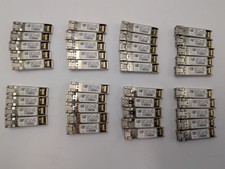
Lot of 39 Used & Tested Cisco SFP-10G-LRM 10G Base SFP Transceivers 10-2456-02
$349.99
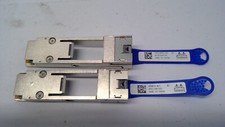
Mellanox 655874-B21 655902-001 QSFP to SFP+ Adapter Kit MAM1Q00A-QSA 00D9678
$13.99

HPE 560SFP 2x 10Gb SFP+ PCIe Both Profile Network Card 669279-001 665247-001
$14.90

SFP QSFP Transceivers Programmer allows to corning and (re)programming sfp code
$108.09



 Reply With Quote