-
The quickest and dirtiest solution is to:
1. As root, edit the /usr/sbin/saveconfig script while booted to the livecd
2. Make the following changes (additions are underlined and bold)
# Directory selector
for i in `awk '/^\/dev\/[hsu][db][a-z].*\/mnt\/[hsu][db][a-z]/...
3. Save the file and go through your save config process like normal (your usb device should now be available to select)
4. When you reboot, you will have to explicitly state the location of the backed up config
ie instead of using the cheatcode myconfig=scan, use myconfig=/dev/uba1 (or wherever your config is stored)
That'll work 
Similar Threads
-
By Eppo in forum German Forum
Replies: 6
Last Post: 03-03-2008, 05:00 PM
-
By srowe in forum Hardware & Booting
Replies: 17
Last Post: 11-13-2004, 02:05 AM
-
Replies: 35
Last Post: 10-03-2004, 01:39 AM
-
By beforewisdom in forum Hdd Install / Debian / Apt
Replies: 1
Last Post: 03-05-2004, 04:54 AM
-
By arkaine23 in forum Customising & Remastering
Replies: 5
Last Post: 02-16-2004, 06:39 PM
 Posting Permissions
- You may not post new threads
- You may not post replies
- You may not post attachments
- You may not edit your posts
-
Forum Rules


SFP TO RJ45 TRANSCEIVER SFP MODULE COPPER SFP OPTICAL PORT TO RJ45 ETHERNET PORT
$7.99

NEW Sealed Cisco SFP-10G-LR 10GBASE-LR SFP+ 1310nm 10km *US Shipping*
$24.00

Intel SPTSLP2SLCDE 100G-DR1 QSFP28 500m 1311nm Transceivers - Lot of 10 - New
$200.00
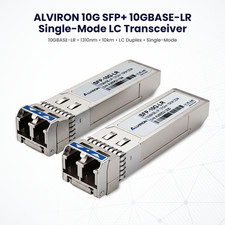
Lot of 2 ALVIRON SFP+ 10G‑LR Modules | 1310nm | SMF | 10km | Cisco‑Compatible
$35.99

Genuine Cisco SFP-10G-SR 0-2415-03 10 Gigabit Transceiver
$5.40

HP 560SFP+ 10GB 2-port PCIe NIC Ethernet ADAPTER 669279-001 w/ (2) 10GB SFP+
$16.99
Lot of 2 ALVIRO SFP+ 10G‑SR Modules | Cisco‑Compatible | 850nm | 300m MMF
$27.99
Cisco SFP-10G-SR-S 10-3105-01 10Gbps SFP+ SR LC Optical Transceiver
$30.50

Cisco QSFP-40G-SR-BD Module 10-2945-02 NEW CLAMSHELL
$45.50

Cisco Acacia DP04QSDD-E25-840 400G QSFP-DD Coherent DCO Transceiver Module
$699.99



 Reply With Quote