-
Senior Member
registered user
Hi all,
Interestingly, on the LiveCD I tested before my previous posting (Knoppix 3.6) the command
/etc/init.d/apache start
only works if you use it first. That is when the CDROM has first booted up.
If I do
/usr/sbin/apache
first then /etc/init.d/apache start won't work, because apache is already running. The ways to make the
/etc/init.d/apache start
command work seems to me to be to as root:
either
kill all the apache processes that are running. To do this I used the command
ps aux | grep apache
This gives a list.
Then I killed the process running as root with the command
kill 944
The 944 is the process number.
Then check by doing
ps aux | grep apache again.
This time you should not get any processes returned.
/etc/init.d/apache start
should then work.
Alternatively try
/etc/init.d/apache stop
and this should hopefully have the same effect as killing the apache processes.
The command
/usr/sbin/apache stop
will not stop the apache processes from running.
Regarding westcparts
The document could not be saved, as it was not possible to write to file /var/www/phpibf.php
If you are running from the CDROM then you need to open kwrite, or another text editor (vim, emacs, kate and nedit are also included in knoppix), as root for the file to be saved.
To do this as the default user knoppix open a knoppix terminal window. This should give you
knoppix@tty0[knoppix]#
Then type
su followed by [enter]
The terminal should change to
root@tty0[knoppix]#
Then type
kwrite followed by [enter]
This should start kwrite as root and enable you to save the file in the /var/www directory.
When running from a hard disk Knoppix installation you can use ksysv - started as root with the command ksysv followed by [enter]
and this provides a helpful graphical interface. It doesn't work when running from the CDROM however.
Hope this helps
Regards,
Mark
Similar Threads
-
By cjon in forum MS Windows & New to Linux
Replies: 2
Last Post: 09-10-2006, 01:03 PM
-
By westcparts in forum MS Windows & New to Linux
Replies: 7
Last Post: 04-05-2005, 11:13 PM
-
By Pumpino in forum Hdd Install / Debian / Apt
Replies: 0
Last Post: 01-16-2005, 12:22 AM
-
By Zerro in forum Hdd Install / Debian / Apt
Replies: 5
Last Post: 07-07-2004, 01:00 AM
-
By softgun in forum Hdd Install / Debian / Apt
Replies: 4
Last Post: 10-28-2003, 05:17 AM
 Posting Permissions
- You may not post new threads
- You may not post replies
- You may not post attachments
- You may not edit your posts
-
Forum Rules


16GB KIT (2x8GB) DDR3 Gamer Desktop RAM PC3 MIXED BRANDS VIPER VENGEANCE FURY
$10.00

Netac DDR4 32GB 16GB DDR4 3200MHz UDIMM C16 Desktop Internal Memory RAM Kit
$99.99

Crucial 32GB(4 x 8GB) CT8G4DFS824A.C8FDD1 DDR4-2400 UDIMM Desktop RAM - CR352A
$89.95

Micron 16GB (2x8GB) 2Rx8 DDR3 1600MHz PC3-12800U Desktop RAM
$19.99
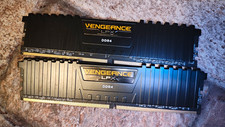
Corsair Vengeance LPX 16GB (2x8GB) DDR4 2133MHz DIMM 288-Pin CMK16GX4M2A2133C13
$60.00

Samsung 32GB DDR4-2666V-2Rx4-RB2-12 RAM M393A4K40CB2-CTD6Q
$169.00

DDR4 Laptop RAM 4GB 8GB 16GB 32GB 2400 2666 3200 Samsung Hynix
$66.00

Major Brand 16GB (2x8GB) PC3-12800U DDR3-1600MHz DDR3-12800 DESKTOP RAM NON-ECC
$29.99

Dell 16GB PC4-21300 (DDR4-2666) Memory (SNPPWR5TC16G)
$89.99

Samsung 32GB DDR4-2666 PC4-21300 288-Pin DIMM RAM M393A4K40CB1CRC0Q
$185.00



 Reply With Quote