

 Reply With Quote
Open a console window and sudo mount /dev/hd?? /mnt/hd?? to mount the windows drive with root permission.
[edit]
Replace the ?? with the number of the partition and the drive you want to write to.
[/edit]


I am sorry to post a simple question.
I have failed to find the answer in the FAQs or this Forum.
I boot from a Knoppix Linux 3.2 CD
My FAT32 HDD is not writable.
I set it read-write by way of the desktop icon for it and properties.
I run sh
I cd to a directory which is writable in Windows.
I try the simple command
echo > hello
The response is
Read-only file system
I am really new to administering a system.
I infer that a script is run while booting.
I assume it is possible to jump to a script on the hdd if I want to alter it.
What should I read?
Open a console window and sudo mount /dev/hd?? /mnt/hd?? to mount the windows drive with root permission.
[edit]
Replace the ?? with the number of the partition and the drive you want to write to.
[/edit]
that doesnt work!!!
Exactly what doesn't work? What do you type and do, what messages do you get back?
Try the tips from the following topic:
http://www.knoppix.net/forum/viewtopic.php?t=1279
i tried those tips and i can write to the hda1. but i cant edit /etc/init.d/knoppix-autoconfig cos its read-only.
any suggestions?
 Posting Permissions


Intel SRG17 Core i7-9700T Desktop Processor CPU
$74.99
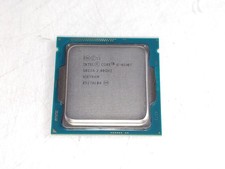
Intel Core i5-4590T 2 GHz 5 GT/s LGA 1150 Desktop CPU Processor SR1S6
$14.99
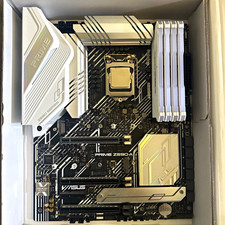
CPU-RAM-MOBO COMBO- 32gb DDR4 3600MHz, i5 CPU, Asus Prime Motherboard
$370.00
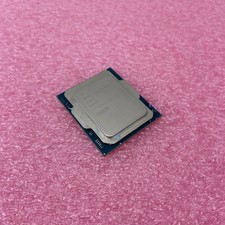
Intel Core Ultra 5 235T SRQES Desktop CPU
$109.99

Intel Core i7-9700 Octa-Core 3 GHz Desktop Processor LGA 1151
$79.99
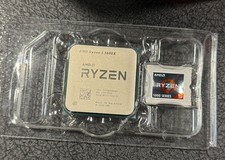
AMD Ryzen 5 5600X Desktop Processor (3.7GHz, 6 Cores, AM4 CPU) 100-100000065
$125.00

Intel Core i5-14600KF Unlocked Desktop Processor
$259.99

Intel i7-8700 Coffee Lake 3.2GHz 6-Core Max Turbo 4.6GHz Processor
$69.99

GAMING COMBO: ASUS Prime H470M-PLUS MOTHERBOARD + i5-10600KF CPU + 16GB DDR4
$229.95

INTEL CORE I9-10980XE PROCESSOR | 3.00GHZ | SRGSG
$299.99