

 Reply With Quote
If you do your HD installation "Knoppix-style", I think it should work OK since a Knoppix style HD install searches & reconfigures for hardware with each boot just like from the CD.


I have to install knoppix in an old computer, but i can't boot up, because it can not finx the KNOPPIX-filesystem. So I connected the harddrive to another one and installed knoppix there (1024 MB swap). The problem: if I put the harddrive back to the old computer knoppix runs with configurations for the computer I installed it on. That's why it runs very slow and hangs up when I try to start any desktop envirement. Help!!
If you do your HD installation "Knoppix-style", I think it should work OK since a Knoppix style HD install searches & reconfigures for hardware with each boot just like from the CD.
i have done thins with plain Debian, works OK, you might have to reconfigure networking, modules to load... nothing that is verry hard.
I need a beginner-like installOriginally Posted by CrashedAgain
Exactly what features of the beginner type install do you need?
I think a beginner-type install is very similar to a Knoppix type install except that it is set up as a multi user install and does not do a full hardware config with each boot. A knoppix type install does do a full hardware config with each boot. It starts out as a single user system (with no passwords) but you can add other passwords and other users to it. I don't think there are any other significant differences.
The hardware detection & configuration is done using the startup script /etc/init.d/knoppix-autoconfig, setting up your video card etc is done using the script /usr/sbin/mkxf86config. You might be able to get your setup to work by first deleting (or renaming) /etc/X11/xf86config-4 then running this script. You have to get rid of the old xf86config-4 first, mkxf86config will only make a new config file if there is none existing.
You may be able to give your system full hardware detection by copying /etc/rcS.d from the Knoppix CD to the hd installation, this should give your hd installation the same startup sequence as the CD uses.
I need multiuser platform AND full hardware detection only 1 time. So I have to:
1. remove xf86config-4
2. rename /etc/rcS.d to /etc/rcS.d.old
3. copy /etc/rcS.d from the knoppix-fs to /etc/rcS.d on the harddrive
4. reboot
5. remove /etc/rcS.d
6. rename /etc/rcS.d.old back to /etc/rcS.d
Do I miss something?
 Posting Permissions


Dell PowerEdge FC430 Blade Server 2x Xeon E5-2630v4 20 Cores FX2 FX2s No RAM/HDD
$119.99

Dell PowerEdge FX2s + 8x FC430 Blades 16x E5-2630v4 160 Cores Rails No PSU/RAM
$699.00

Dell PowerEdge M630 Blade Server 2x Xeon E5-2680 v4, 2F3MP , 4GDP5 ,R10KJ ,JVFVR
$96.60

AS IS READ DESCRIP. Supermicro SuperServer 6026TT-HIBQRF 12-Bay 4x X8DTT-HIBQF
$215.00

NETAPP HCI NAF-1701 SuperMicro Server 4X BLADE H410C 8X GOLD 5120 - 4X S25G NICs
$1999.97

Dell PowerEdge VRTX Rackmount Chassis w/4x PSUs 2x CMC Modules
$399.98
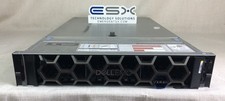
Dell R740XD VxRail P570 24x 2.5” 2U CTO Server– 2x Gold 6240, H740p, 2x 1600W
$699.00

Cisco B200 M3 2x E5-2670V2 10 Core 8x 16GB-128GB Ram Blade Server VIC1240 14900R
$399.00

Dell Poweredge VRTX 25Bay 2.5" 2x PERC 8, 2xCMC, I/O 1GB Pass Through, 4x PS
$578.08

Lot of 3 Dell PowerEdge Blade Server HHB005 x2 HHB006 x1
$256.49