-
Senior Member
registered user
Well, that's odd.  Here's what I'd check when you boot to HD:
- 1 - the installed kernel is the same as the CD kernel that you boot (2.4.27 or 2.6.9);
2 - you're not using the boot parameter (cheatcode) nodhcp;
3 - during boot, Knoppix gives the message Network device eth0 detected;
4 - $ dmesg | grep eth0;
5 - $ cat /proc/net/dev;
6 - $ cat /etc/sysconfig/(kernel-version)/netcard.
For step (1) you can type $ uname -r to see what kernel is installed. The CD boots with 2.4.27 unless you type knoppix26 - but it doesn't hurt to practice with the command line  and use uname when you boot the CD to check stuff.
Step (2) is to make sure Knoppix looks for a router or always-on internet provider. (DHCP is the Dynamic Host Configuration Protocol, which lets something else set your system's internet parameters like IP address.) If you installed a bootloader, nodhcp might show up there. For LILO, for instance, look in /etc/lilo.conf for the line append=.
Step (3) is to make sure Knoppix finds your ethernet hardware (eth0 is the first one - you may have more) and also finds your router or internet provider. The message is one of the last that the Knoppix startup scripts print in color before starting KDE.
If you don't notice it, once you're in KDE you can switch to console 1 by typing all together <CTRL><ALT>F1 and you'll see the last screenful of messages. To get back into GUI mode, type <ALT><left arrow> or go to its default display with <CTRL><ALT>F7.
If Knoppix doesn't give this message, use step (4) as another check for hardware detection. If you type just the command $ dmesg in a terminal window, you'll get an eyeful of boot messages - it's good to look through the whole pile sometimes, and in a terminal window you can scroll up and down at your leisure.
But to cut to the chase, you can instead direct the ouput of dmesg (with the "|" pipe symbol) to the filter grep and tell it to show you any lines that have "eth0" in them.
If (3) gives negative results but (4) is okay, then something is badly wrong with the Knoppix part of your installation. If (4) doesn't turn up either, then something is badly wrong with the Linux part. Either way, I think re-installing Knoppix would be the first thing to try.
Step (5), when you do it with a hard-drive boot, is just a sanity check for (3) and (4). The cat command tells the system to dump a file to your screen (or somewhere else if you use, for example, the pipe). If the file is big you'd probably use less instead. But the ones in (5) and (6) are small.
When you're connected to the net, (5) will have a line for eth0 with non-zero numbers. If you wait a bit and enter the command again, the numbers will be bigger. A line with all zeros means the hardware was found, but the connection wasn't made. No line means no hardware found.
In step (6), substitue 2.4.27 or 2.6.9 for (kernel-version). If Linux found your internet hardware (controller), this file has its name and also the name of the device driver that Linux is using. An empty file means no hardware detected, but if it names the controller and not the driver, then you have a more interesting situation.
Well ... it's interesting if you're curious about why a kernel module gets loaded from the CD but not from the HD. But you probably aren't. In which case, try re-installing.
If you decide to re-install for whatever reason, and you still have the problem, then maybe your CD has a bizarre flaw right where it goes through the installation steps. A blip like that, that doesn't crash the whole process, would be truly astounding. But they say that bad CDs are the #1 cause of problems - whoever "they" is. 
Let us know what you find, okay?
-- Ed
Similar Threads
-
By brigi in forum Hardware & Booting
Replies: 4
Last Post: 01-26-2006, 05:02 AM
-
By Jolle in forum Hardware & Booting
Replies: 1
Last Post: 12-21-2005, 06:53 PM
-
By gonzo in forum General Support
Replies: 2
Last Post: 03-24-2005, 05:26 PM
-
By paoloskater in forum Networking
Replies: 0
Last Post: 01-24-2005, 03:26 PM
-
By knoppix-accessibility in forum Customising & Remastering
Replies: 3
Last Post: 12-13-2004, 01:26 AM
 Posting Permissions
- You may not post new threads
- You may not post replies
- You may not post attachments
- You may not edit your posts
-
Forum Rules

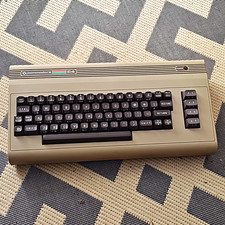
Commodore 64 Vintage Home Computer Without Box
$100.00

Commodore OS USB | Bootable LIVE + Install | The Ultimate Gaming Linux OS | NEW
$11.99

Commodore 64 Dead Test & Diagnostic Cartridge & Test Harness Set - USA seller
$39.99

Commodore 64 C64 Breadbin Computer System TESTED READ
$159.00
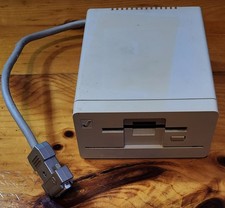
Commodore Amiga 1010 External 3.5” Floppy Drive A500 A1000 A2000 • Untested
$84.99
Commodore 128D System works great Comes with Keyboard which works great
$700.00
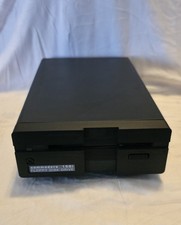
Commodore 1581 Floppy Disk Drive w/ Power Supply, Cable & Disks
$300.00

Commodore 64 Serial Cable 6PIN DIN 1541 1571 C64 128 C128 Disk Drive Printer USA
$10.49

Commodore VIC-20 Diagnostic Cartridge & Test Harness Set - USA seller
$39.99
COMMODORE 1541-II FLOPPY DRIVE FOR C64 64C 128 TESTED AND WORKING LX56 💾
$159.99



 Reply With Quote