-
Senior Member
registered user
If I'm understanding you correctly, you want to both run Knoppix and load your persistent home from a DVD, without copying anything to a hard drive, right?
(I'm no expert, and the hour is late, so all this is open to correction.)
You could certainly save your "persistent disk image" (it's more than just a "persistent home" now) to a DVD-RW after you were done using it, but you couldn't run it from there. How could you?
AFAICT, in order to create/use a persistent disk image, Knoppix needs read-write access to a file -- be it on a hard disk partition (even NTFS now!), a USB thumbdrive, or a removable disk. The use of unionfs hasn't changed that. It's not all loaded into memory. Do you know of a DVD-R drive that will read from and burn to the same file in real time?
As I understand it, unionfs is a virtual file system that overlays "real" file systems on top of each other and makes it seem like they're all combined, invisible to the end user. In Knoppix's case, at the bottom there's the read-only CD filesystem. On top of that, there's the read-write ramdisk. On top of that (taking precedence over both) is the read-write persistent disk image. If you do an "apt-get update && apt-get install kdegames", the APT data and DEB package is written to the /var directory in your persistent disk image, and the binaries are written to the /usr directory (the directories are created if they don't exist). Since the data is written to your persistent disk image, it's still there the next time you run Knoppix.
If you did the same thing without a persistent disk image, it would work, but the data would be written to the ramdisk, and would disappear when the computer was shut down.
(The old-style persistent home also still works -- where all you're storing is the contents of /home/knoppix -- but then it's not mounted with unionfs.)
-
no "install software while running from live-cd"
Pardon me for posting again. I cannot find the function listed above, that has been included in Knoppix for quite a while. Am I missing it or is it no longer included? It was nice to install the nVidia driver, Macromedia Flash, etc., when running a live session or "poor mans install."
Thanks
-
NTFS write and 3.8.1 (Where/How)
I just burned 3.8.1 with great expectations of NTFS write support.
Trying to change a mounted NTFS partition to write mode gives me the message that I should try "Captive-NTFS" under Knoppix/Utilities. This doesn't seem to exist any longer!
How do I WRITE NTFS ?

-
Odd keyboard/mouse
My results with 3.8.1 have been rather odd.
The bottom line is that it only worked with a USB keyboard and USB mouse.
This is sub-optimal on a laptop with a function keyboard and touch pad. The bootThe machines
were Dell Lattitude 600 and 610, as well as an Inspiron 5100. This occured regardless of wheather
the devices were plugged in before or after boot.
When the USB kbd was plugged in, an error message appeared but the keyboard (USB)
still worked. Message was
modprobe: FATAL: Could not read /lib/modules/2.6.11/kernel/drivers/input/evdev.ko: Not a directory
-
SATA drive not recognized!
Knoppix 3.8.1 does not detect my SATA drive! The previous version (3.7) worked just fine. If someone knows how to force version 3.8.1 to detect my SATA drive in Dell OptiPlex GX 280 Series PC please advise.
Thanks.
-
SATA drive not recognized!
The Unionfs is great but I did notice that the wlanng wireless drivers and gpsd went away
-
KDE 3.4
Just a quick question before I go ahead with this..
If I do an apt-get install of KDE to get 3.4, it comes up with a load of new installs instead of upgrades as I expected.
If I install (I'm using a persistant disk image) will Knoppix automatically start up in KDE 3.4?
Also, if anyone knows about this (although I'm pretty sure it's not possible) is there anything I can do to make it use my persistant disk image automatically without having to use knoppix home=scan and then select stuff from the blue screen menu?
Cheers,
Mark
-
configure BTTV Card brings up Xdialog usage window
From the Knoppix menu, the Configure BTTV TV Card utility must be scripted wrong or something since it just causes xdialog to pop open its usage screen.
unionFS looks pretty cool!
Another thing I noticed:
When X comes up( requested screen=1280x1024 at started ), I get 1184x87? on a GForce FX5200.
I've seen this before and the way around it is to run "gtf 1280 1024 70 >> /etc/X11/XF86Config-4" and then put the modline in the right place/etc before restarting the X to get the correct screen resolution.
-
Senior Member
registered user
Cannot find KDiskFree in Version 3.8.1?
Is it no longer included in the K-line?
-
How does one initiate 3D support in NVidia graphics card? I have Knoppix 3.8.1 and Nvidia GF2 graphics card. After boot everything seems to be fine with my display, but there is no 3D support. What are the necessary steps to initiate it?
Please advise.
Thanks.
 Posting Permissions
- You may not post new threads
- You may not post replies
- You may not post attachments
- You may not edit your posts
-
Forum Rules


1x64GB Hynix HMAA8GL7MMR4N DDR4 PC4 2133P-LE0-11 4Rx4 ECC LRDIMM Server RAM
$320.00

24x Micron MT40A512M16LY-062E IT:E 8Gb DDR4-3200 96-FBGA Memory IC
$349.99
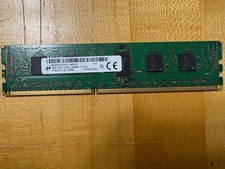
4 Gb PC3L-12800R-11-13-A1 Memory Module
$79.50

24x Micron MT40A512M16LY-062E IT:E 8Gb DDR4-3200 96-FBGA Memory IC
$349.99

Kingston 32GB 64GB 128GB 256GB USB 3.0 Flash Drive Thumb Memory Stick Pen lot
$285.90
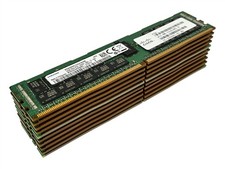
LOT 10: Samsung M393A4K40BB2-CTD7Y 32GB 2Rx4 PC4-2666V DDR4 ECC RDIMM Server RAM
$1749.99

USB 3.0 Flash Drive 32GB 64GB 128GB Memory Stick Thumb Stick Lot Pack
$826.09
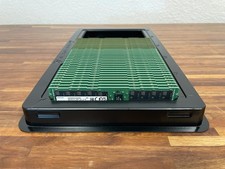
Lot of 32 SAMSUNG 64GB 2Rx4 PC4-3200 ECC REG SERVER RAM M393A8G40AB2-CWE
$22500.00

1/ 10/ 100pcs USB 2.0 2GB, 4GB ,8GB ,16GB ,32GB ,64GB 128GB USB Flash Drives Lot
$202.50

Dell 16GB PC4-21300 (DDR4-2666) Memory (SNPPWR5TC16G)
$89.99



 Reply With Quote