

 Reply With Quote
isn't there anyone that has a solution to this.
I was looking forward to trying the latest Knoppix 3.8.1.
There must be a way to get it working after all it worked alright in v 3.7


For some reason my PS2 mouse won't work in Knoppix 3.8.1 yet it does work on everything else like mepis, ubuntu & the previous knoppix V3.7
I Tried booting with the comand: knoppix pci=irqmask=0x0e98 and even flashed my motherboard with the latest bios.
My motherboard is a Asus A7V333
Processor AMD XP1700+
256mb Ram
Geforce 4
Can anyone tell how to get it working?
isn't there anyone that has a solution to this.
I was looking forward to trying the latest Knoppix 3.8.1.
There must be a way to get it working after all it worked alright in v 3.7
I really have no idea, as both PS2 mice and USB mice have worked fine for me, and as you pointed out it worked in 3.7. But just on a hunch, you might want to look on the belly of that mouse and see if there is a switch marked somethig like Microsoft/Mouse System (actually, any switch). If so, try booting Knoppix with the switch in the other position. I don't have any confidence that this will help, but it's all I can think of. Have you tried other mice? It would be nice to know if it's a MB issue or a rodent issue. Mice are plentiful, I have many in my house, and a good number of them are the computer kind.
I'll try another mouse tomorrow.
But just for your information, My mouse is a microsoft ps2 intellimouse (2 button, wheel mouse).
Well then I don't expect that there is a switch on the mouse and I rather doubt that the problem will turn out to be the mouse. I have a basic Microsoft Optical Mouse that I can use (although I've used it as a USB mouse recently, since I've found it handy to plug another keyboard into the notebook and it only has one PS2 port. I'm out of ideas on what you can look for when switching mice doesn't work.Originally Posted by roadrash
Hi All:
I am almost embarrassed to admit that I tried this, but
booting with the option
acpi=off
seems to solve the problem (on older computers
with suspect ACPI support).
Enjoy!
Paul Eggermont
I'm confused by your post in this thread Paul. You almost seem to be saying that you were posting the above problem but now you have it resolved. However, you do not seem to be the same person as roadrash, you're not even in the same country. Did you mean to post this in a different thread perhaps?
Harry:
It should have mentioned explicitly that it relates
to PS/2 mouse problems!
But the acpi=off business does resolve the
problem with PS/2 mice on two of my old computers
(an old HP pc, about the same as roadrash's setup, and
also on a Gateway PIII (500Mhz) system). Without it, the
PS/2 mice get ``detected'' as USB mice, with the
above boot option, it gets detected and configured the
correct way.
Hope this clears it up
Paul
Hi there,
I have exactly the same problem as ROADRASH: My PS/2 mouse does not work on Knoppix v3.8.1
First a little hardware data:
ASUS A7S333
Athlon XP 2400+
512 MB RAM
GeForce 4
I tried everything to solve my problem: The "pci=irqmask=0x0e98" cheat, flashing the newest BIOS, the "acpi=off" hint
from PAUL_E....... nothing worked. On the other hand, the KNOPPIX seems to detect my mouse right.
I usually work with a Wndows 2000 Pro, no problems there...
I first thought about the unusualy chipset my MB has (SIS 745), but after checking I found that ROADRASH's board has a VIA chipset, so this seems to be not the cause. Anyway, maybe the ASUS xxx333 series has another flaw (some sort of), which makes it problematic for the newest KNOPPIX.....
PLEASE HELP!
mite give this boot cheat a try: psmouse.proto=imps
 Posting Permissions


LENOVO THINKPAD T14s GEN 2a Ryzen 7 PRO 5850U 1.9GHz 16GB 256GB TOUCH - NO OS
$299.95
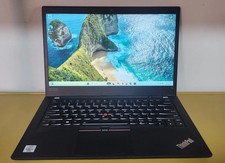
Lenovo ThinkPad T14 Gen 1 Core i5 1.70GHz, 16GB RAM , 256GB SSD
$259.99

Lenovo ThinkPad L14 Gen 3 Laptop 14” FHD Core i5 12th 16GB RAM 512GB SSD Win 11
$359.99

Lenovo Thinkpad E15 Gen 2 8GB RAM 256GB SSD Intel Core [email protected] Laptop
$220.36
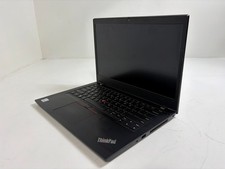
Lenovo ThinkPad L14 Gen 1 Core i5-10310U 1.7GHz 16GB 512GB 14" W11P Laptop
$197.10
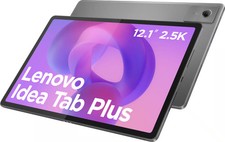
Lenovo - Idea Tab Plus - 12.1" 2.5K Tablet - 8GB RAM - 128GB UFS - Luna Grey
$209.99
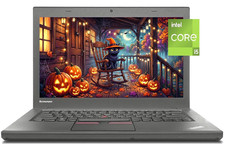
14" Lenovo T460 Laptop PC: Intel i5-6300U (16GB RAM - 256GB SSD) Windows 10
$129.69
Lenovo ThinkPad T490 Quad Core i7-8565U 1.80GHz 256GB SSD 16GB RAM Win11Pro
$170.00
Lenovo ThinkPad T490s 14" FHD i5-8365U 16GB RAM 256GB SSD Windows 11 Pro Laptop
$229.00
Grade A Lenovo Thinkpad T470 i5-6300U 2.4Ghz 8GB 256GB Win 11
$209.99